POS System for Bakery

Introduction

The challenge for this project was to design a Point of Sale (POS) system prototype. The project focused on creating a user-friendly, intuitive system that streamlined billing, product management, and vendor coordination. Completed as a design challenge within three days, this project highlights the importance of addressing specific business needs with tailored solutions.

Breaking Down the Solution

Bill

Bill

Bill

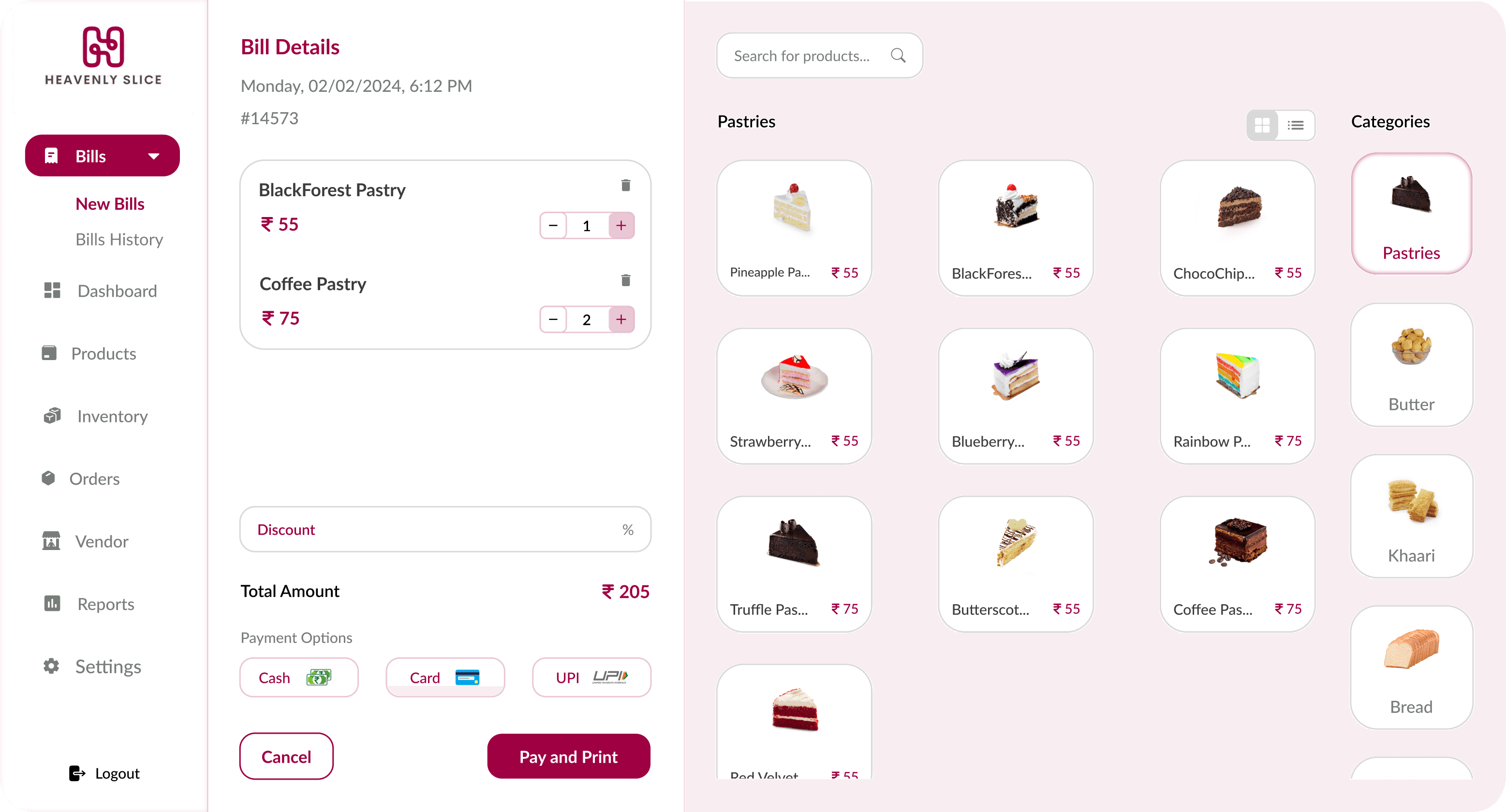
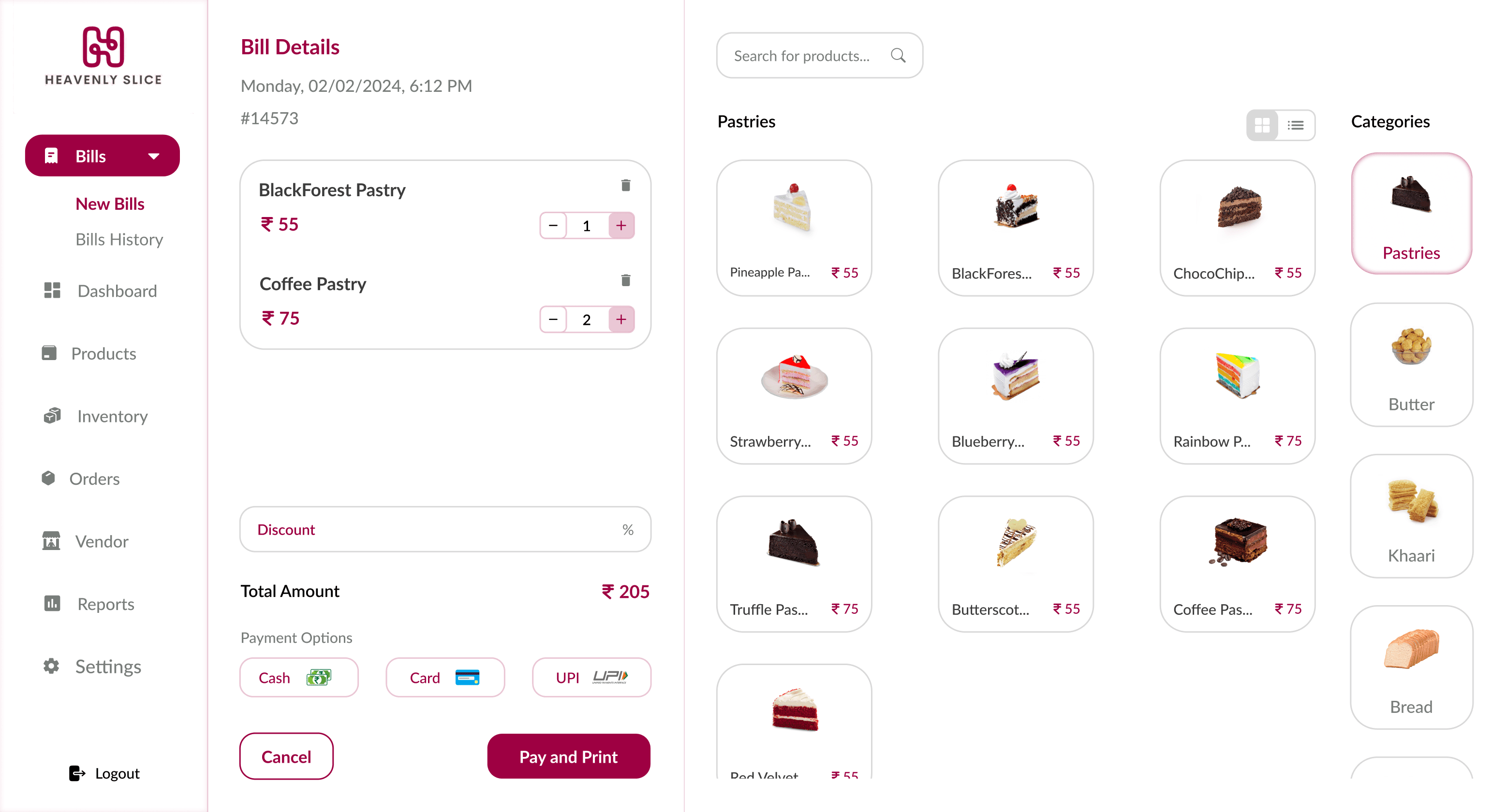
The bills section is the default screen displayed immediately after login, as it is one of the most frequently used features. Users can easily search for and add products by browsing through various categories, such as bread, cakes, and pastries. The interface provides options to adjust quantities, apply discounts, and choose payment methods, ensuring a seamless and efficient billing process.


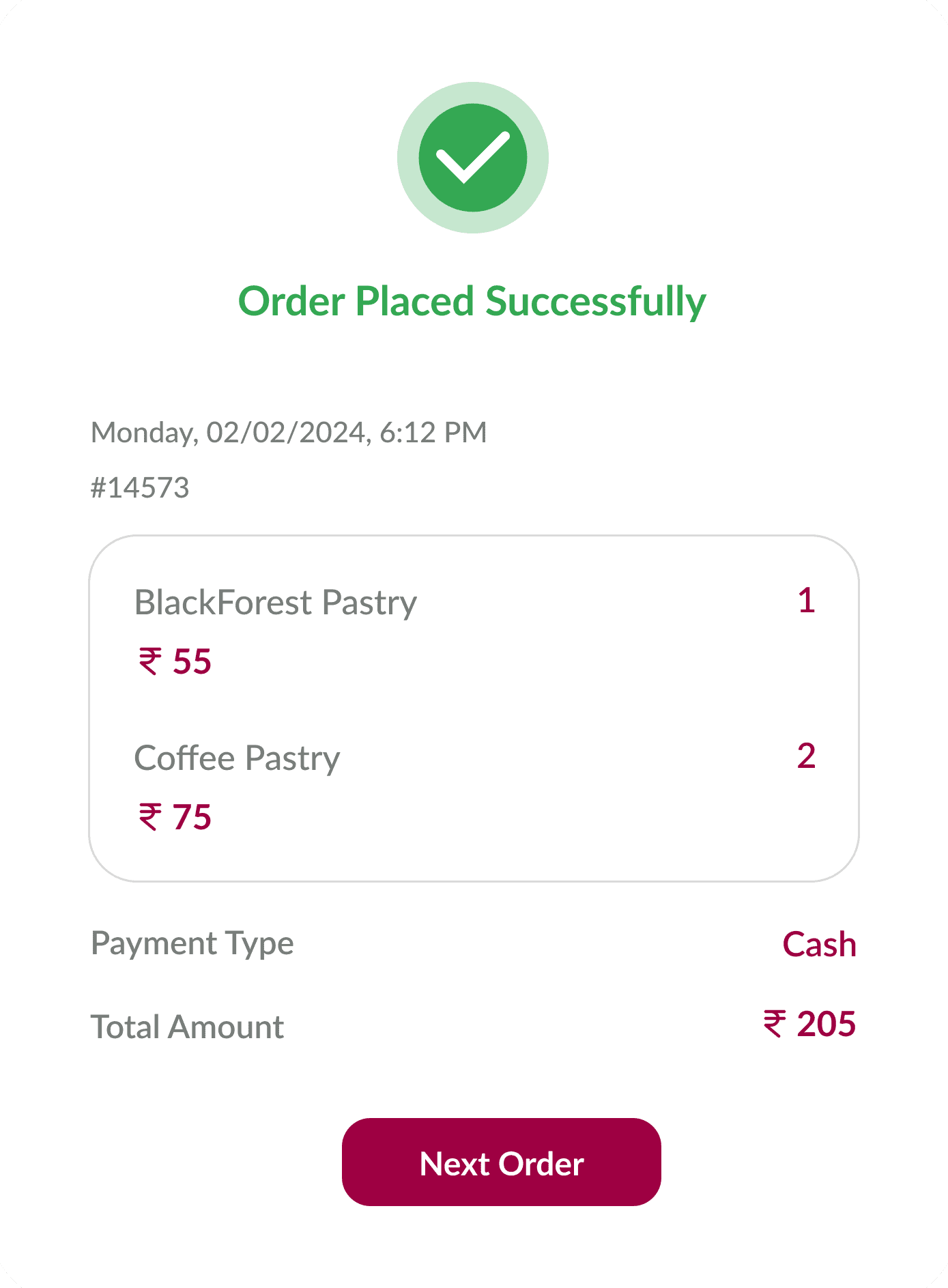
The receipt provides a comprehensive view of order details, including the order ID, date and time, items purchased, payment type, and total amount. This feature is designed to facilitate quick reviews and printing, making it easier for users to maintain accurate transaction records.
Products

Products

Products

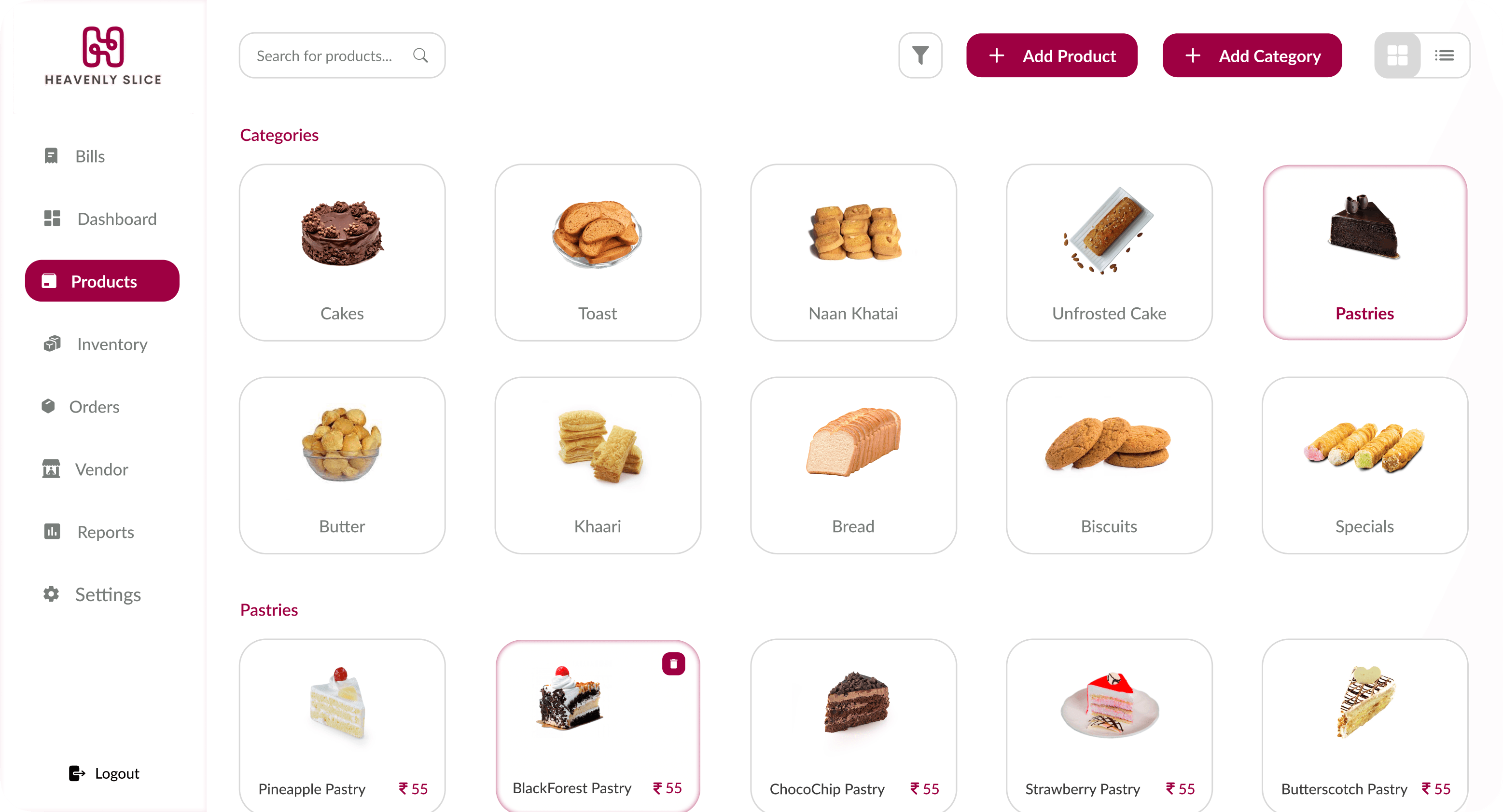
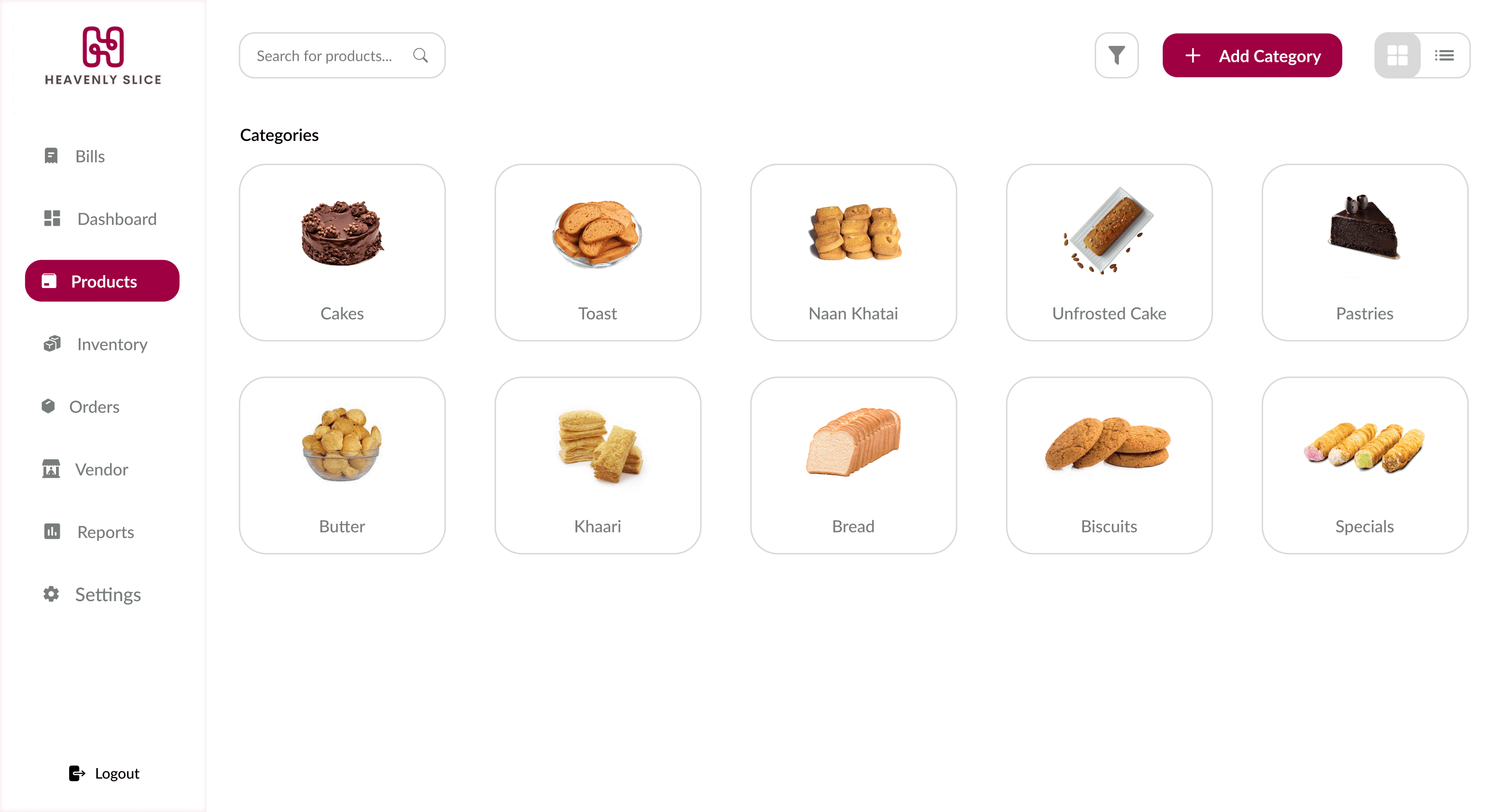
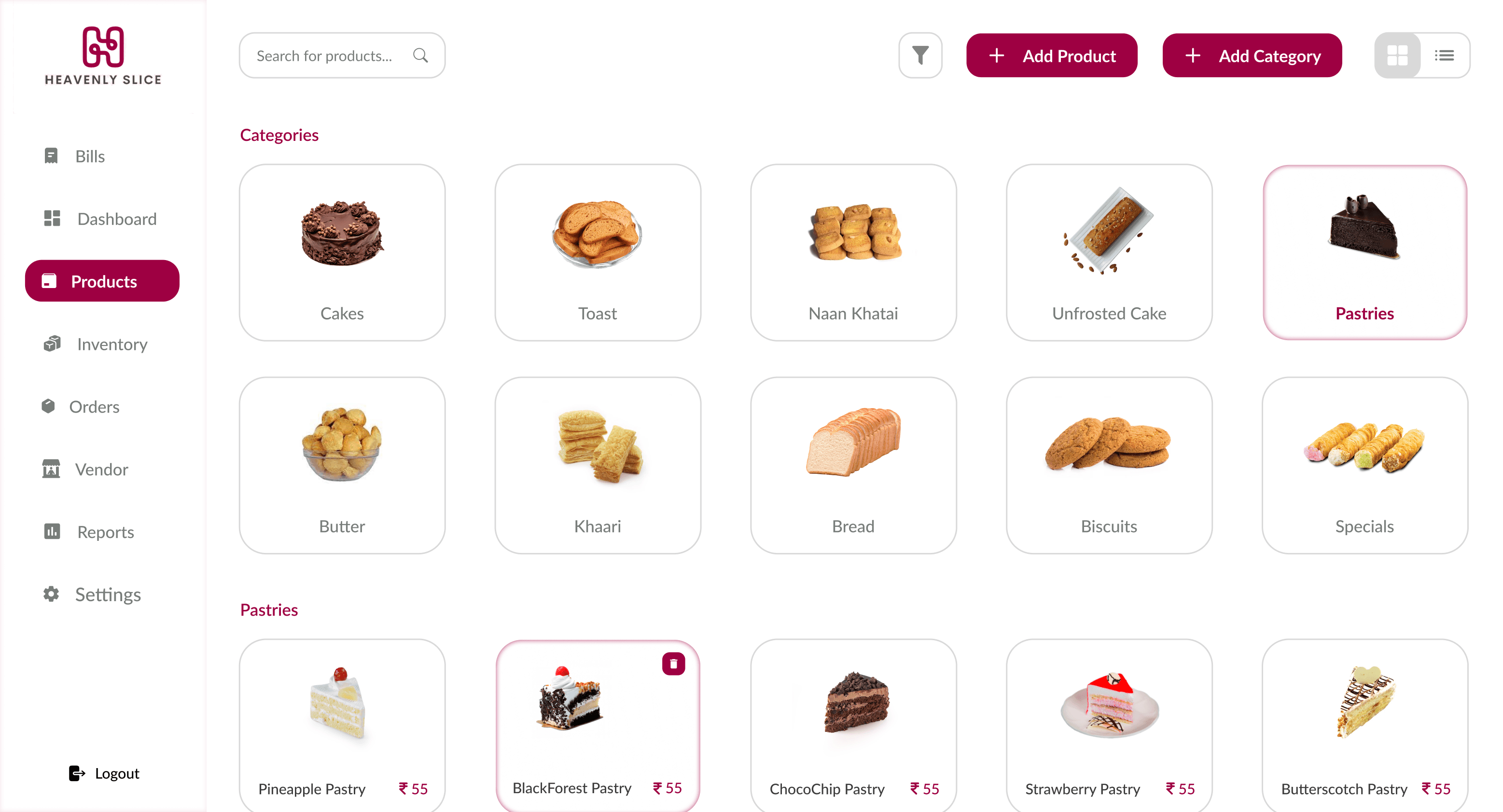
Products are organized into intuitive categories like bread, cakes, and pastries, ensuring easy organization and navigation. Users can also add new categories. Additionally, users can switch between grid and list views based on their preferences for visual organization.
Products Management

Products Management

Products Management

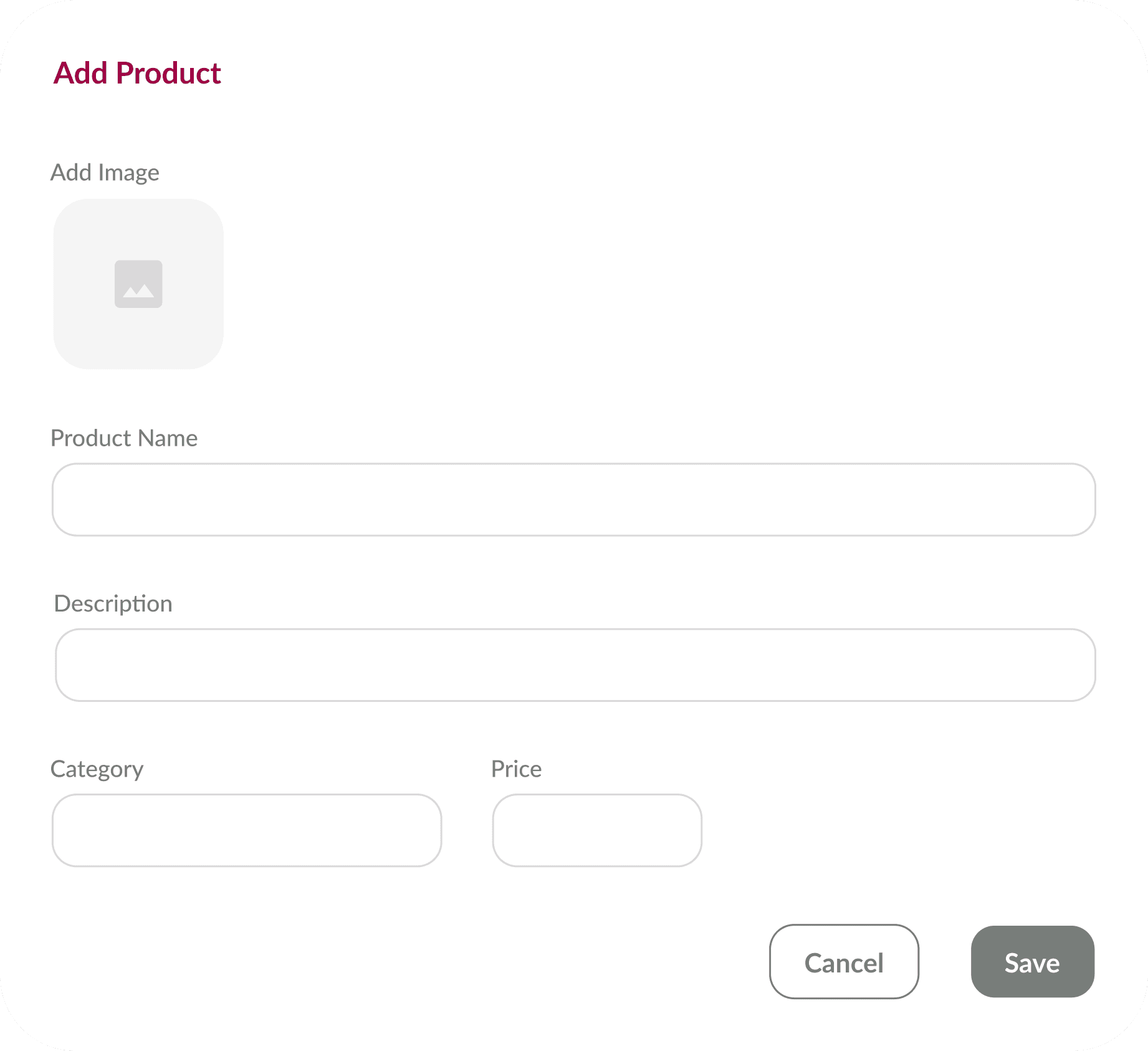
Add Product

Add Product

Add Product

Users can add new products by filling in fields for the product name, description (e.g., ingredients or allergens), category, price, and image.

Users can add new products by filling in fields for the product name, description (e.g., ingredients or allergens), category, price, and image.

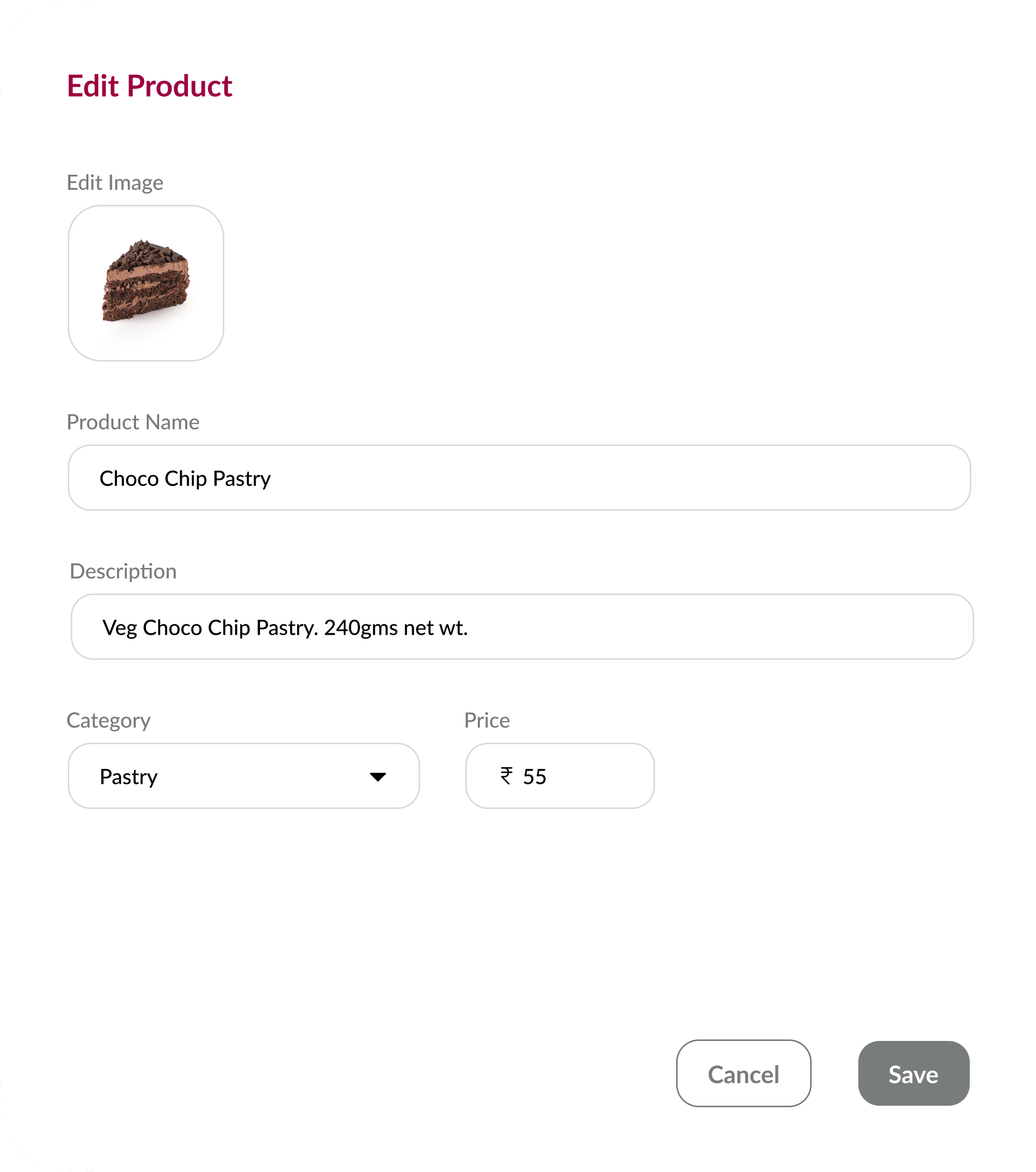
Edit Product

Edit Product

Edit Product

Fields like product name, description (e.g., ingredients or allergens), category, price, and image can be updated in the edit product section, allowing flexibility in managing product details.

Fields like product name, description (e.g., ingredients or allergens), category, price, and image can be updated in the edit product section, allowing flexibility in managing product details.

Vendors

Vendors

Vendors

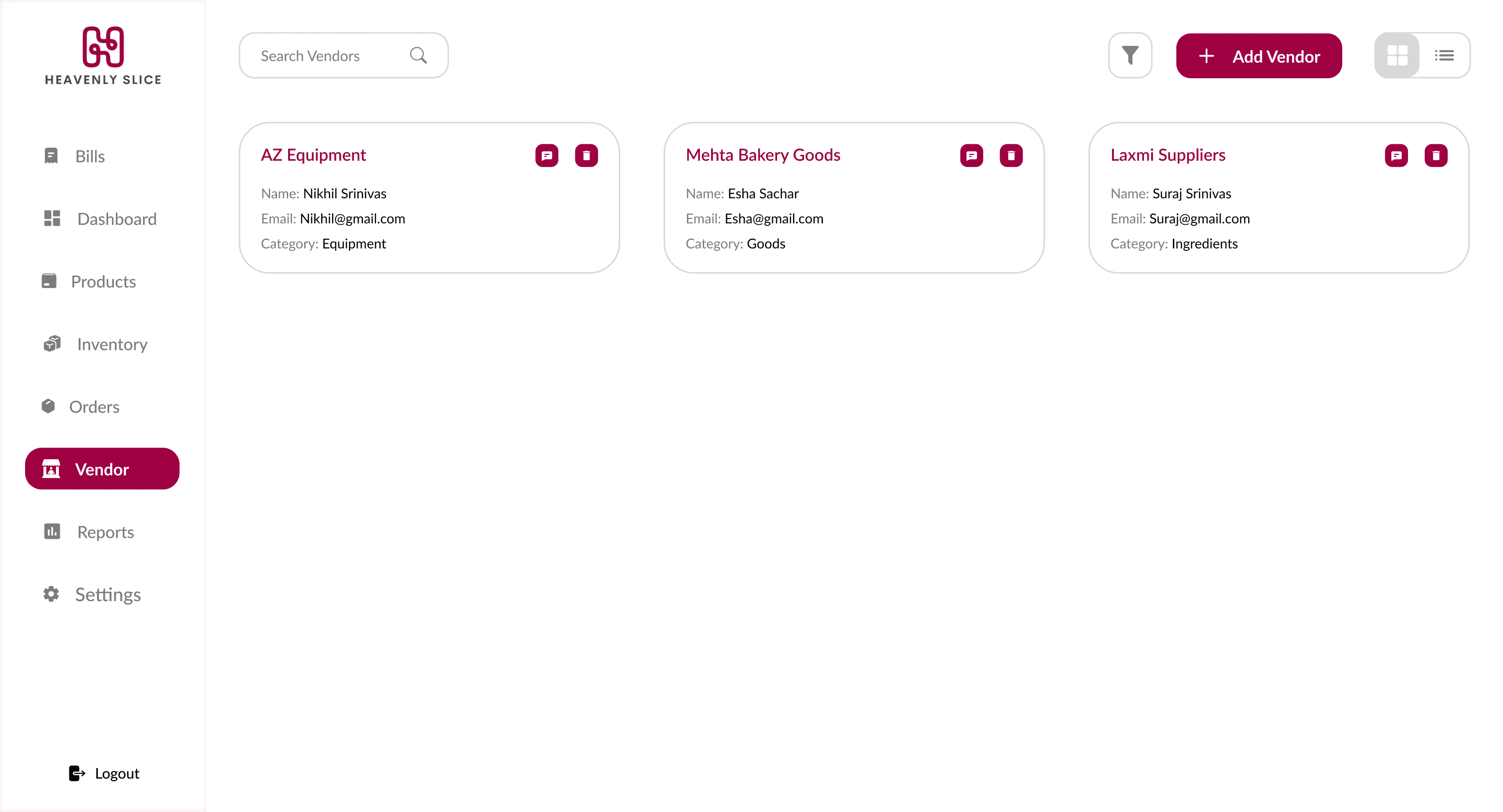
Vendor details are displayed in a card-based layout, including the company name, vendor name, contact information, address, and category. Quick action buttons allow users to message or delete vendors directly from their cards, streamlining communication.

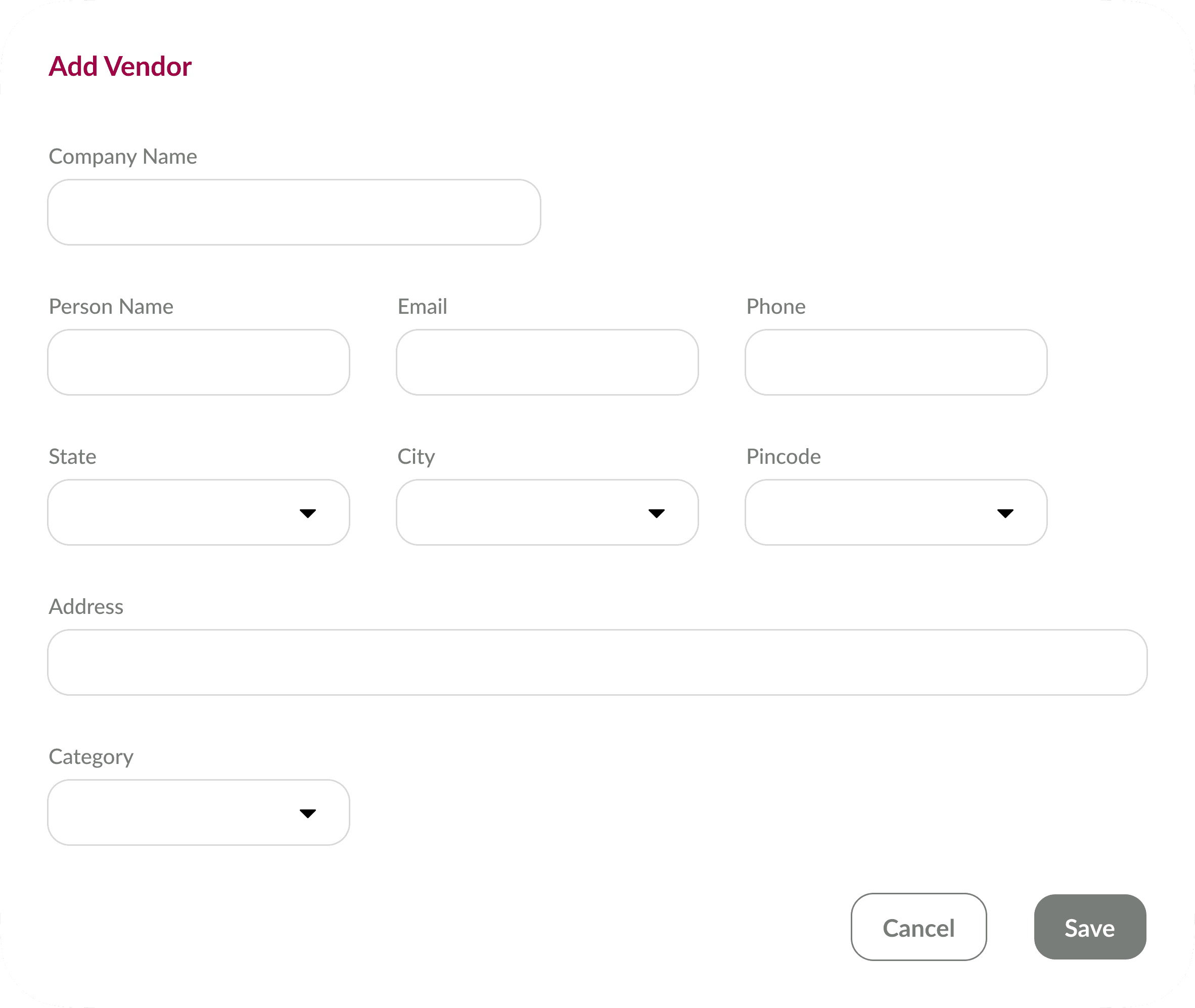
Adding a new vendor involves completing fields for the company name, vendor name, contact information, address, and category, ensuring comprehensive vendor records
Vendors Details

Vendors Details

Vendors Details

Vendors Details

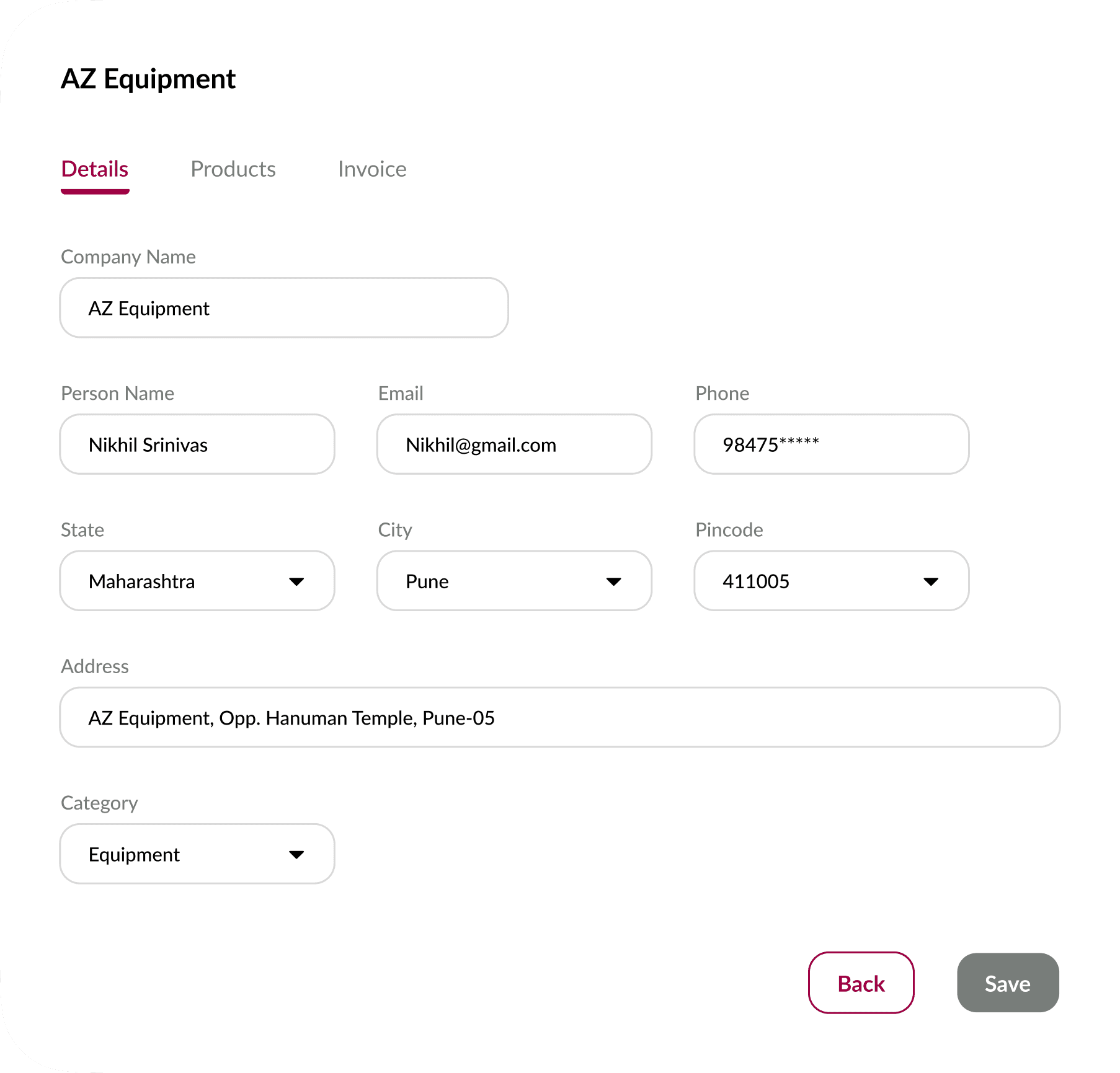
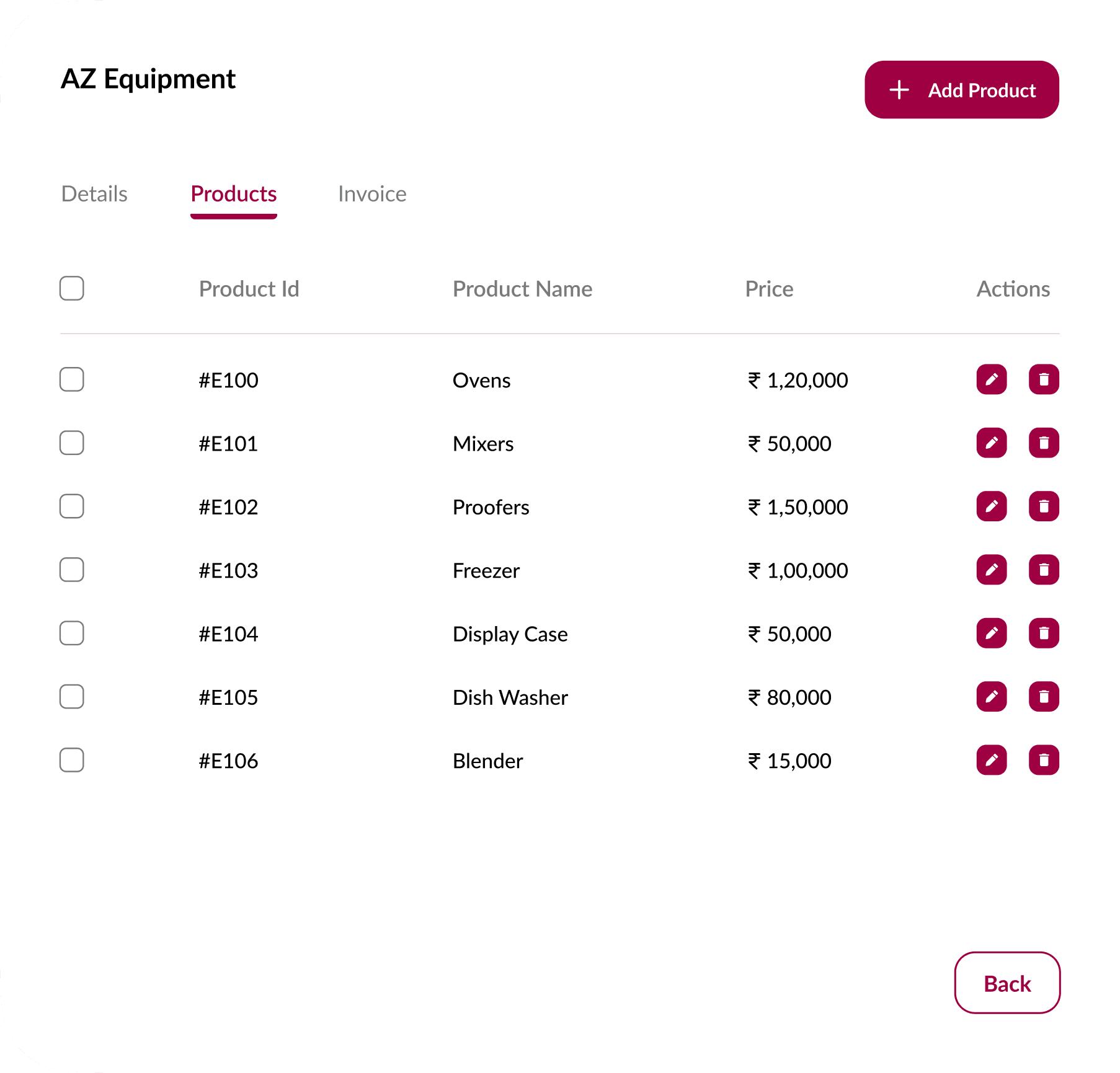
Vendor details displays company name, vendor name, contact info, address, and category. The products supplied tab enables users to add, edit, or delete items supplied by each vendor, with action buttons conveniently placed alongside the product details.
Task

Task

Task

Task

Challenge

To design a user-friendly and intuitive POS prototype in just three days. The system needed to cater to the unique requirements of a bakery, focusing on creating bills, managing products, and overseeing vendor relationships.

Task Details

Homepage: Design a clean and accessible homepage with easy navigation to Bills, Products, and Vendors sections.

Homepage: Design a clean and accessible homepage with easy navigation to Bills, Products, and Vendors sections.

Homepage: Design a clean and accessible homepage with easy navigation to Bills, Products, and Vendors sections.

Bills Management: 

  • Create a flow for users to generate a new bill.

  • Include features for adding items, setting quantities, applying discounts, and calculating the total amount.

  • Ensure a straightforward process for reviewing and finalizing the bill.

Bills Management: 

  • Create a flow for users to generate a new bill.

  • Include features for adding items, setting quantities, applying discounts, and calculating the total amount.

  • Ensure a straightforward process for reviewing and finalizing the bill.

Bills Management: 

  • Create a flow for users to generate a new bill.

  • Include features for adding items, setting quantities, applying discounts, and calculating the total amount.

  • Ensure a straightforward process for reviewing and finalizing the bill.

Bills Management: 

  • Create a flow for users to generate a new bill.

  • Include features for adding items, setting quantities, applying discounts, and calculating the total amount.

  • Ensure a straightforward process for reviewing and finalizing the bill.

Products Management: 

  • Design a section for adding new products with fields for name, description, price, and other relevant details.

  • Allow users to view and edit existing product details.

Products Management: 

  • Design a section for adding new products with fields for name, description, price, and other relevant details.

  • Allow users to view and edit existing product details.

Products Management: 

  • Design a section for adding new products with fields for name, description, price, and other relevant details.

  • Allow users to view and edit existing product details.

Products Management: 

  • Design a section for adding new products with fields for name, description, price, and other relevant details.

  • Allow users to view and edit existing product details.

Vendor Management: 

  • Develop a vendor management section for adding and updating vendor information.

  • Include fields for vendor name, contact details, and a list of products supplied.

Vendor Management: 

  • Develop a vendor management section for adding and updating vendor information.

  • Include fields for vendor name, contact details, and a list of products supplied.

Vendor Management: 

  • Develop a vendor management section for adding and updating vendor information.

  • Include fields for vendor name, contact details, and a list of products supplied.

Vendor Management: 

  • Develop a vendor management section for adding and updating vendor information.

  • Include fields for vendor name, contact details, and a list of products supplied.

Discover

Discover

Discover

Discover

What exactly is a Point of Sale(POS) System?

A point-of-sale system (POS) is one of the most critical tools for day-to-day business operations, as it is the home of every single business transaction. A point of sale (POS) is a system that businesses use to manage sales transactions. A POS can include accessories like a barcode scanner, a receipt printer, a card terminal or a cash drawer. Usually there’s also an internet-enabled device (like a tablet, smartphone or computer) that can run a point-of-sale app.

Why is it important?

A point-of-sale system is the place where a customer pays for a product or service at the store. Every time a purchase happens, a customer is completing a point-of-sale transaction. Modern POS systems not only handle billing but also manage inventory, vendors, and analytics, streamlining business operations.

Benefits

  • Transaction and Payments

  • Inventory and Sales Management

  • Employee Management

  • Floor Management, etc.

Benefits

  • Transaction and Payments

  • Inventory and Sales Management

  • Employee Management

  • Floor Management, etc.

Benefits

  • Transaction and Payments

  • Inventory and Sales Management

  • Employee Management

  • Floor Management, etc.

Benefits

  • Transaction and Payments

  • Inventory and Sales Management

  • Employee Management

  • Floor Management, etc.

Discover

Discover

Discover

Discover

Chosen Business Specific: Bakery

Why a Bakery?

Unique Challenges

Bakeries typically deal with a variety of products, including perishable goods that require precise inventory management.

Unique Challenges

Bakeries typically deal with a variety of products, including perishable goods that require precise inventory management.

Unique Challenges

Bakeries typically deal with a variety of products, including perishable goods that require precise inventory management.

Unique Challenges

Bakeries typically deal with a variety of products, including perishable goods that require precise inventory management.

Opportunity for Creativity

I am able to experiment with different design elements such as colors, fonts, and graphics to create a visually appealing and user-friendly interface.

Opportunity for Creativity

I am able to experiment with different design elements such as colors, fonts, and graphics to create a visually appealing and user-friendly interface.

Opportunity for Creativity

I am able to experiment with different design elements such as colors, fonts, and graphics to create a visually appealing and user-friendly interface.

Opportunity for Creativity

I am able to experiment with different design elements such as colors, fonts, and graphics to create a visually appealing and user-friendly interface.

Growing Industry

Food industry is a growing rapidly, with people looking for goods with variety and quality.

Growing Industry

Food industry is a growing rapidly, with people looking for goods with variety and quality.

Growing Industry

Food industry is a growing rapidly, with people looking for goods with variety and quality.

Growing Industry

Food industry is a growing rapidly, with people looking for goods with variety and quality.

Define

Define

Define

Define

Persona

User Goals

  • Streamline the flow of generating new bills with options to add items from the bakery's menu.

  • Ability to set quantities for each item, apply discounts, and real-time calculation of the total amount.

  • Easily manage the products with the ability of adding new products and categories with field like name, description, price and other relevant details,

  • Efficiently track the consumption of your inventory in real-time which will be helpful to avoid stockouts and reduce waste.

  • Efficient management of vendor information form basic details to list of products supplied.

  • Keep track of past orders for reference and analysis.

  • Generate reports on sales, inventory, and other key metrics to analyze business performance.

Ideate

Ideate

Ideate

Ideate

Laying the Foundation

Information Architecture

Information Architecture

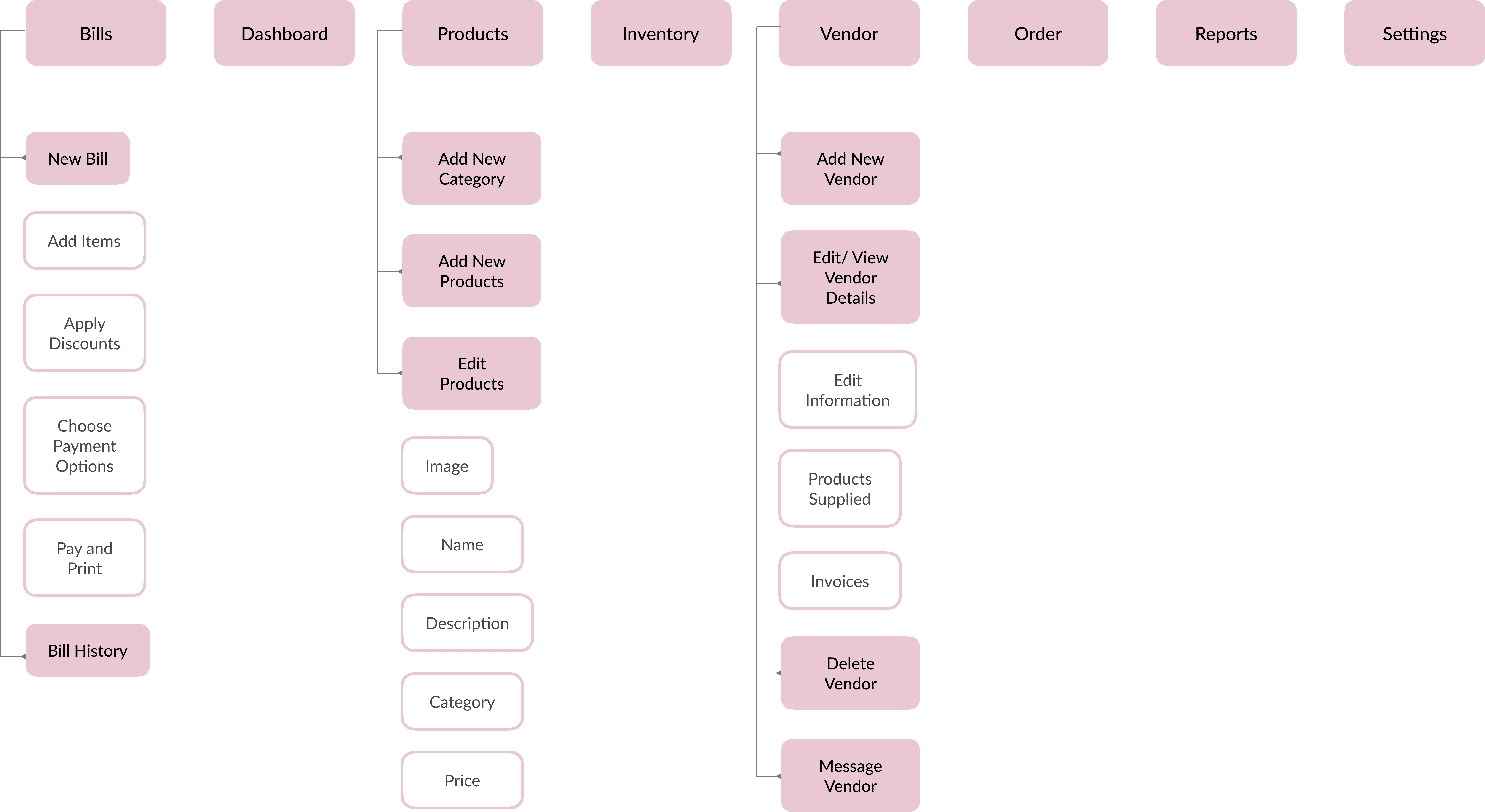
This Information Architecture is based on the features that are available in the prototype.
Design

Design

Design

Design

Style Guide

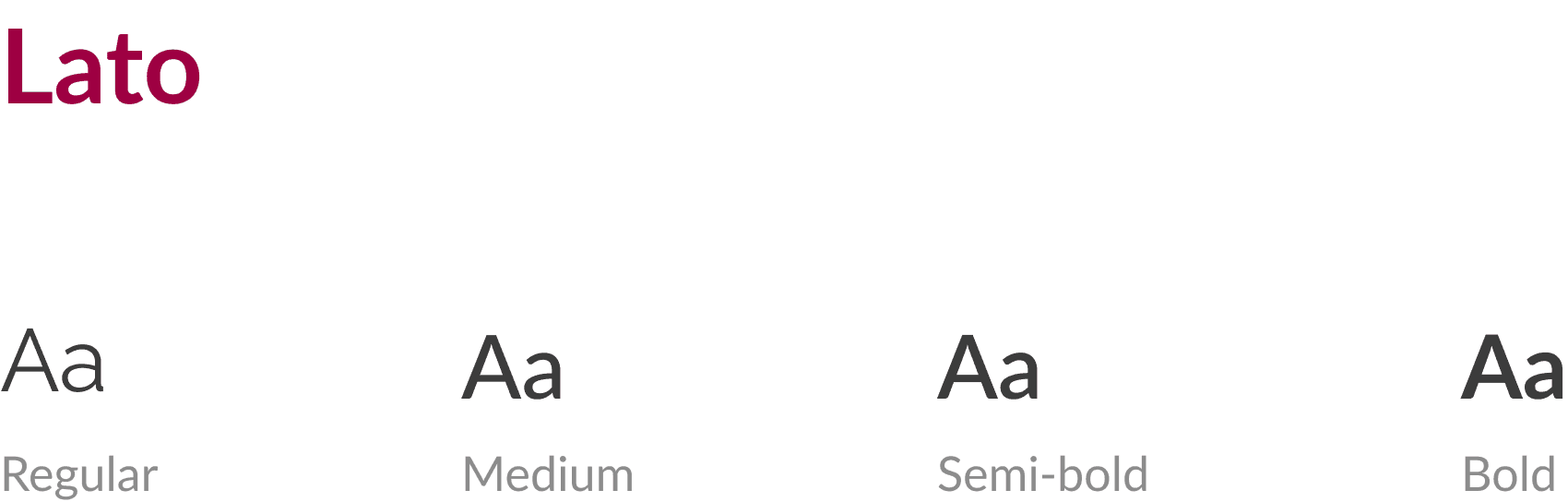
Typeface

Colors

Interactive Prototype

Key Learnings

Time Management

Time Management

Time Management

Completing the challenge within the tight timeframe improved my efficiency in ideation and execution.

Cross Functional Thinking

Cross Functional Thinking

Cross Functional Thinking

Balancing technical feasibility with user needs strengthened my ability to think holistically.

Industry Specific Challenges

Industry Specific Challenges

Industry Specific Challenges

Designing for a bakery highlighted unique operational needs, enriching my understanding of niche business requirements.

Concluding

This project was a rewarding challenge that pushed me to design an effective solution in a limited timeframe. By tailoring the POS system to a bakery’s unique needs, I demonstrated my ability to empathize with users and deliver practical solutions. The outcome reflects my commitment to solving the task in the best possible way, combining functionality with a delightful user experience.


Let’s connect!

Let’s connect!

Let’s connect!

Let’s connect!

Create a free website with Framer, the website builder loved by startups, designers and agencies.