Nirali Makwana
blending Artistry with Functionality



About Me

Hi, I’m Nirali Makwana,
A recent Master’s graduate in User Experience Design from Vishwakarma University, I transitioned from a Bachelor’s in Computer Engineering to the dynamic world of UI/UX, driven by my passion for blending creativity, functionality, and technology.
During my internship at Wildchama, I designed intuitive, user-centric app features for women and LGBTQ+ communities. This experience strengthened my skills in UX research, prototyping, and striking the right balance between creativity, user needs, and
stakeholder feedback
Beyond Design
Beyond the pixels and wireframes, I,
Get lost in the pages of good books
Vibe to music that sets the mood
Explore the worlds of cinema and series,
And satisfy my inner foodie, one bite at a time
Projects




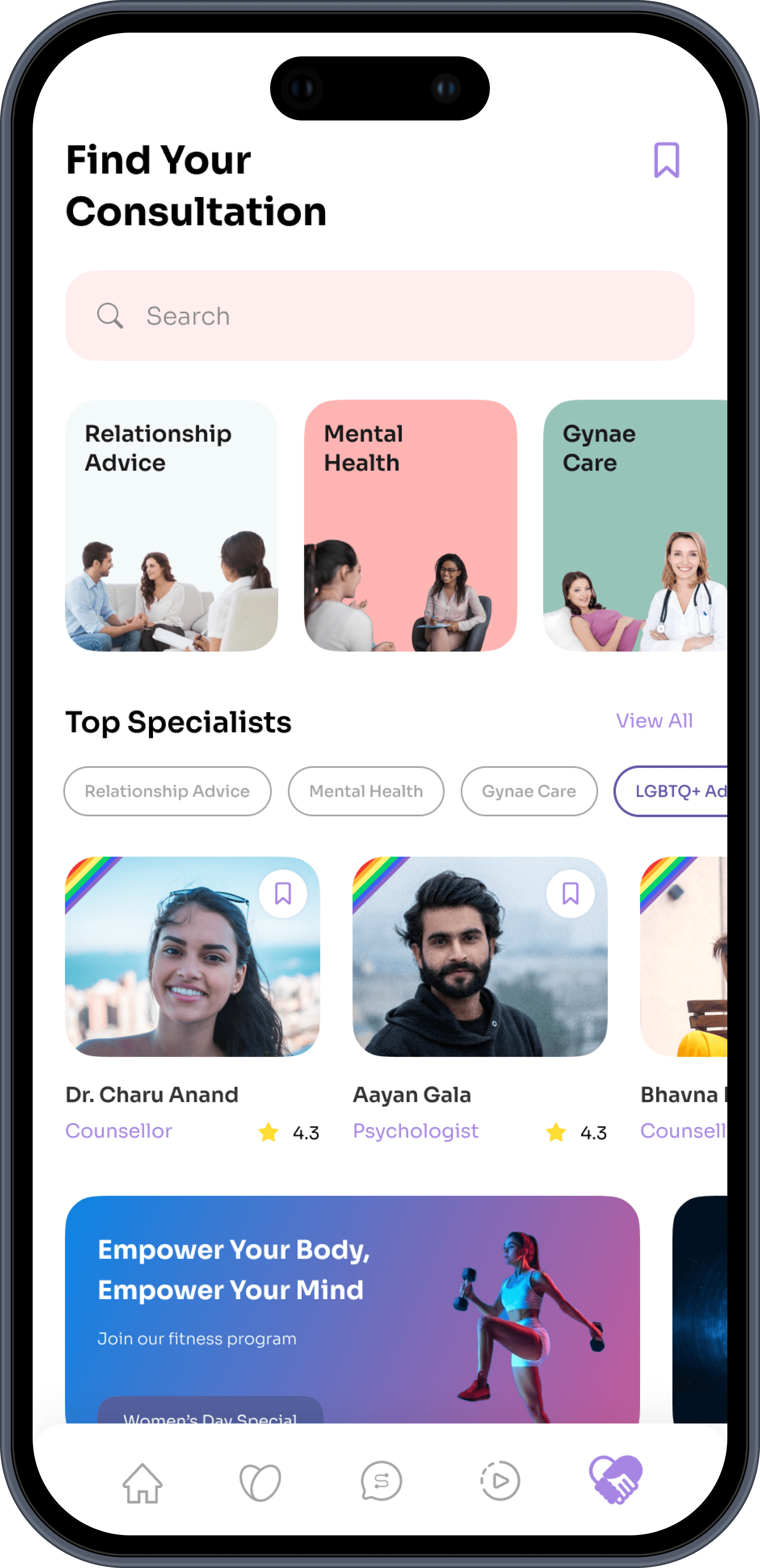
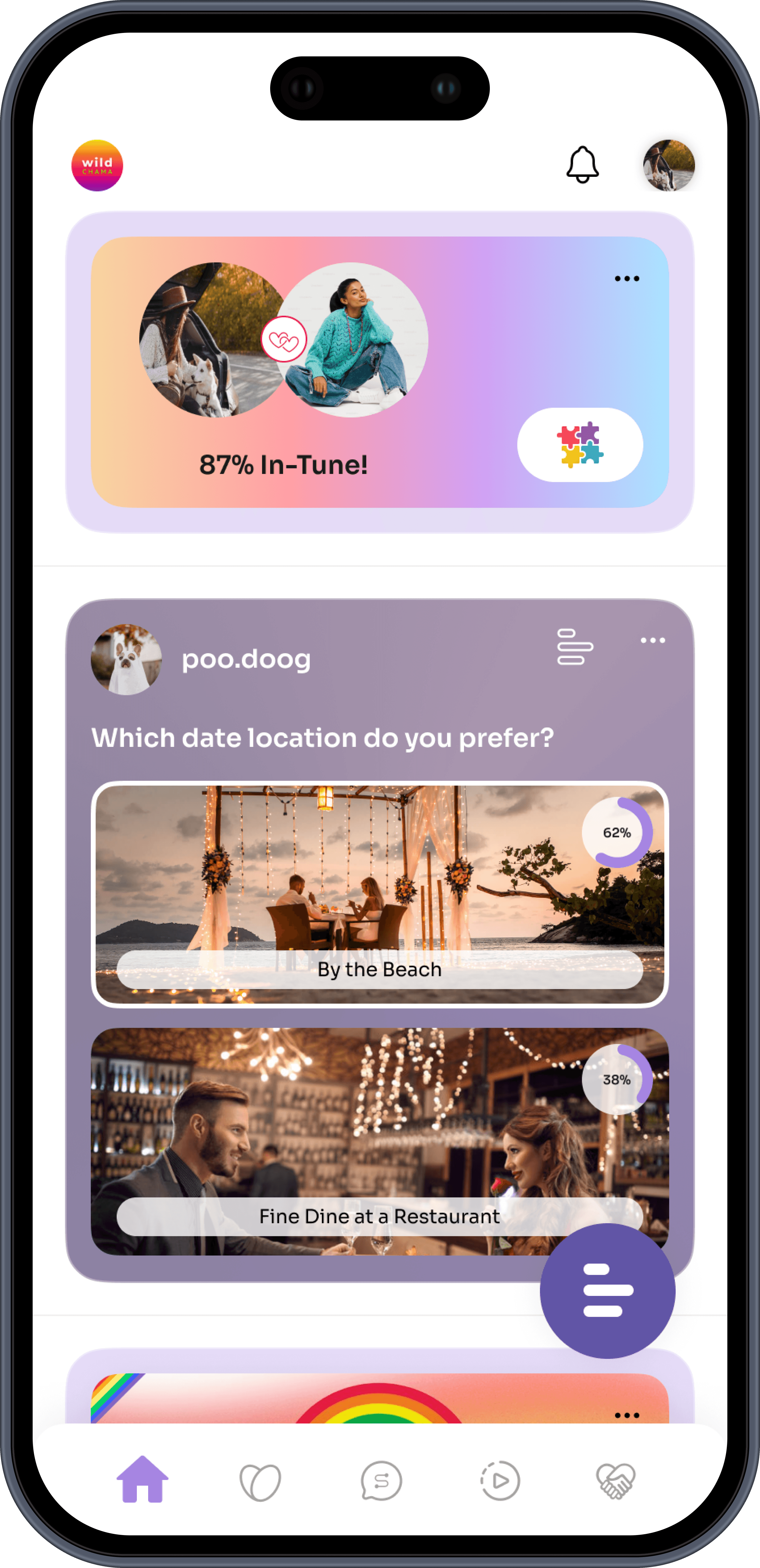
WildChama
WildChama
All Inclusive Application for Women and LGBTQ+
WildChama
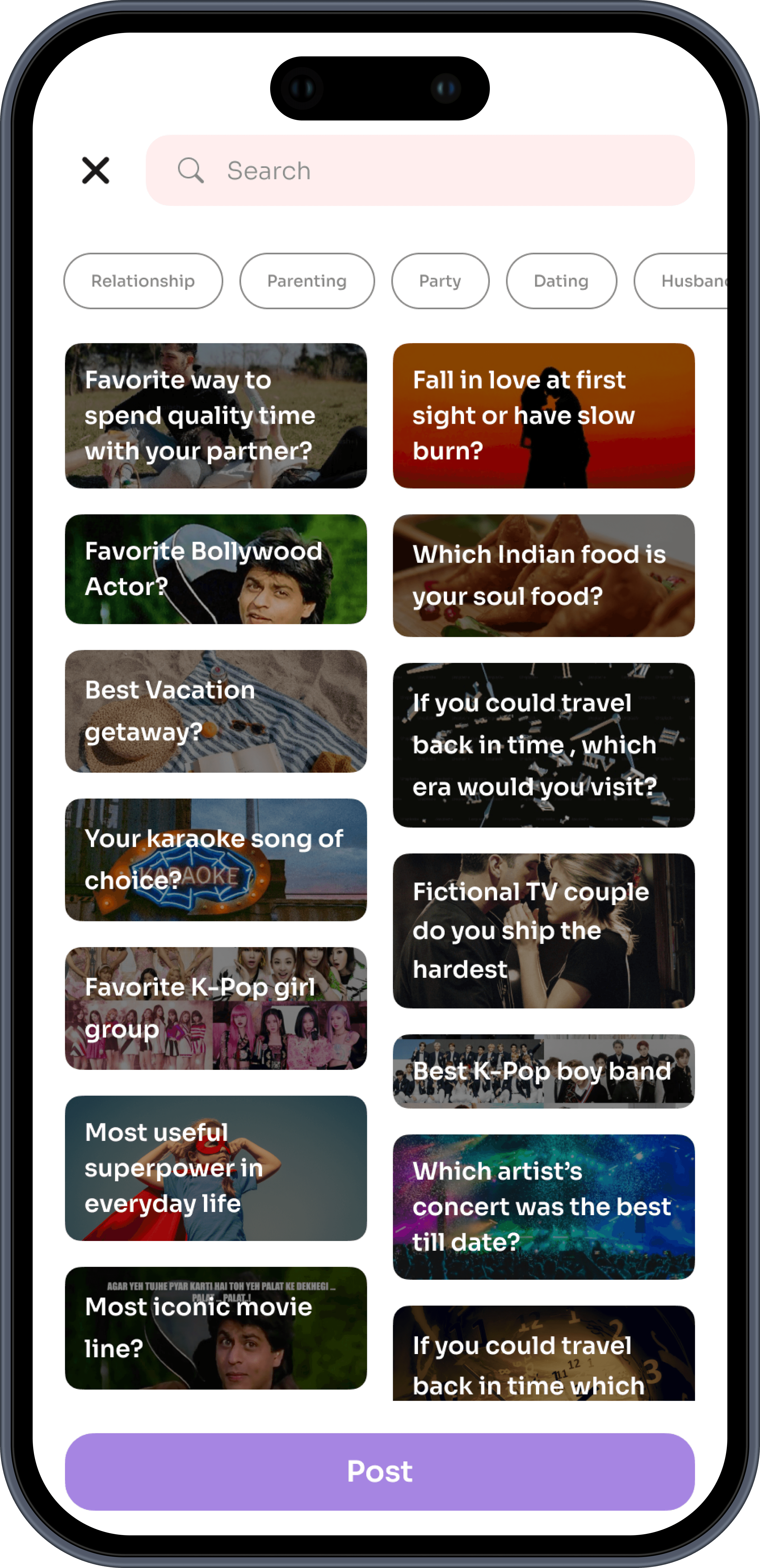
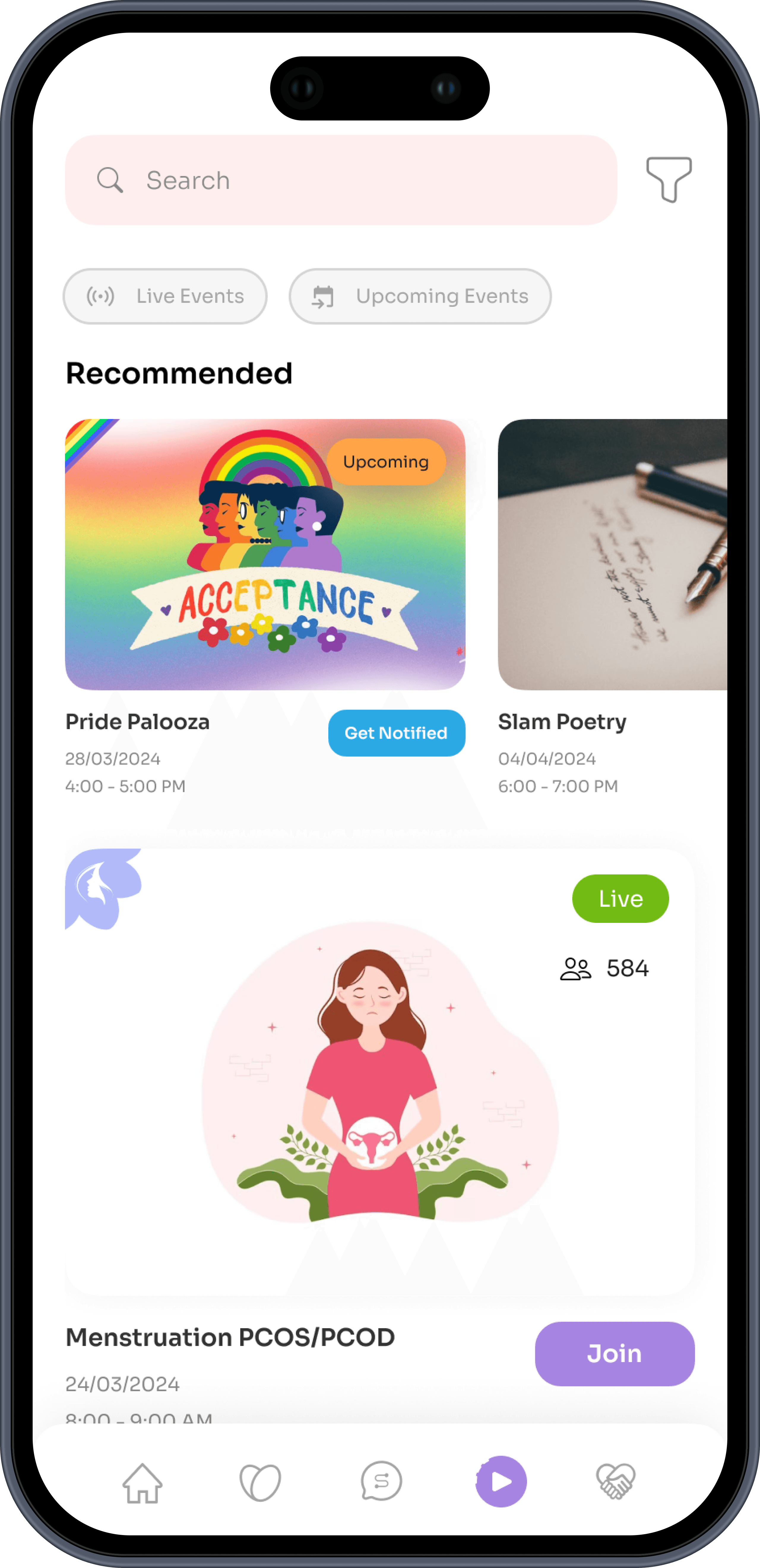
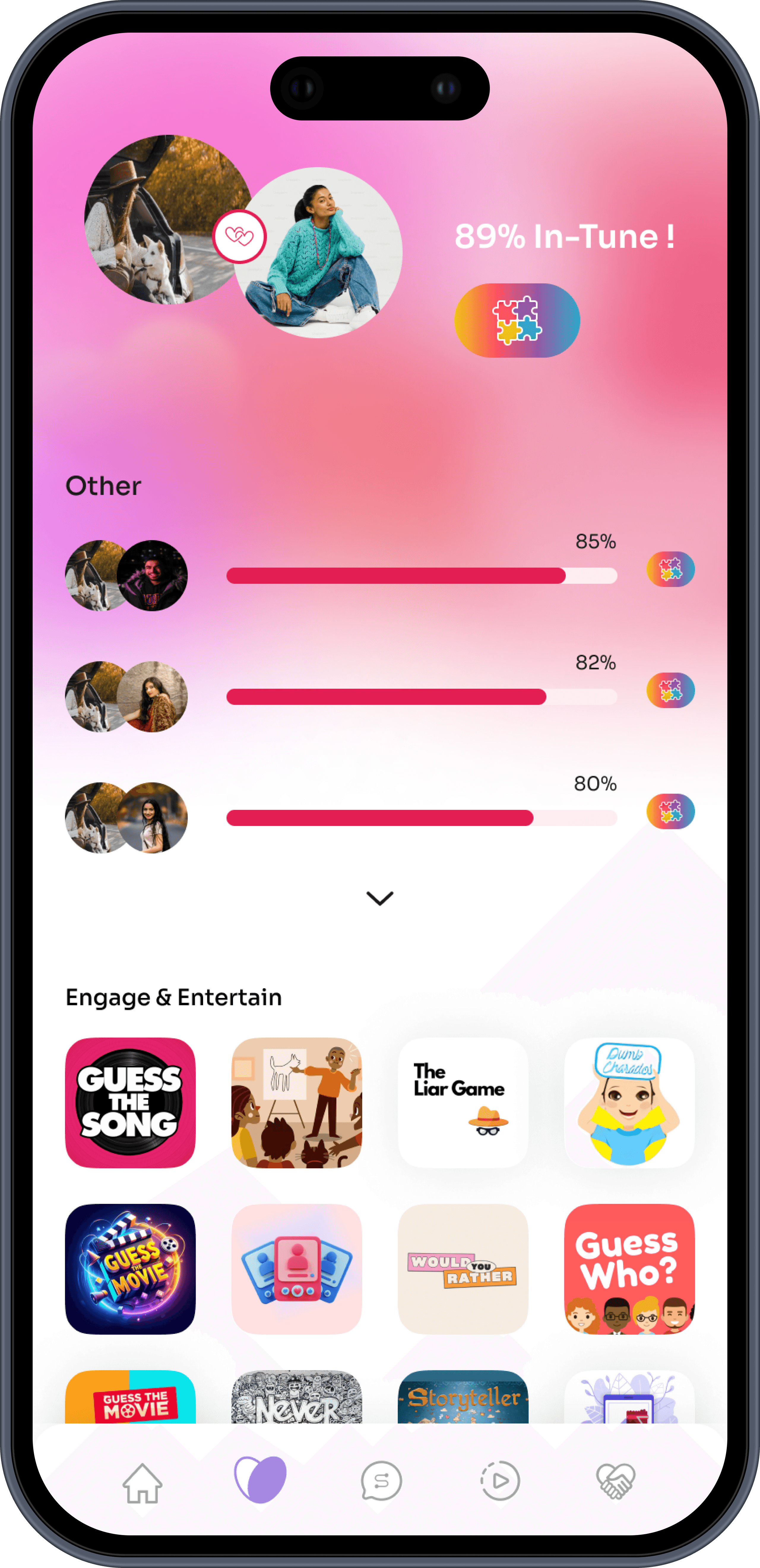
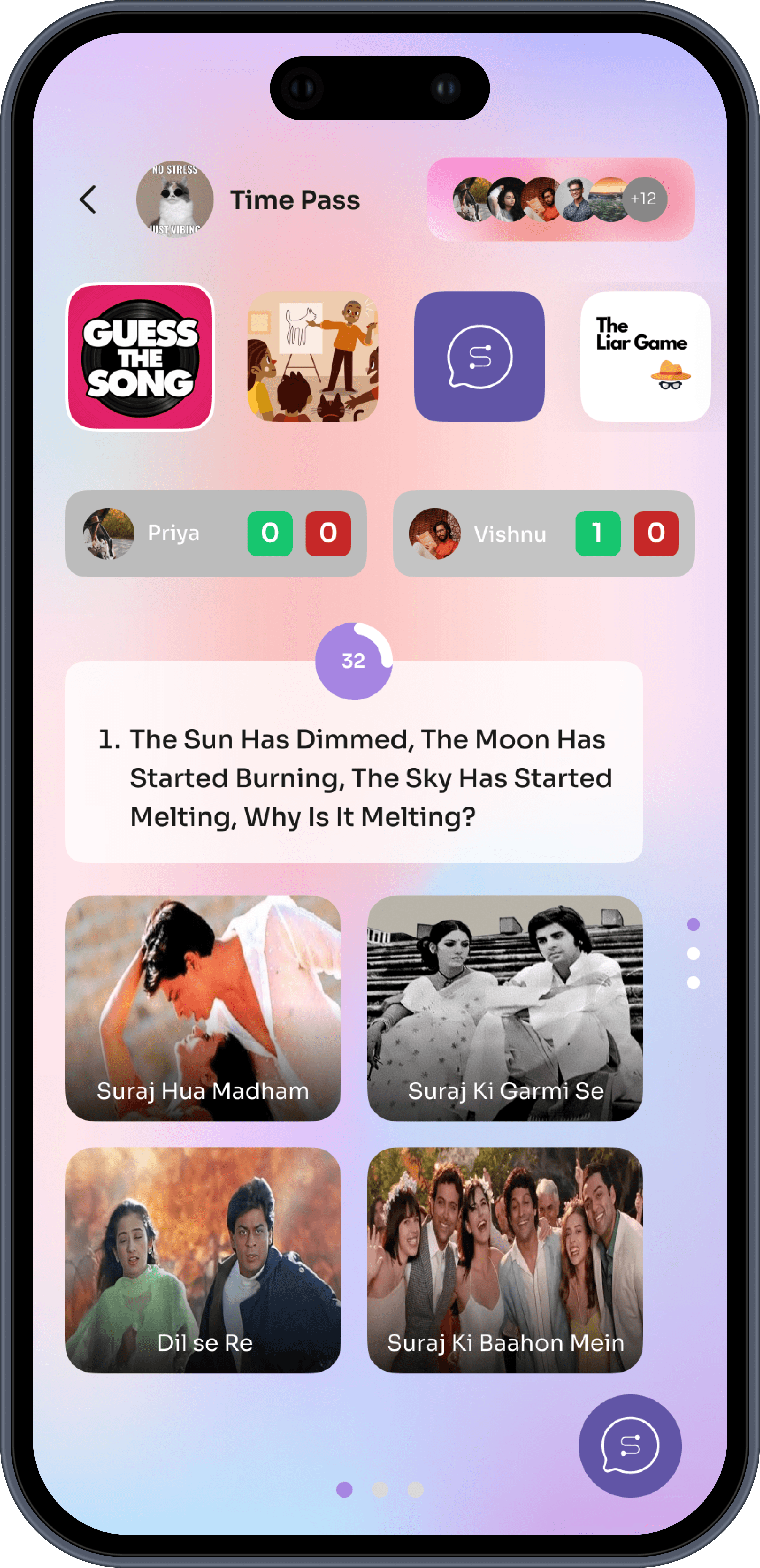
Wildchama is a multifaceted mobile application aimed at women and LGBTQ+ individuals. It is designed to provide a safe, inclusive, and fun space for networking, personal growth, and entertainment that emphasizes vibrant aesthetics, interactivity, and user engagement.
Role
UI/UX Design Intern
Timeline
4 months, 2024
Company
Wildchama
Peek into the solution
Problem Statement
How might we design an engaging and inclusive app experience that caters to the unique needs of women and LGBTQ+ individuals, while increasing user retention, enhancing interactions, and attracting the target audience?
Brainstorming
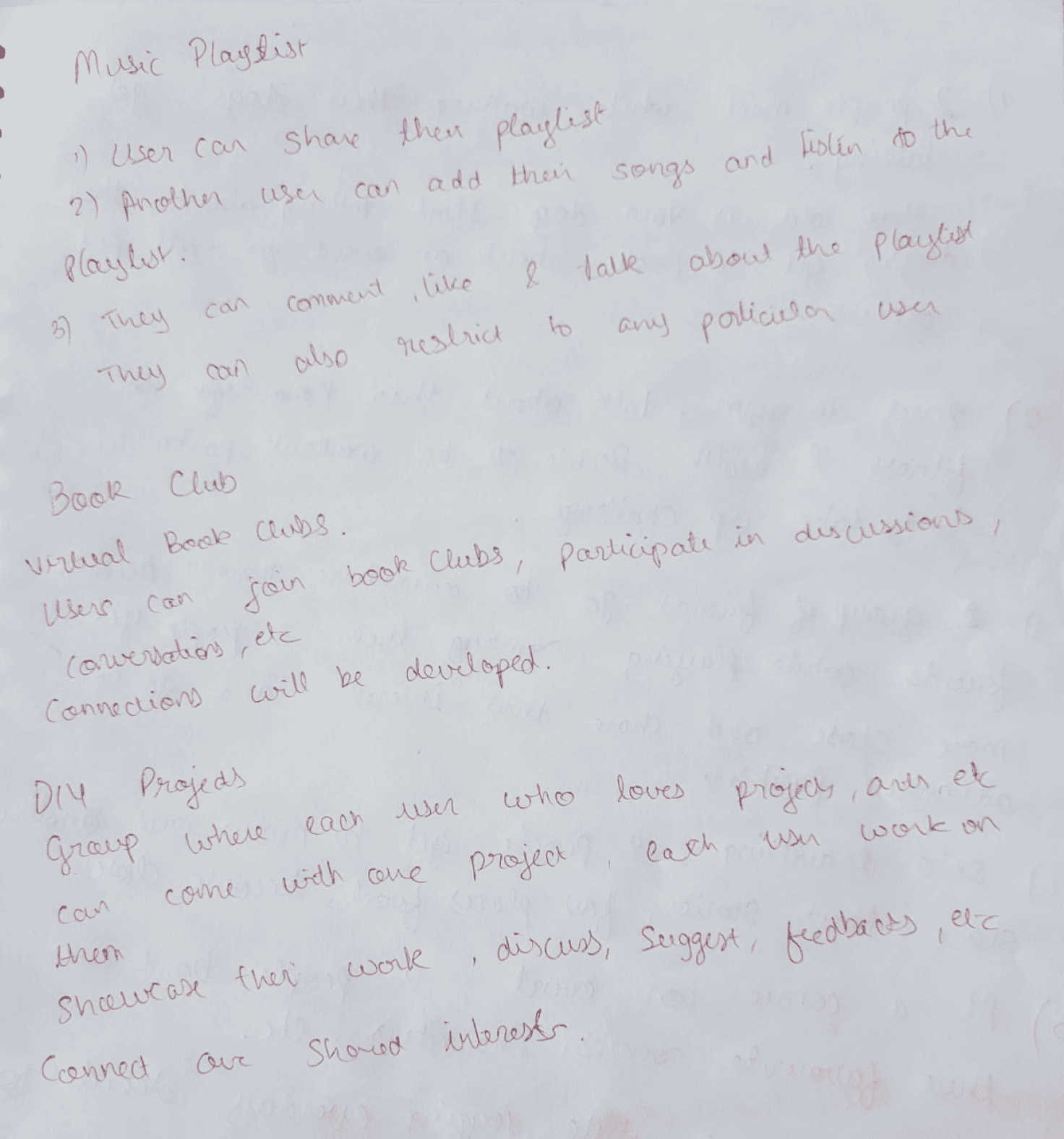
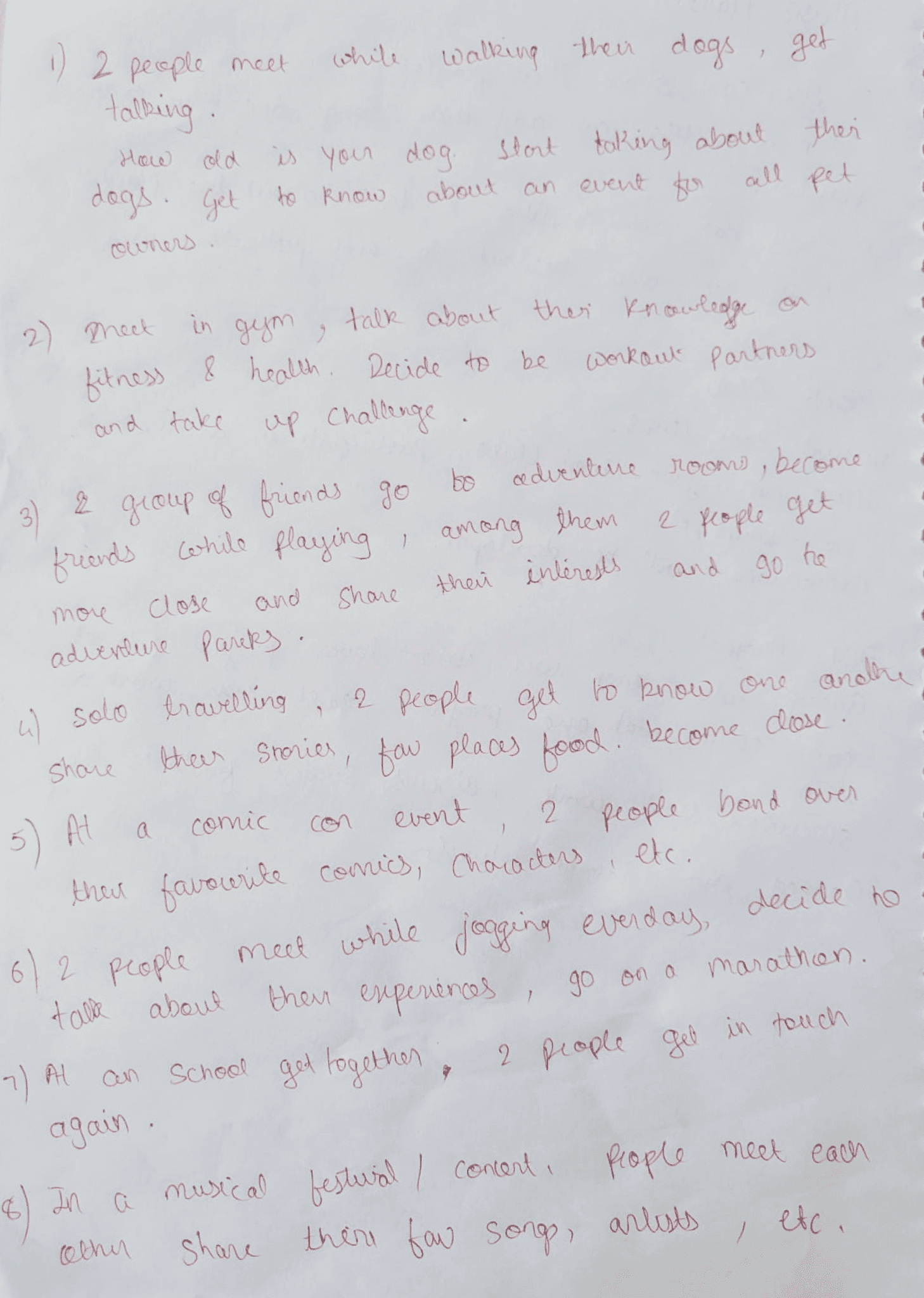
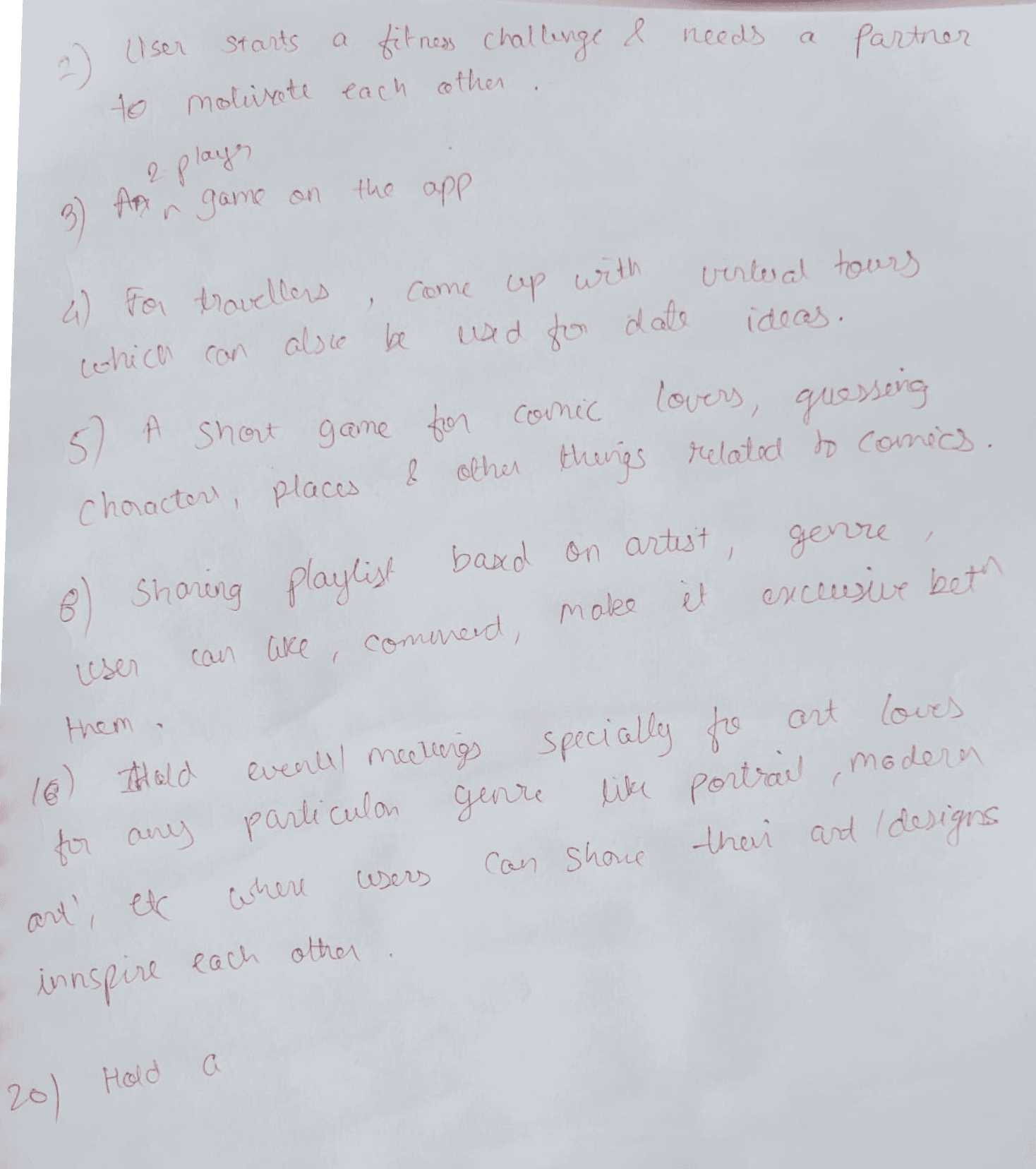
How to make every interaction Fun and Interactive?
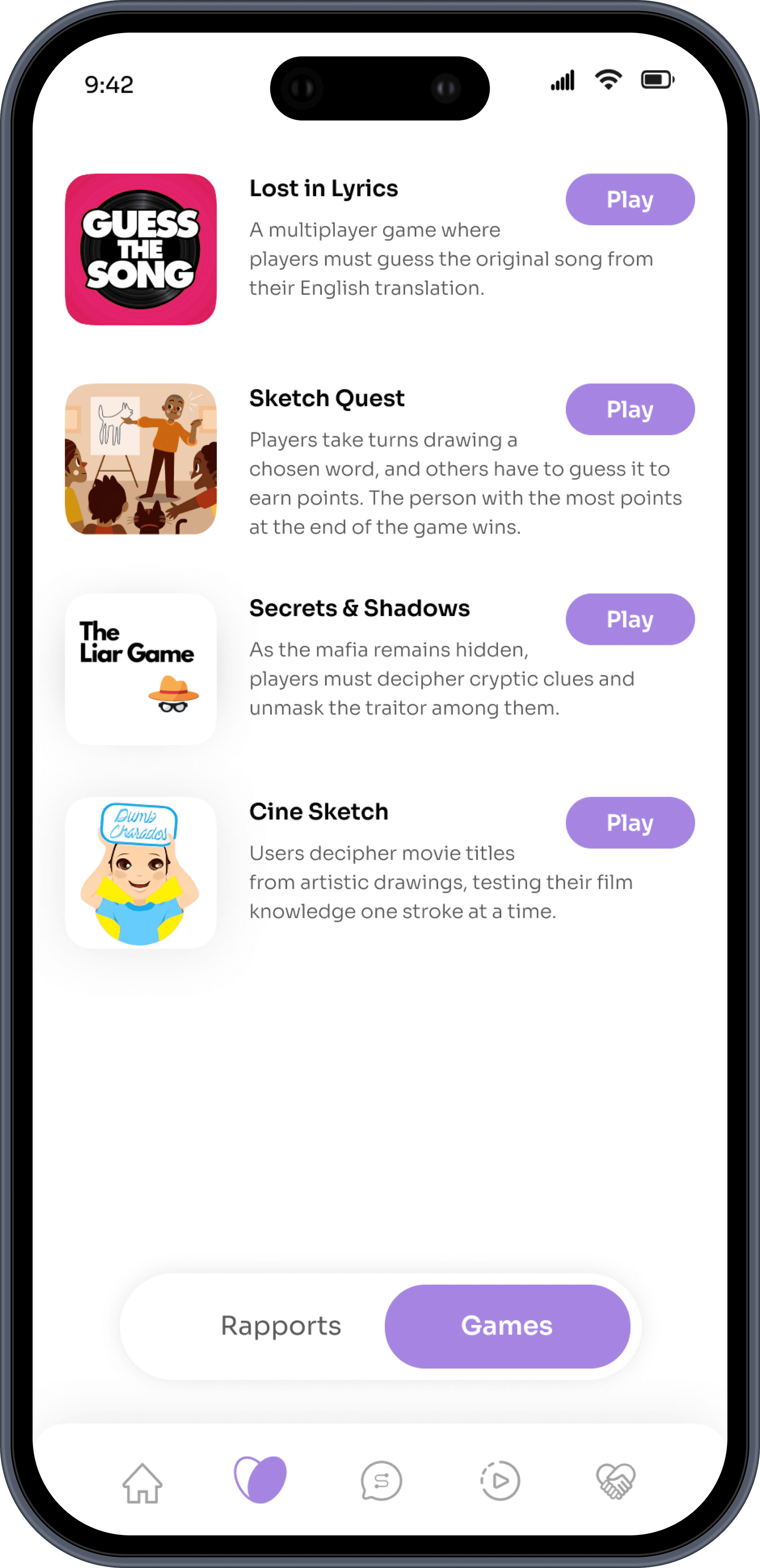
With frequent brainstorming sessions with the supervisor, we came up with various different features that makes the usage of the app very interactive and engaging differentiating from traditional social networking apps.
Prioritized features based on potential to enhance engagement, retention, and inclusivity.
Posed questions like "How do friends spend time together? What are the conversation starters between people? What would people like to do on an app individually? How can we make making decisions easier with fun? How to connect people and help them date in a non-obvious way?" to generate ideas for features that resonate with the target audience.

Design Explorations
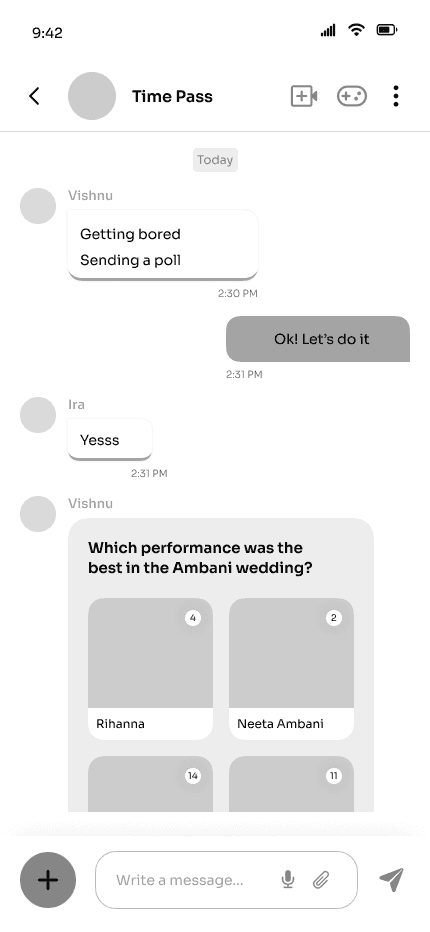
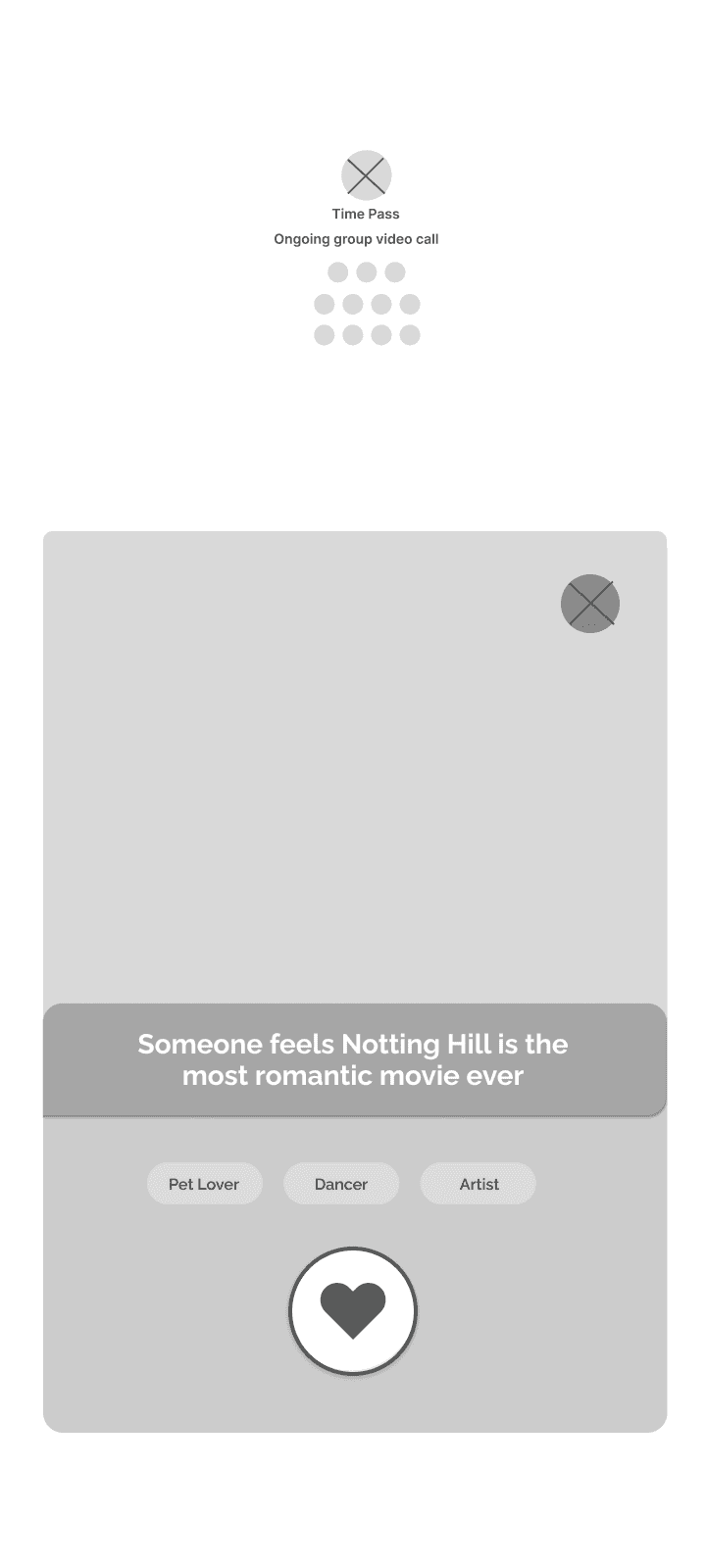
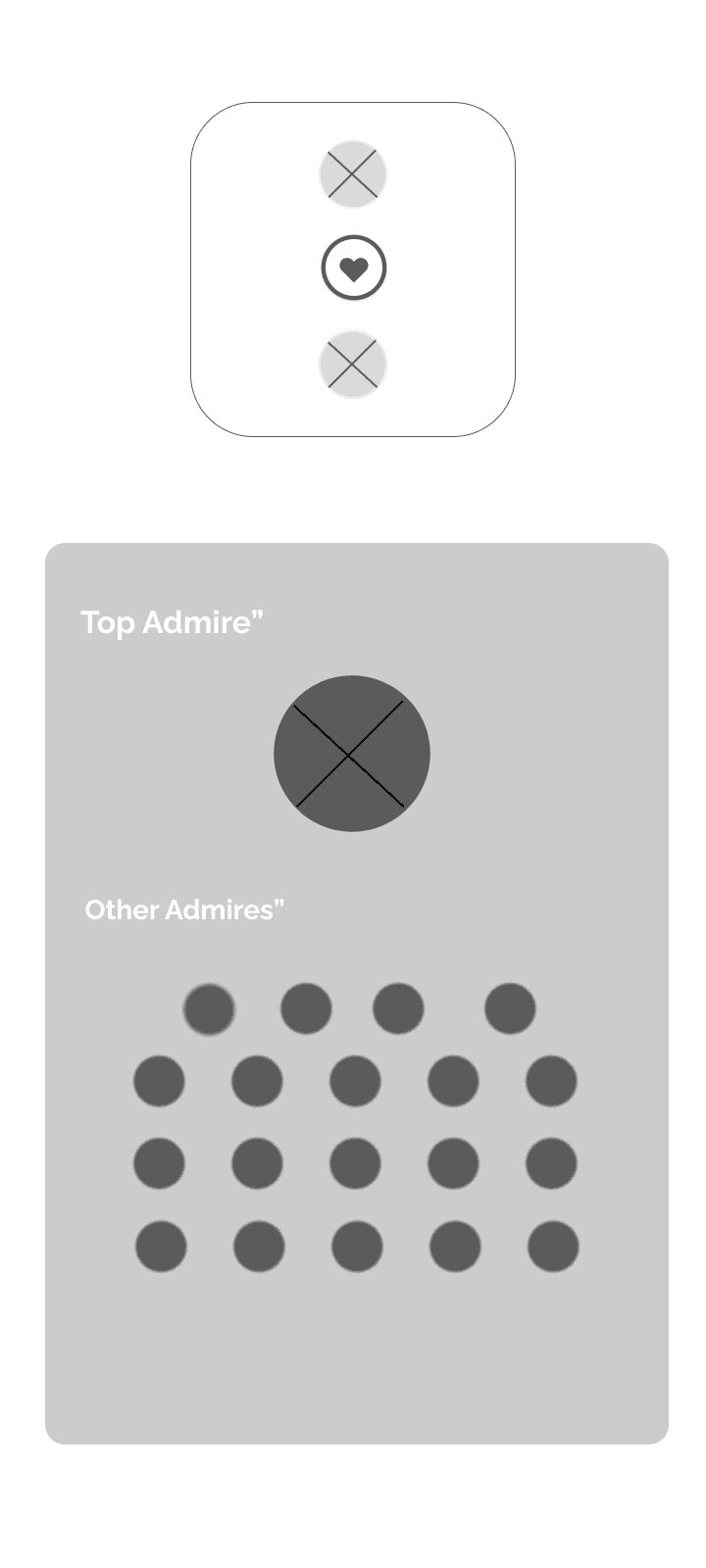
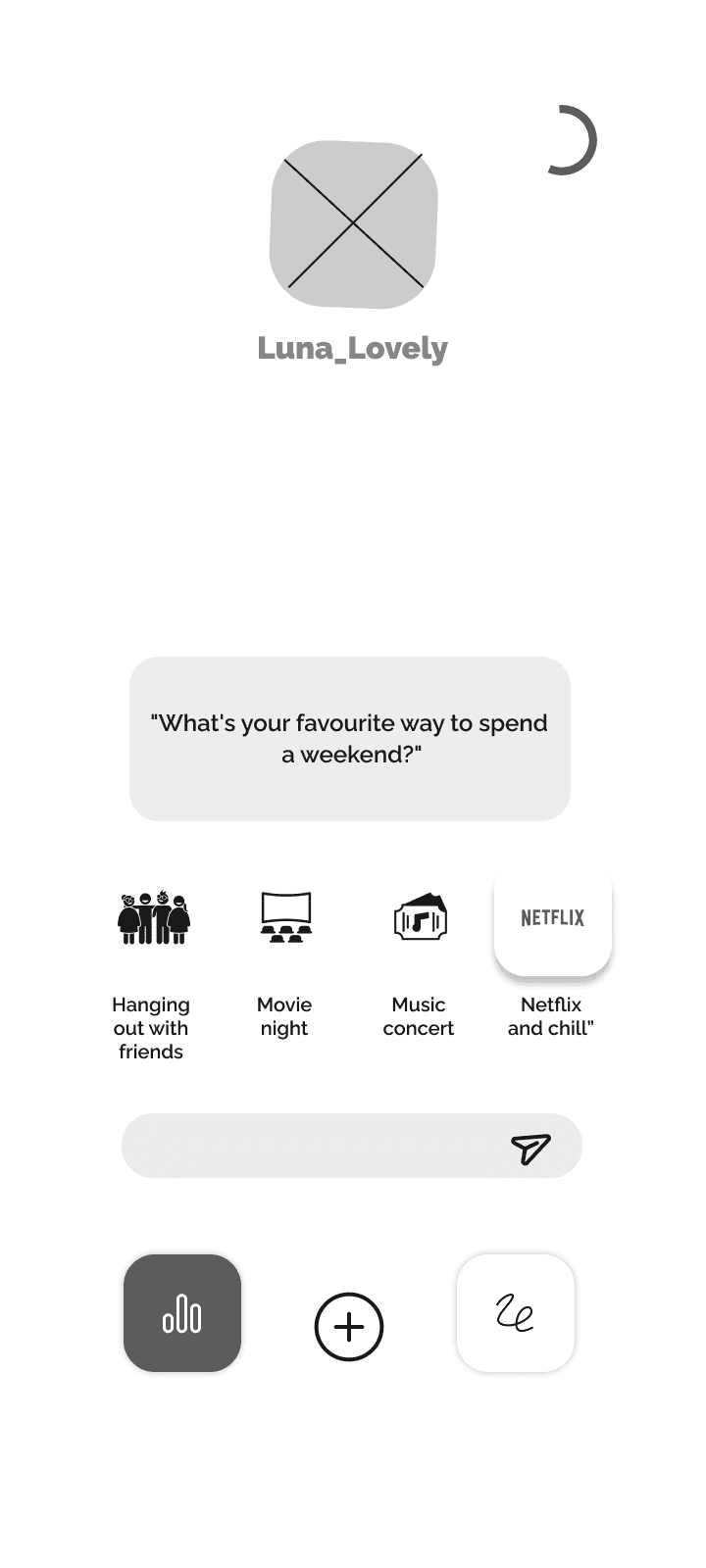
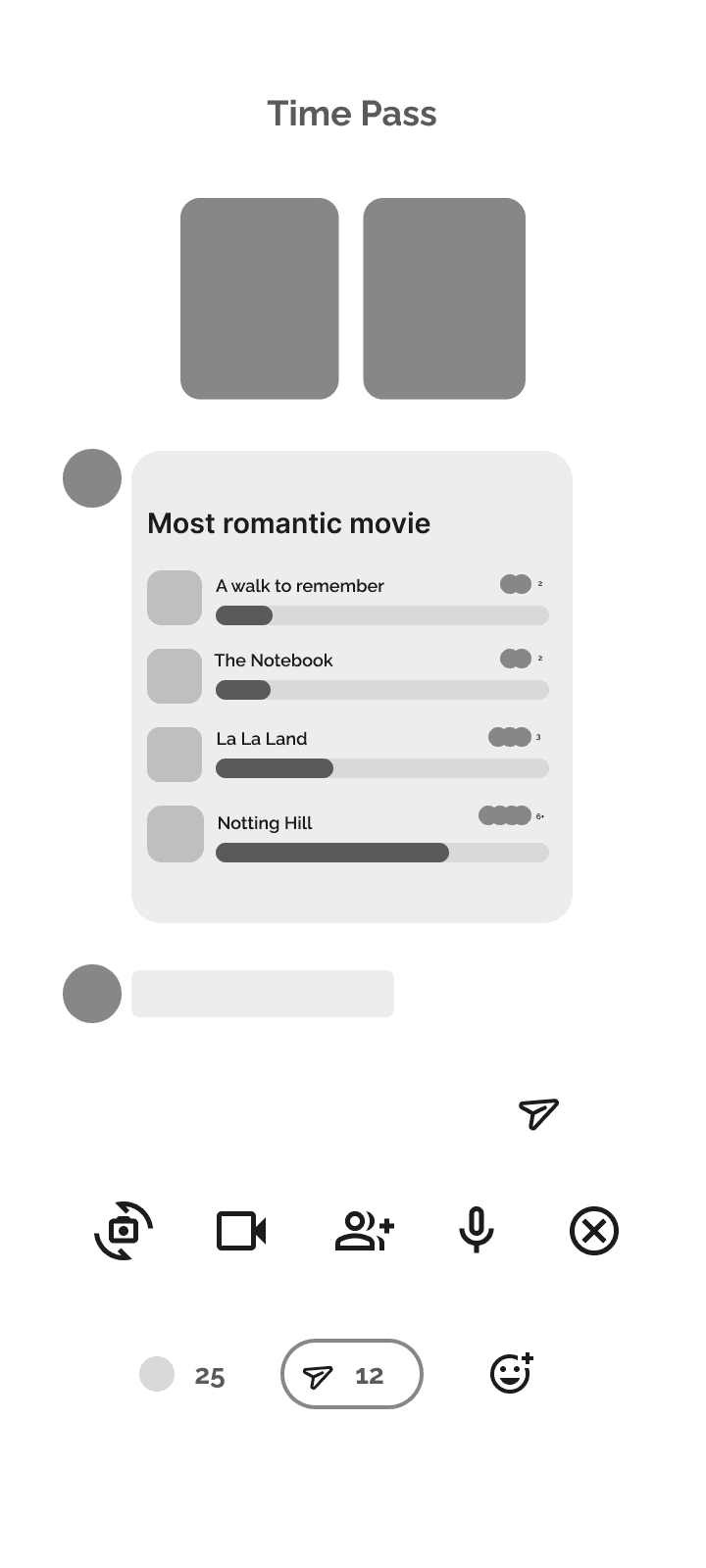
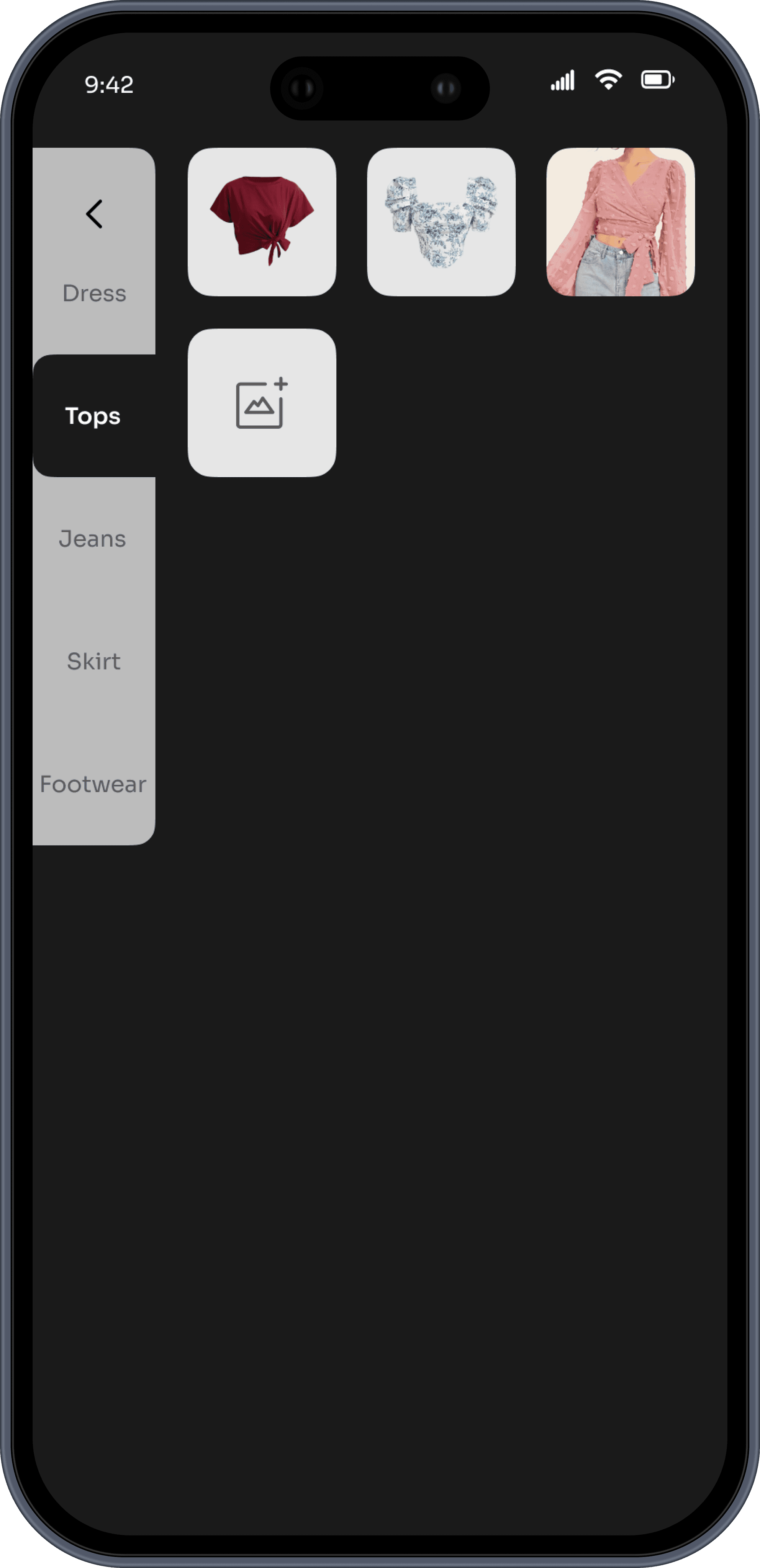
Multiple design layouts were explored and evaluated. Based on user feedback and input from the manager, one design was selected as the final choice, ensuring it met both user needs and project requirements.
Design
Selected Design
Various design layouts were tried out. Out of which, 1 was selected after getting feedback from the users and the manager.
Testing and Feedback
Addressing the concerns discovered
Verified the usability of the key app features like interactive features, consultation services, events, aesthetics and most important having fun using the app while also making sure the app is unique from other existing applications.
Refined prototypes through multiple iterations, focusing on usability and engagement.
Iterated designs based on user feedback and daily discussions with the manager, refining the app flow and feature accessibility.


Key Learnings
Visual Aesthetics and Functional Impact
Vibrant designs and playful aesthetics proved to be key in attracting the target audience. However, ensuring that these visual elements complemented functionality (rather than overshadowing it) was a critical learning point.

Balancing Complexity and Simplicity
Designing an app with diverse features required careful consideration to avoid overwhelming users.
This experience enhanced my ability to create intuitive flows where complex functionalities were seamlessly integrated into a simple and user-friendly interface.
Learned to prioritize tasks and group similar features into logical categories for better usability.
Collaboration and Stakeholder Communication
Daily meetings with my manager emphasized the importance of clear and concise communication in presenting design ideas and progress.
Learned to take constructive feedback positively, iterate quickly, and deliver refined results while maintaining ownership of my work.
The Importance of Iterative Design
Each design iteration brought the app closer to user expectations, demonstrating that frequent testing and feedback loops are essential for refining usability.
Balancing the incorporation of feedback with maintaining the overall vision taught me how to prioritize user needs while preserving the app's core identity.
Reflection
Summary
The Wildchama project was a transformative experience that allowed me to grow as a designer and a professional.
This project deepened my understanding of balancing complexity with simplicity, the power of gamification, and the importance of designing with empathy for the target audience.
I also learned the importance of taking ownership of my work while collaborating effectively with stakeholders. This experience sharpened my problem-solving skills, adaptability, and ability to manage end-to-end design flows independently.
In the end, the app achieved its goal of being a fun, inclusive, and supportive platform, offering users a unique space to connect, share, and grow.
Zenify

Zenify
A Holistic Approach to Mitigating ADHD(Attention Deficit Hyperactivity Disorder)
Project Overview
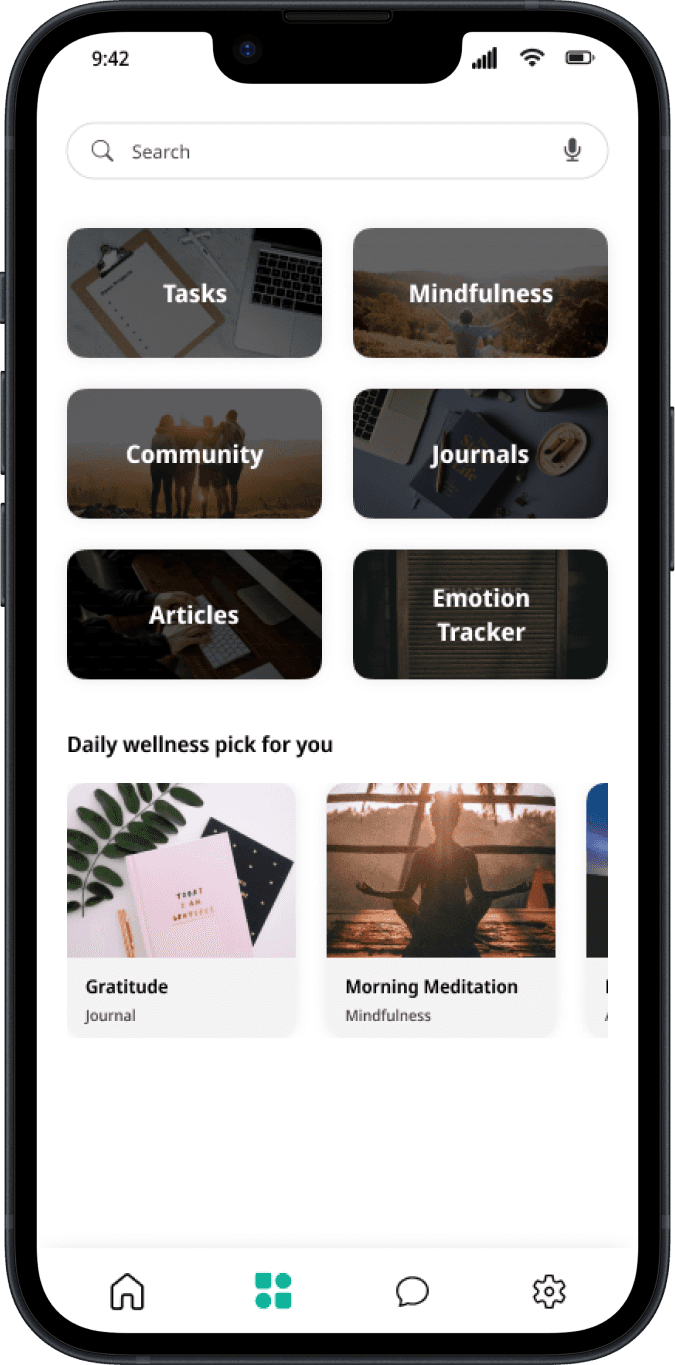
Introducing Zenify, a mobile application designed to support individuals with ADHD in their daily lives. By understanding the challenges and causes of ADHD, we propose an innovative solution that combines task management, mindfulness techniques, a supportive community, journaling, emotion tracking, and an AI chatbot. This application aims to empower users to enhance their focus, manage impulsivity, build a supportive network, and ultimately improve their overall quality of life.
Team
Individual
Role
Researcher, Designer
Duration
3 months, 2023
Look Into The Solution
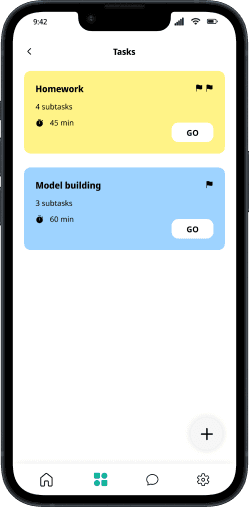
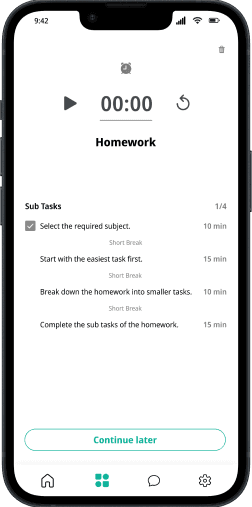
Task Management
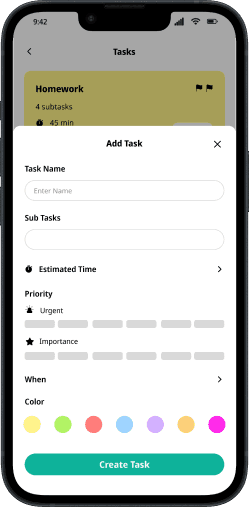
The task management feature helps users organize their daily responsibilities, set reminders, and break down tasks into manageable steps. This promotes better time management and reduces the overwhelming feeling often associated with ADHD.
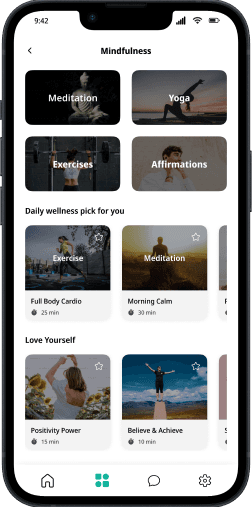
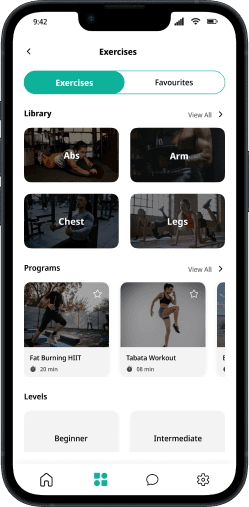
Maintain your Mental and Physical Health
Our app incorporates mindfulness techniques, including exercises, yoga, guided meditation, and affirmations. By promoting self-awareness and relaxation, these techniques empower users to better control their symptoms.
Foster a sense of Community
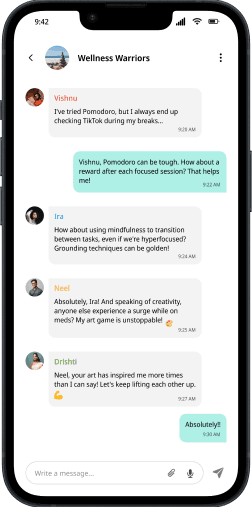
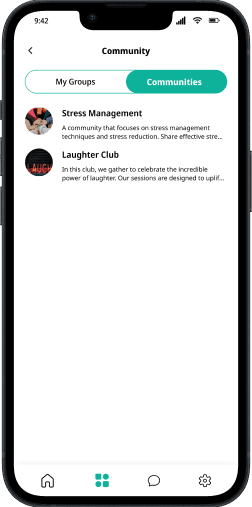
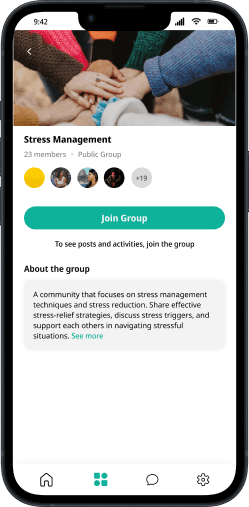
The community feature connects users with a network of individuals who share similar concerns and experiences. This supportive community fosters a sense of belonging and reduces feelings of isolation, allowing for the exchange of coping strategies and emotional support.
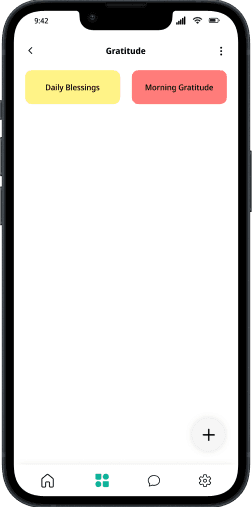

Express your Thoughts and Emotions
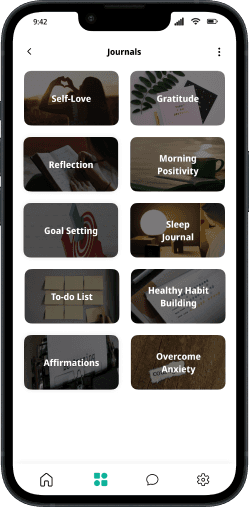
Users can maintain personal journals within the app. Journaling provides a creative outlet for expressing thoughts and emotions, helping users track their progress, and identify patterns in their behavior and symptoms.
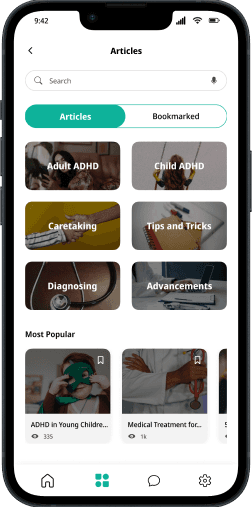
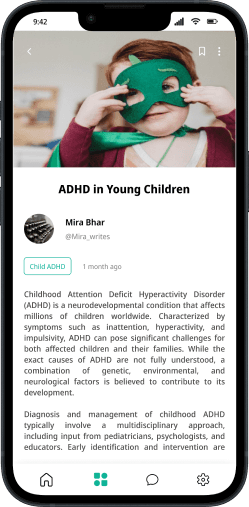
Stay Updated
The app offers curated articles and blogs on ADHD-related topics, providing users with valuable information, strategies, and insights for self-improvement and understanding the condition better.
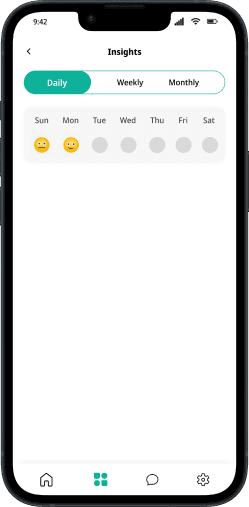
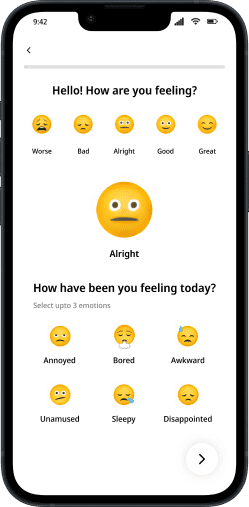
Understand Yourself better
Users can monitor their emotions and identify triggers that worsen their ADHD symptoms. This feature encourages emotional regulation, helping users manage their impulsivity and emotional responses.
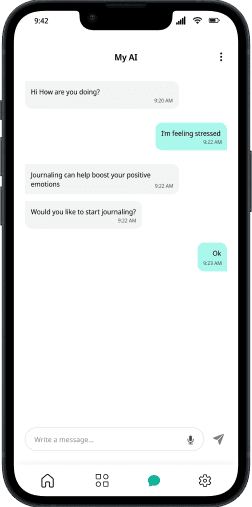
Accessible Support
The AI chatbot is an interactive support system that offers information, and real-time assistance. It can provide immediate responses to questions, helping users when they need it most.
Discover
Introduction
Attention Deficit Hyperactivity Disorder(ADHD)
One of the most typical childhood neurodevelopmental disorders is Attention Deficit Hyperactivity Disorder (ADHD). It is frequently diagnosed for the first time as a child and continues into adulthood. Children with ADHD may struggle to control impulsive behaviors, pay attention, or regulate their level of activity. They may also act without considering the consequences.
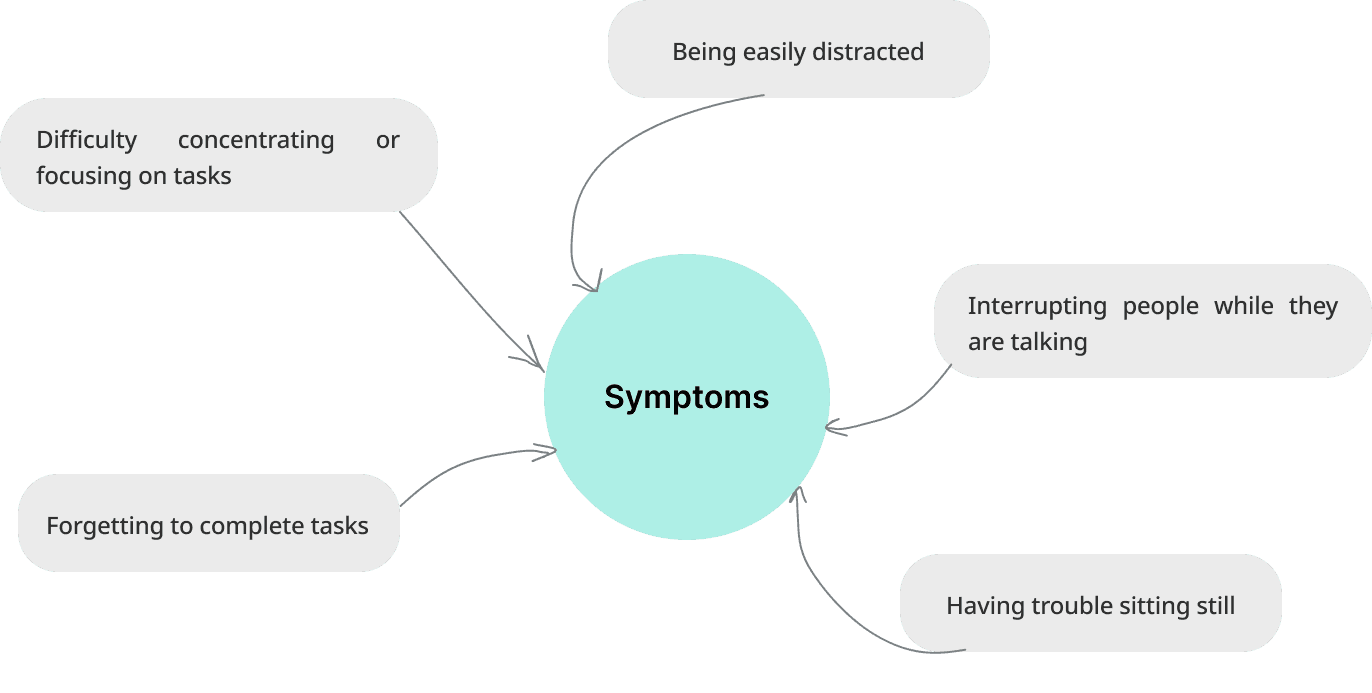
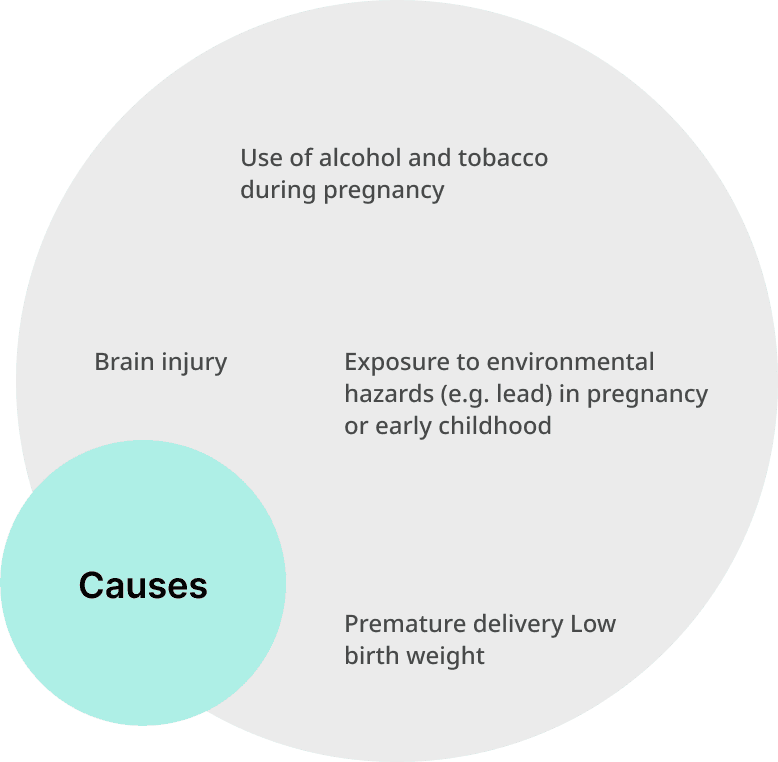
Discover
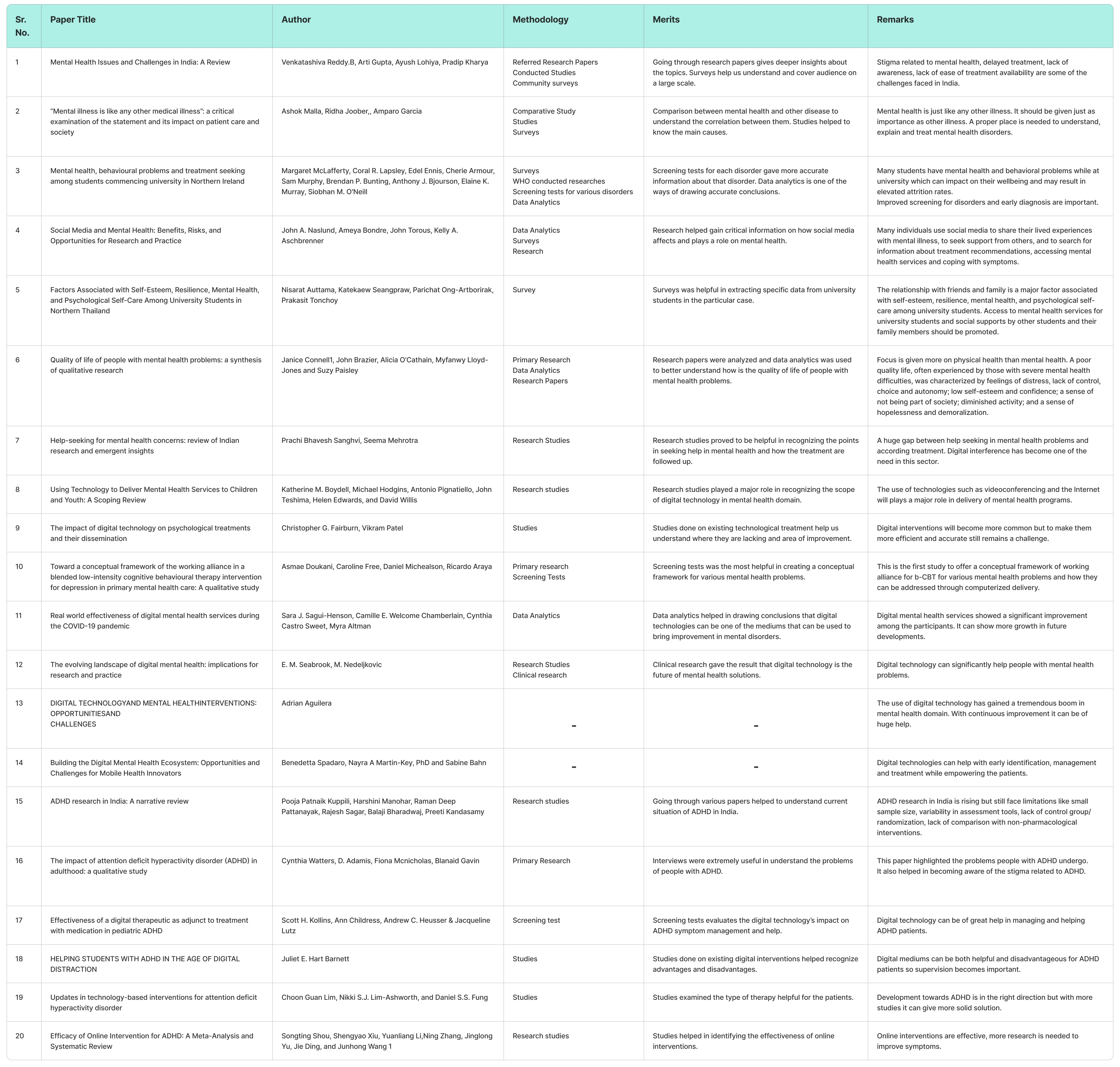
Secondary Research
Discover
Primary Research
Six people, including psychologists and ADHD patients, participated in interviews. The interviews with psychologists focused on understanding clinical perspectives on common challenges faced by ADHD patients, while conversations with patients offered firsthand insights into the day-to-day struggles of managing attention, focus, and organization. I developed a detailed questionnaire that included questions about the challenges individuals with ADHD face in their personal and professional lives. Moreover, participants were asked about their needs and preferences for tools or features that could be incorporated into a digital app specifically designed to help manage ADHD symptoms.
Insights
Users struggle with organization and management and maintaining attention.
Impulse control: making hasty decisions, speaking without thinking.
Forgetfulness: forgetting appointments and ignoring important tasks.
Medication management
Anxiety and depression symptoms
User Expectations
Getting reminders, planning tasks, and tracking progress.
Setting timers and breaking tasks into steps.
Mindfulness exercises
Community for sharing tips and reaching out.
Information, awareness, and possible solutions for ADHD.
Comparative Analysis
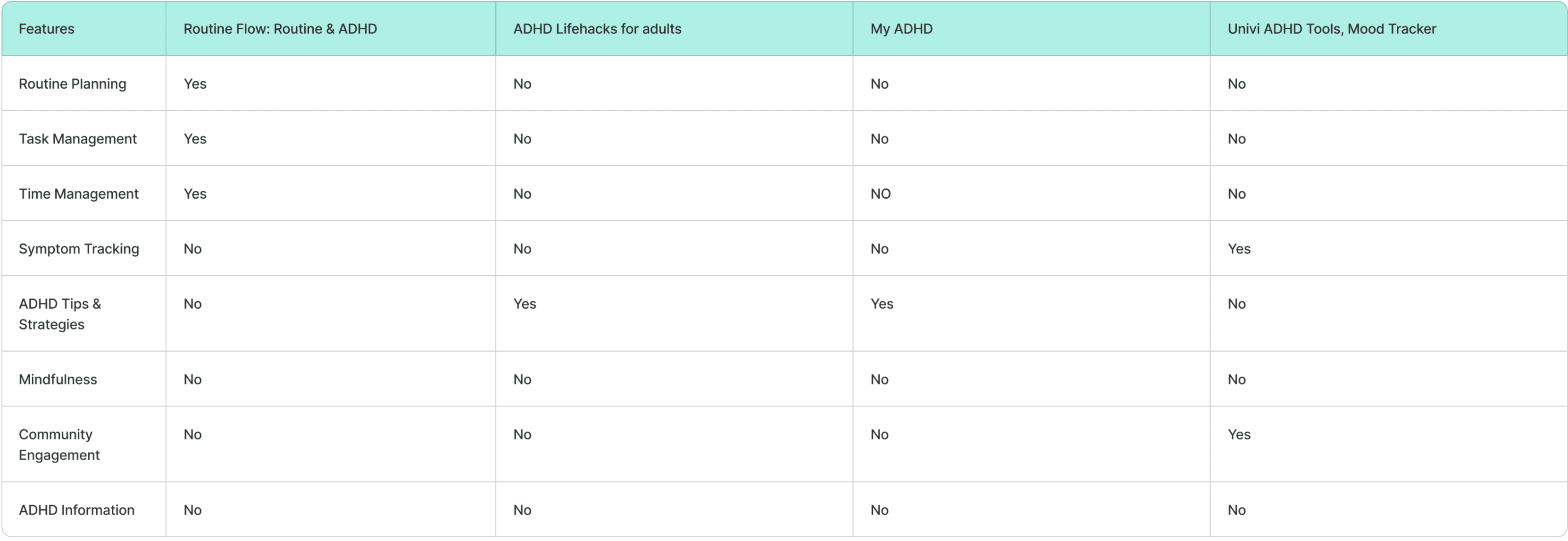
Opportunities
Mindfulness activities like meditation, yoga, exercises and affirmation can be added for the physical and mental well-being of the users.
Communities where users can talk and get engaged with other users is another feature that will be helpful.
Blog section where users can read various blogs related to ADHD.
A digital diary like journals is another important feature which can enable users to note down their thoughts, symptoms and other such information and help them keep track.
Define
Problem Statement
Individuals who suffer from attention deficit hyperactivity disorder (ADHD) find it difficult to control their impulses and focus. They face challenges in organizing and managing tasks. Forgetfulness and neglecting tasks/appointments are also a few of the major challenges they face. There is a need for a unified tool that combines task management, mindfulness tools, community support, and educational resources addressing the multifaceted requirements of people with ADHD to enhance their general health and quality of life.
Define
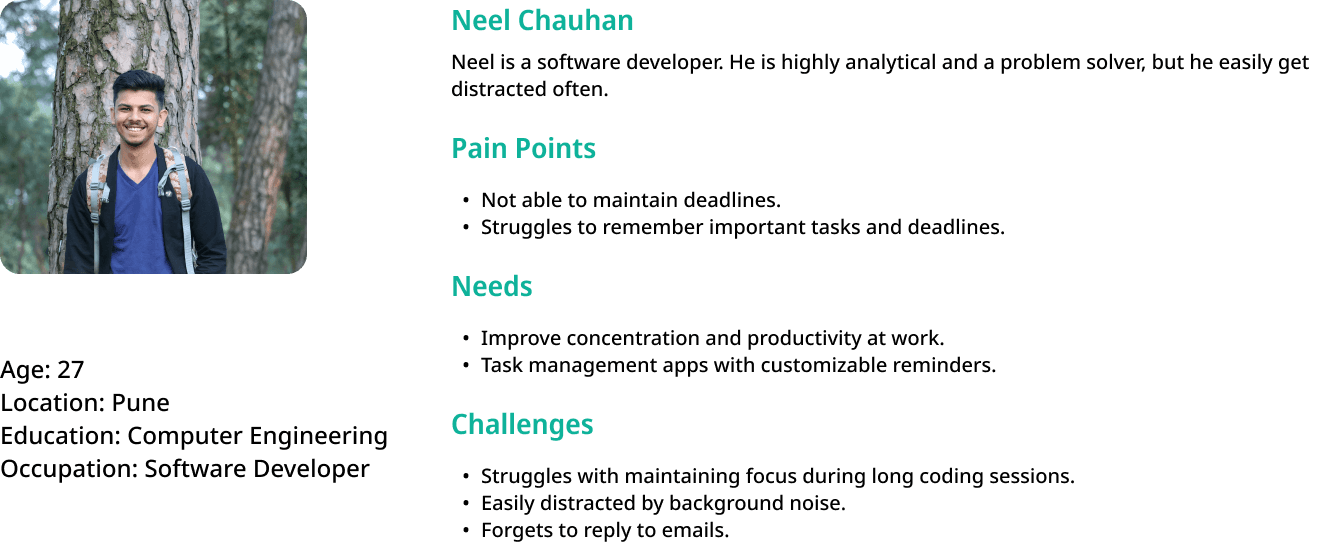
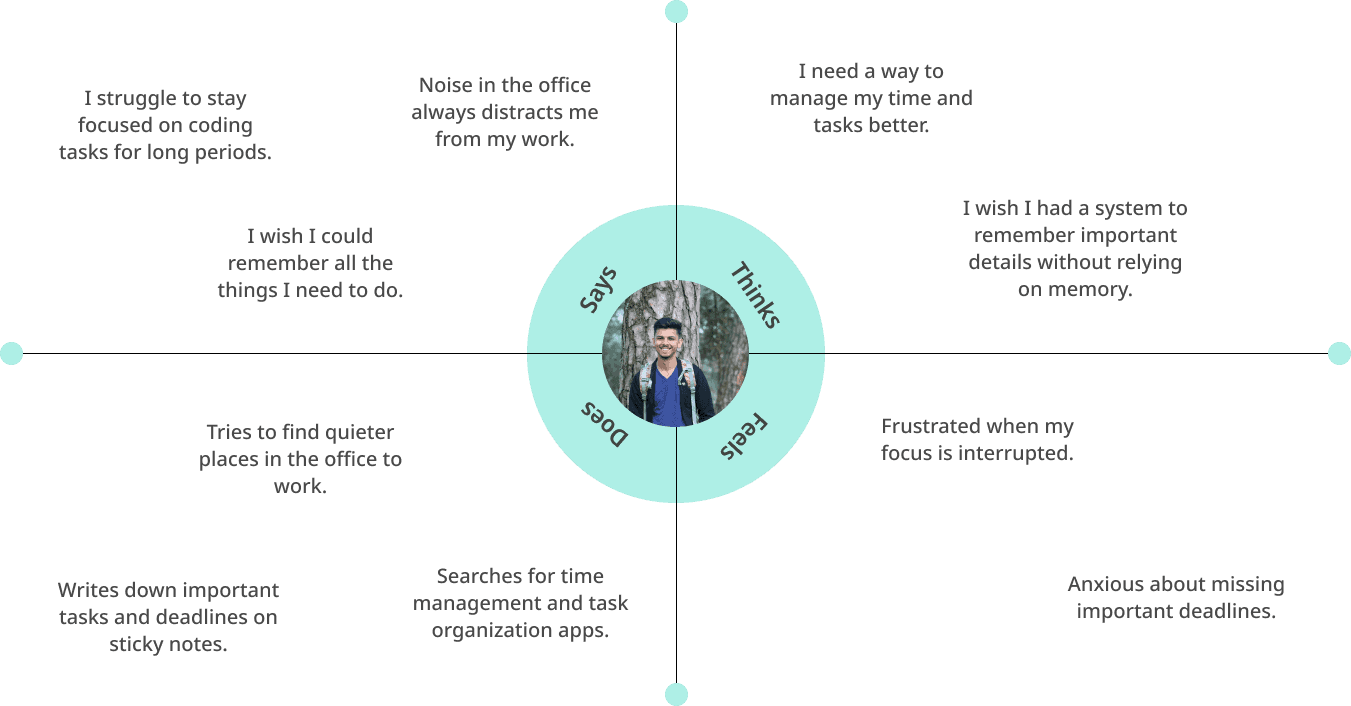
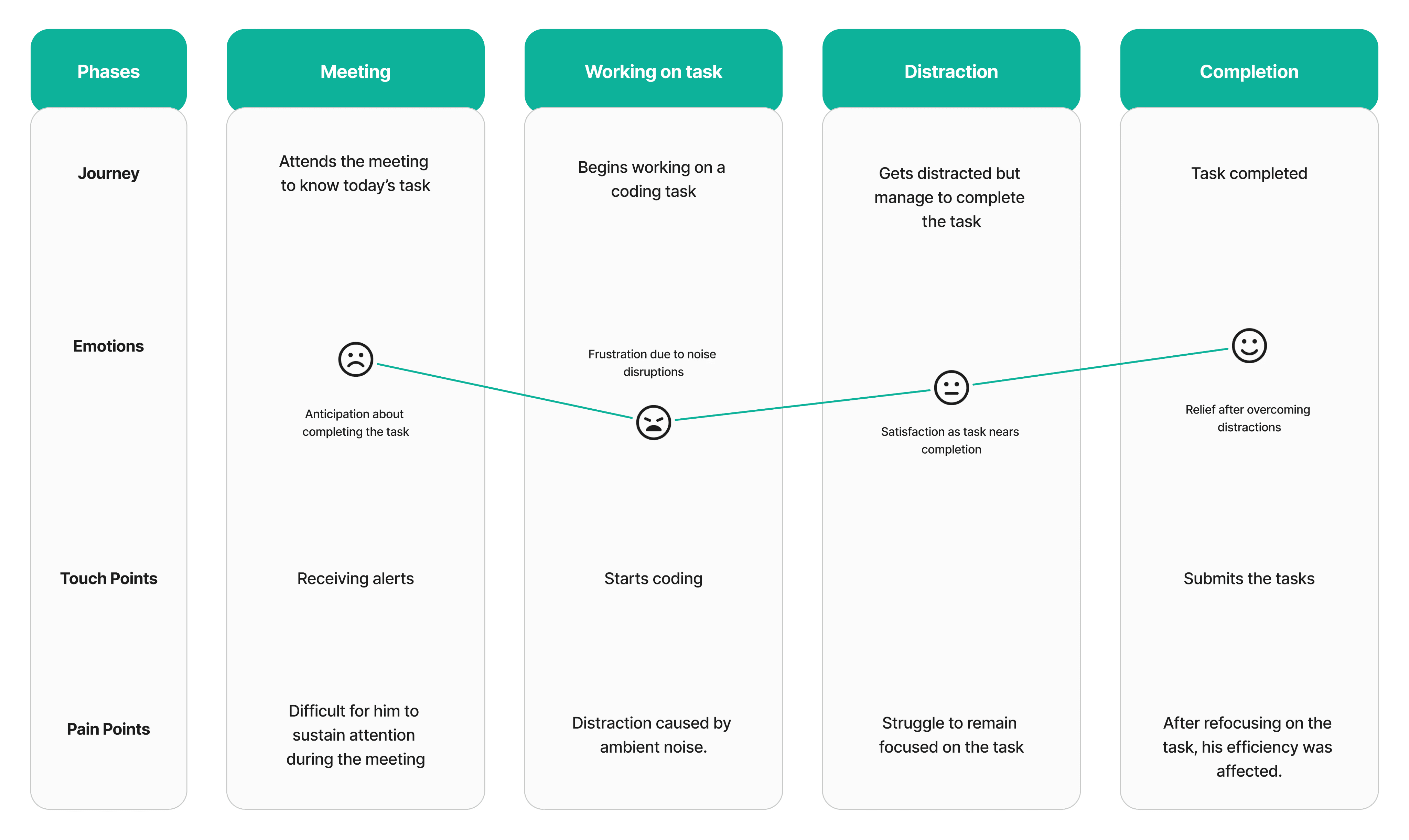
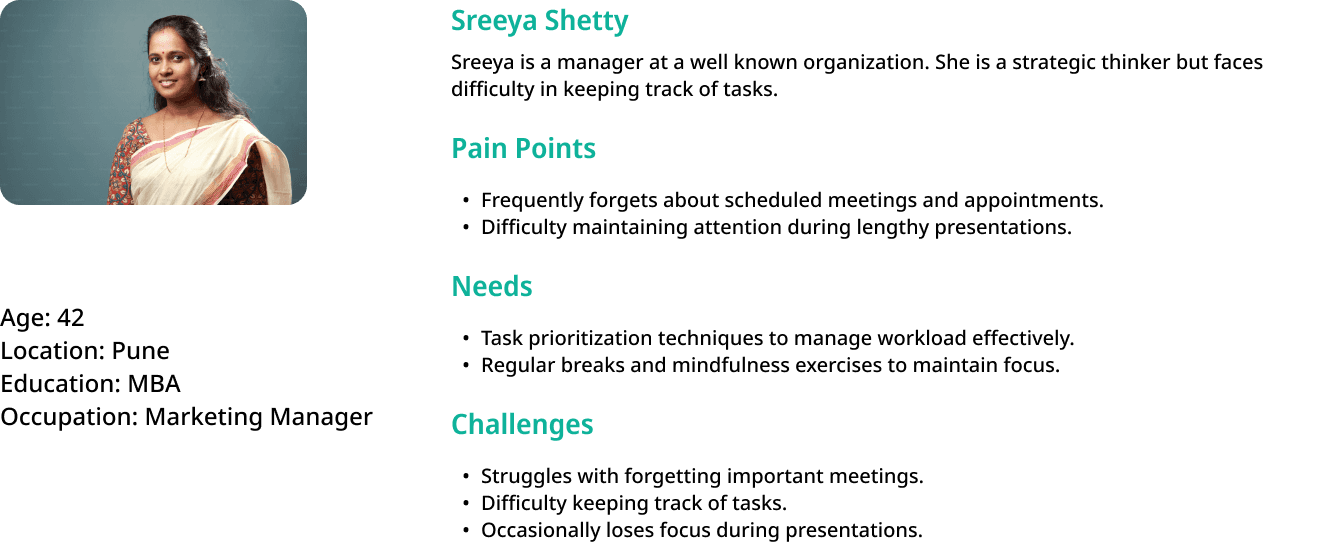
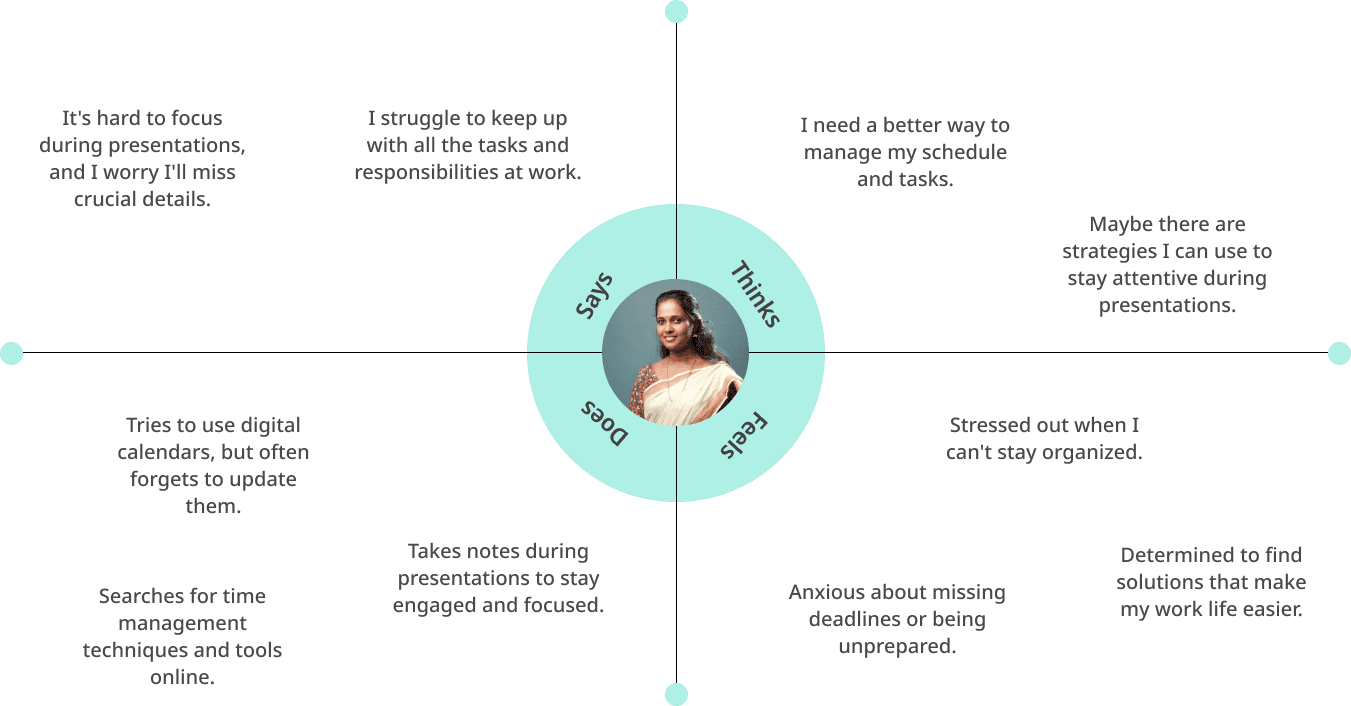
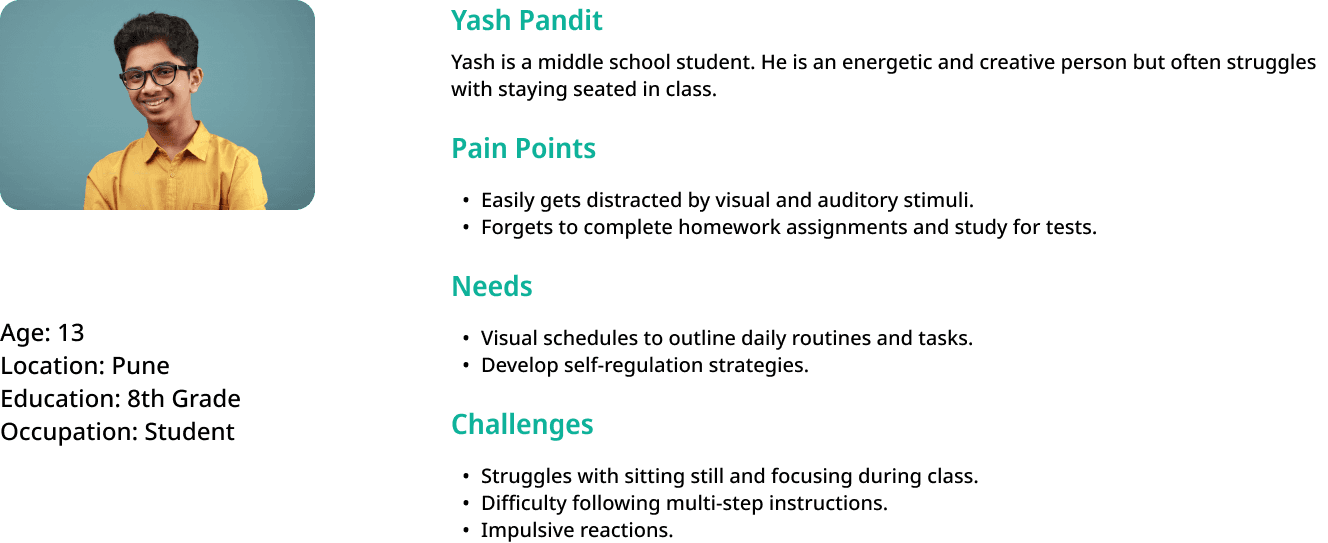
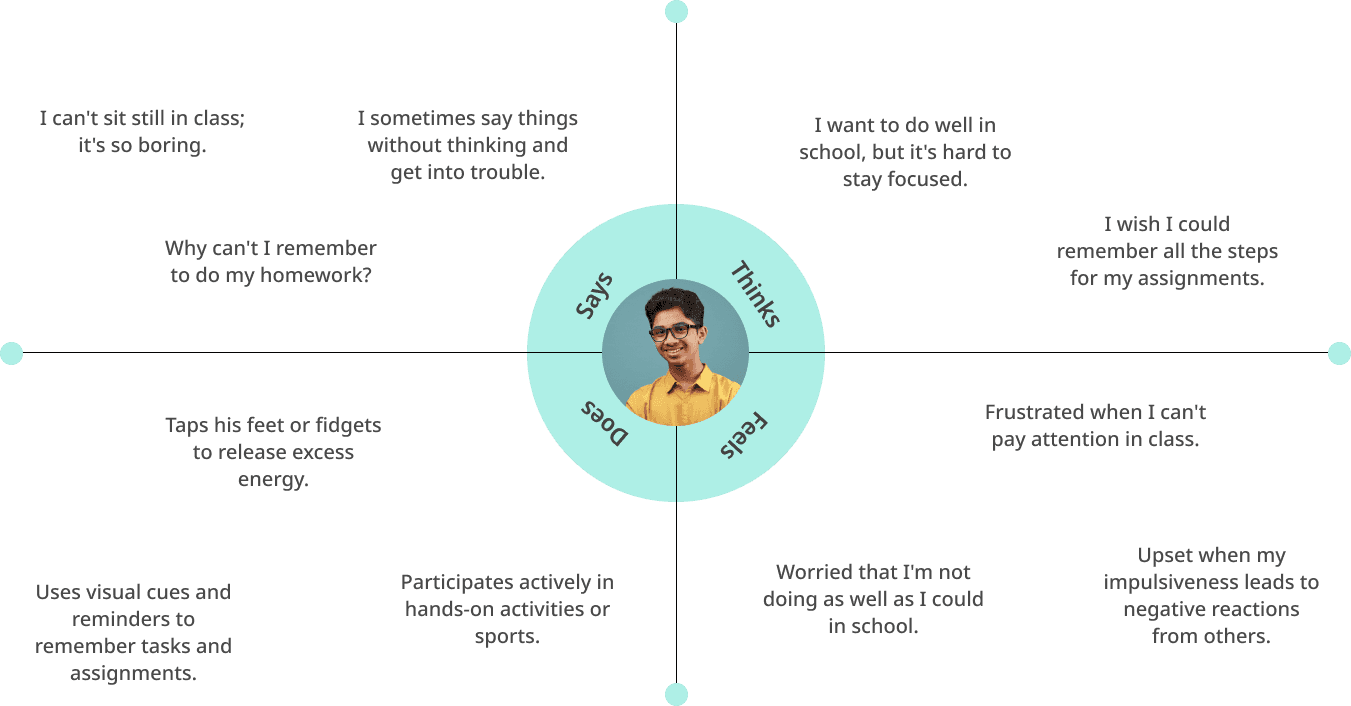
Personas and their respective Empathy Maps and Customer Journey Maps
Ideate
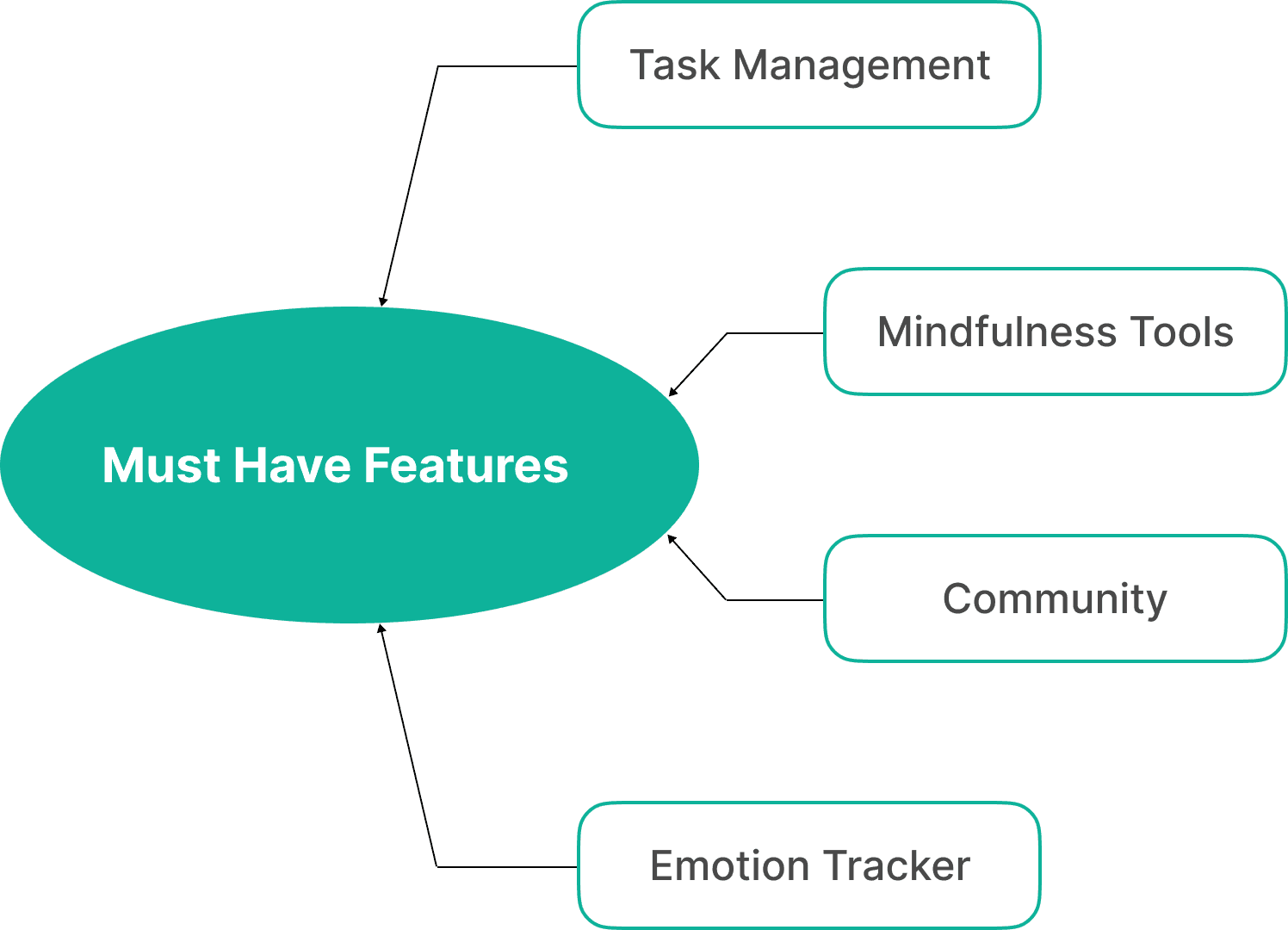
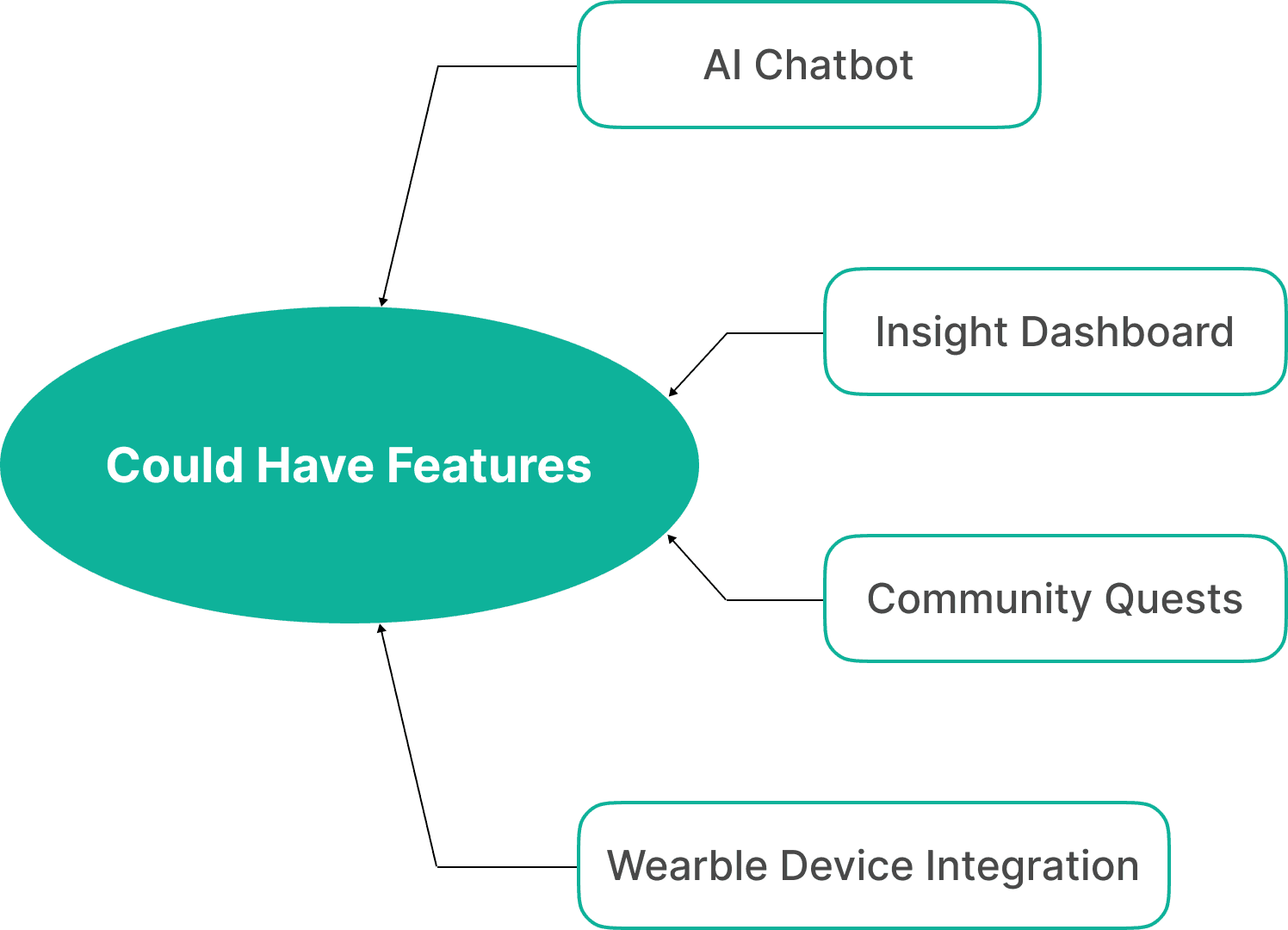
Feature Prioritization
Feature prioritization is the process of ranking and organizing features of a product based on their importance, value, feasibility, and user needs. For an ADHD management app, where the audience may have difficulty with focus and organization, prioritizing features ensures that essential tools are easily accessible, intuitive, and impactful in addressing user pain points.
By focusing on high-priority features, I ensured that the design and development efforts were concentrated on delivering maximum value within the project's constraints. Prioritization ensured that the app was tailored to the specific needs of individuals with ADHD, offering features that directly addressed their challenges and aligned with their goals.

Ideate
Card Sorting
Ideate
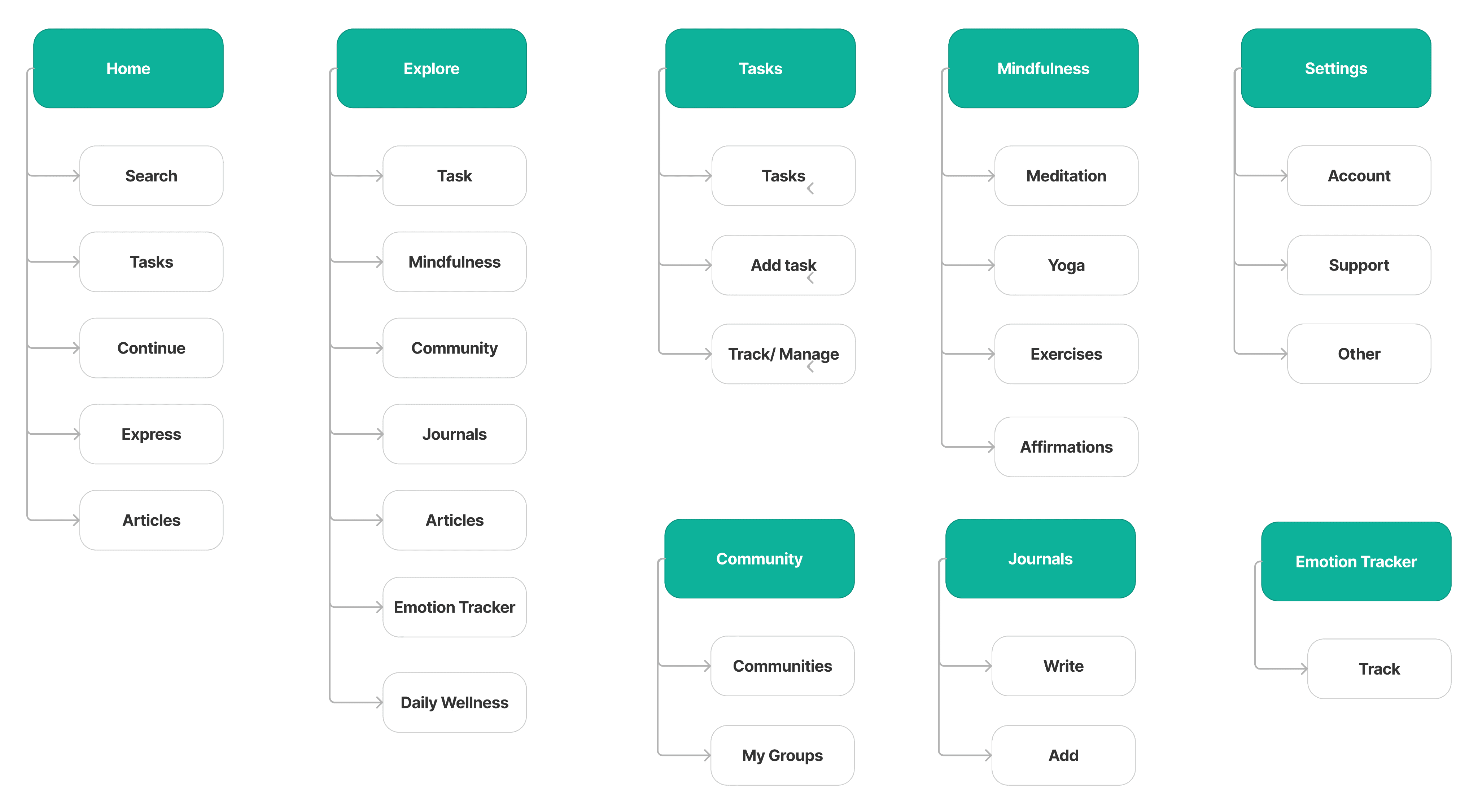
Information Architecture
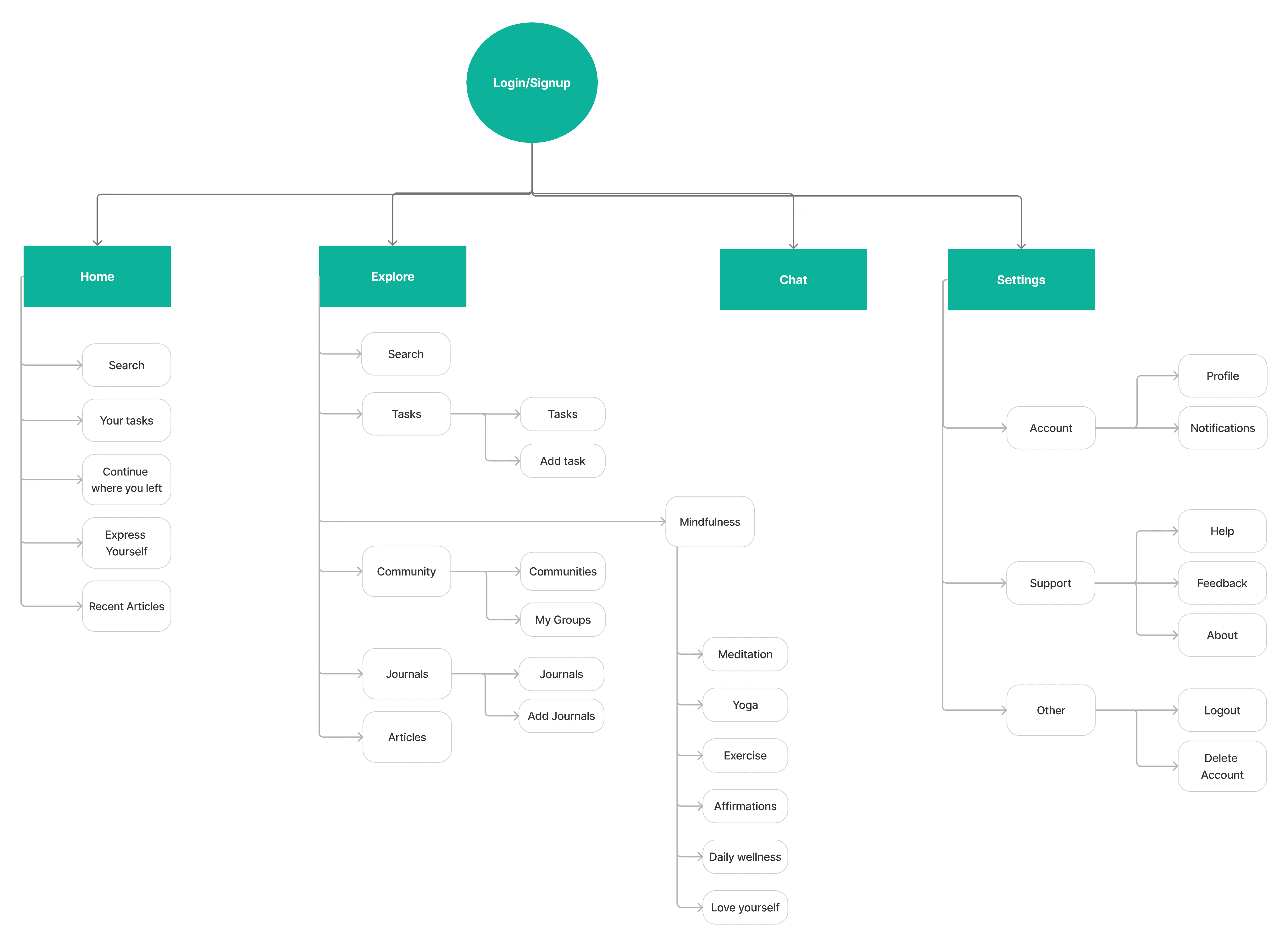
Ideate
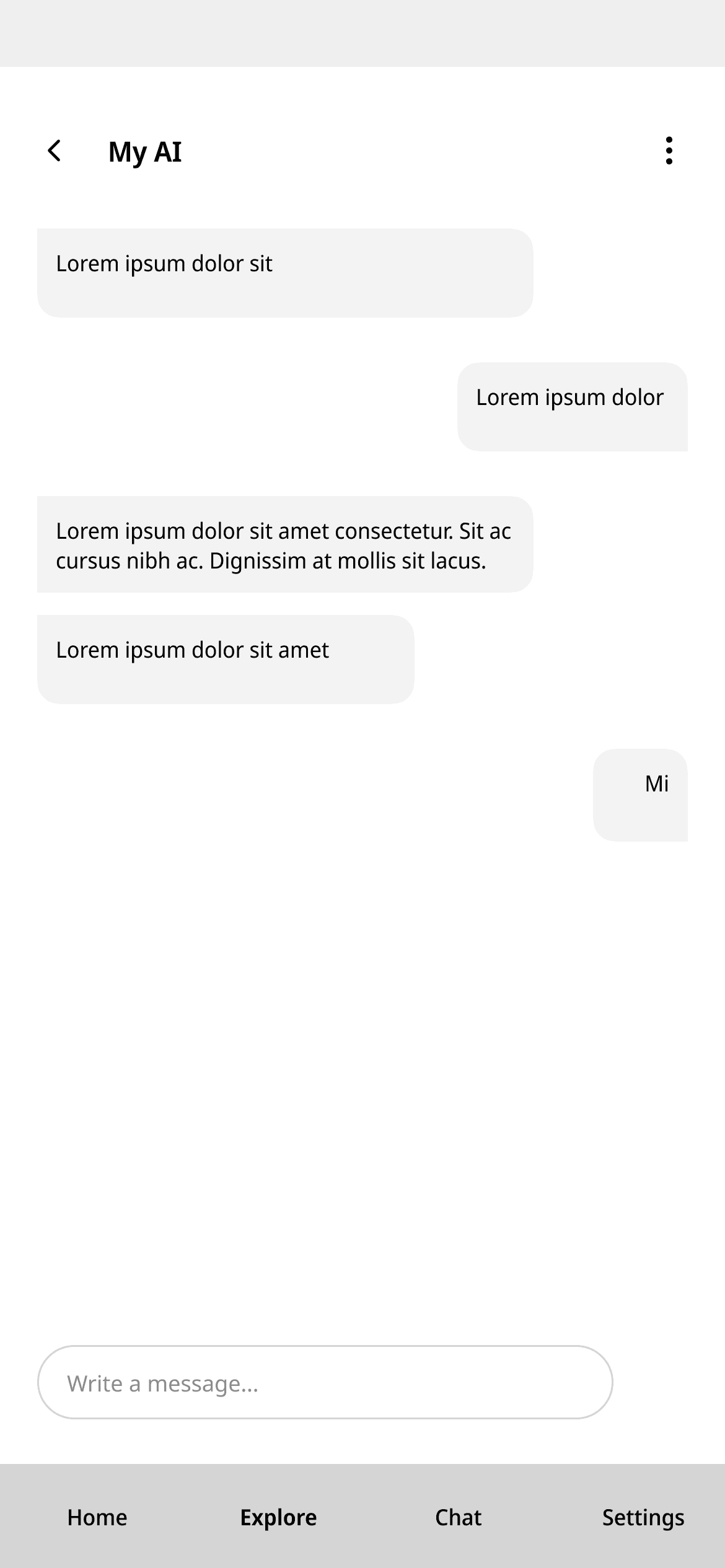
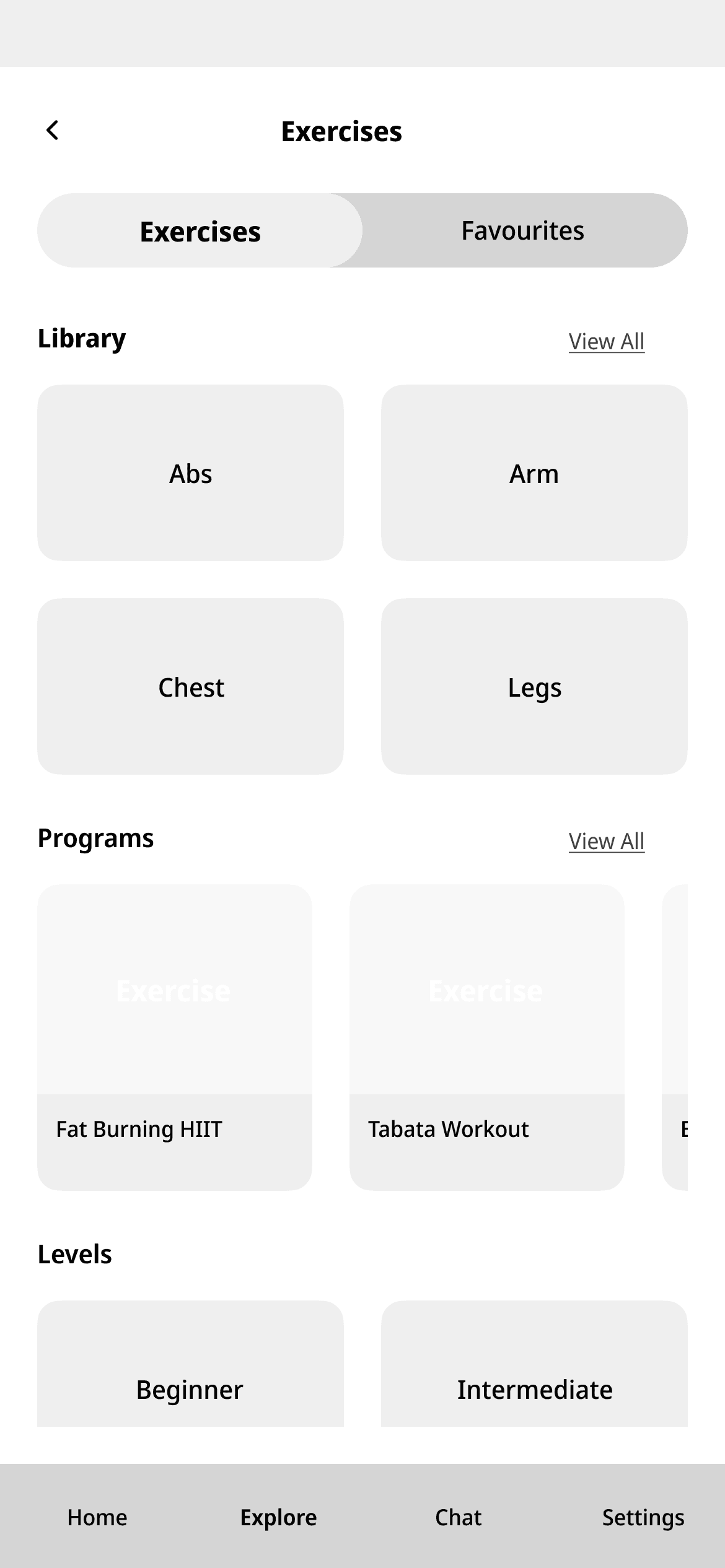
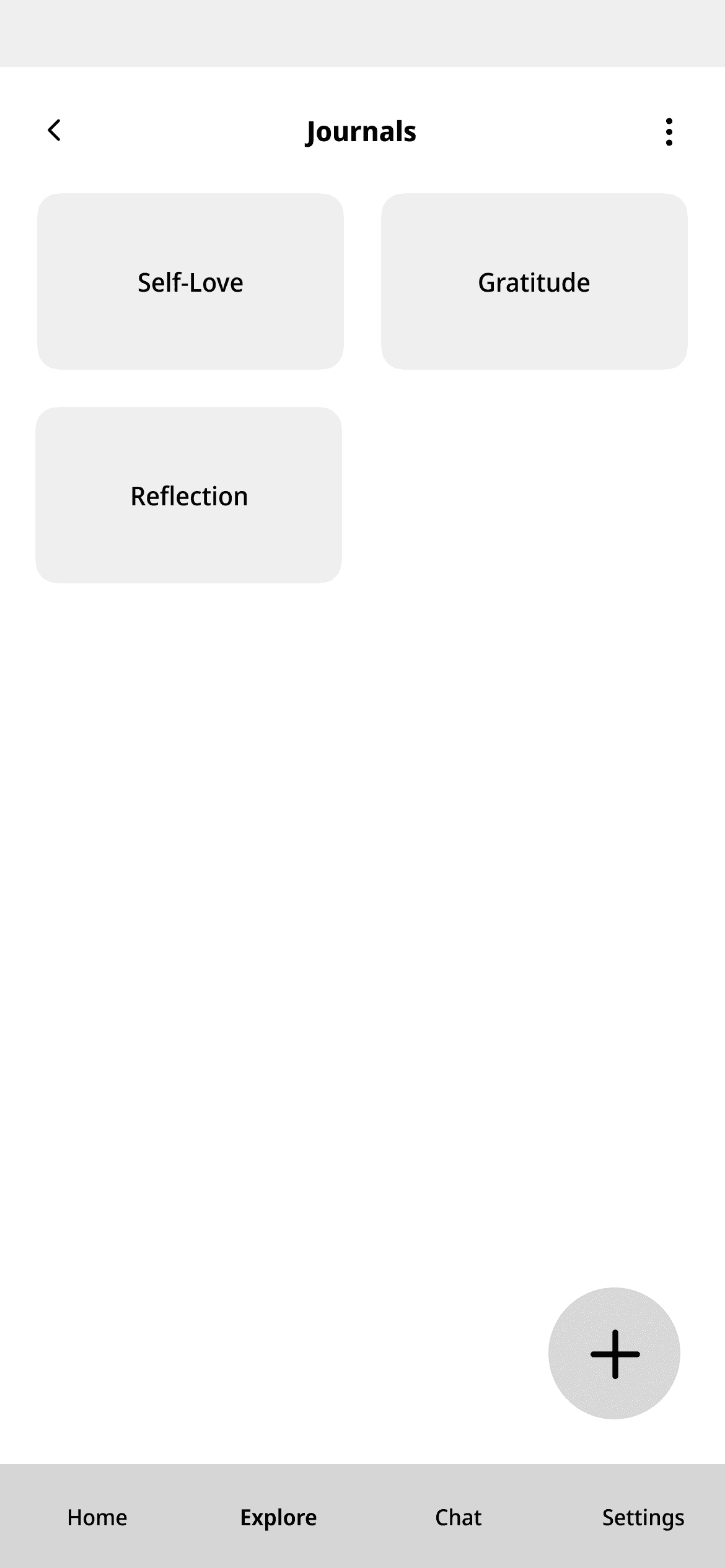
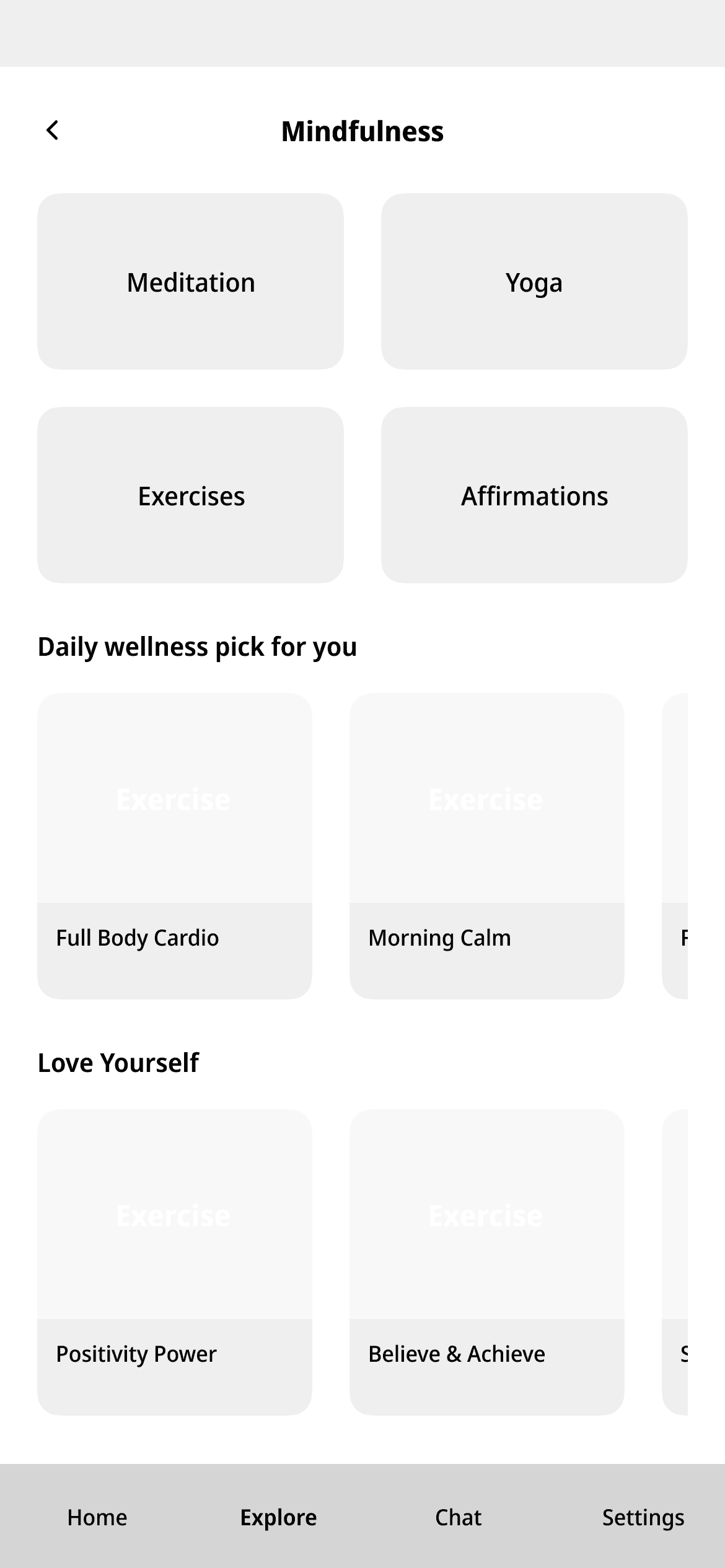
Low Fidelity
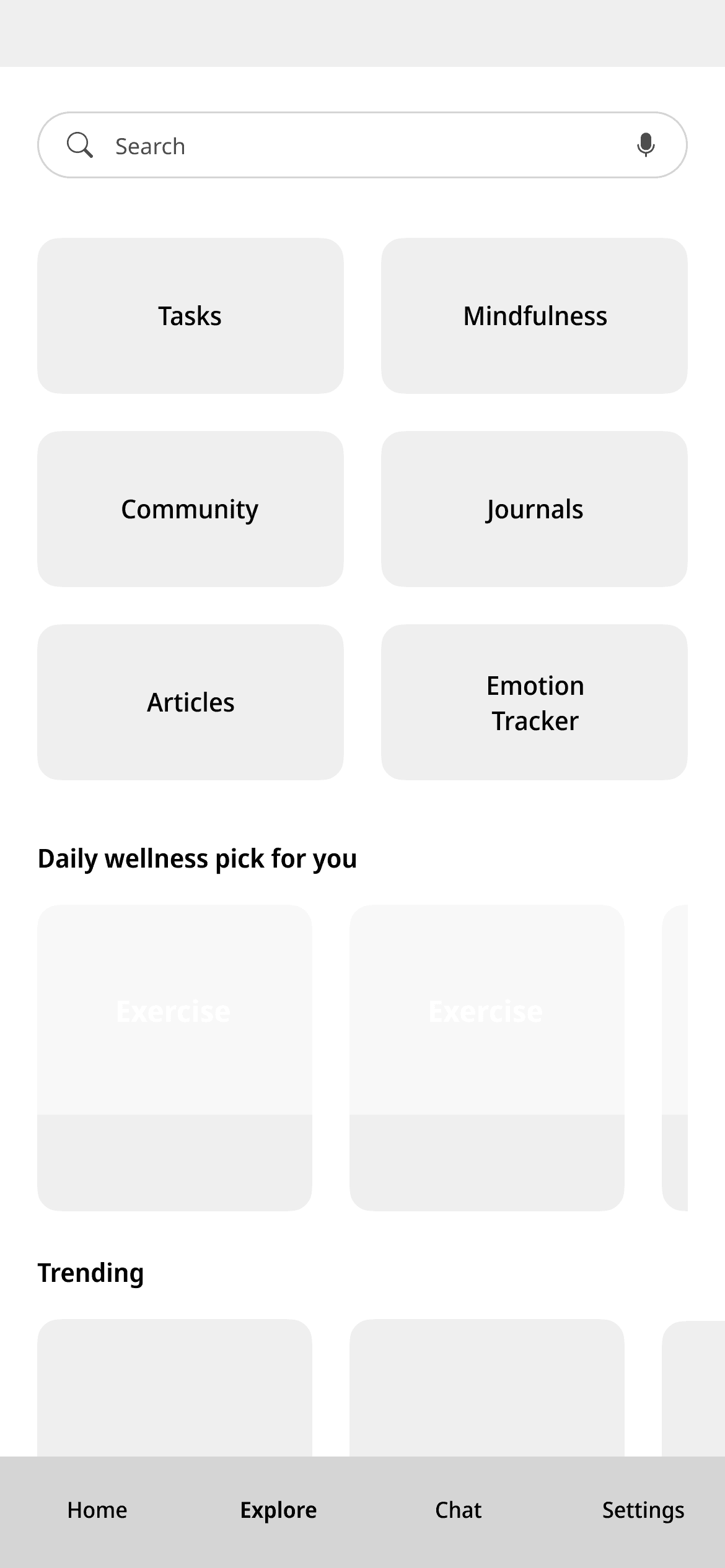
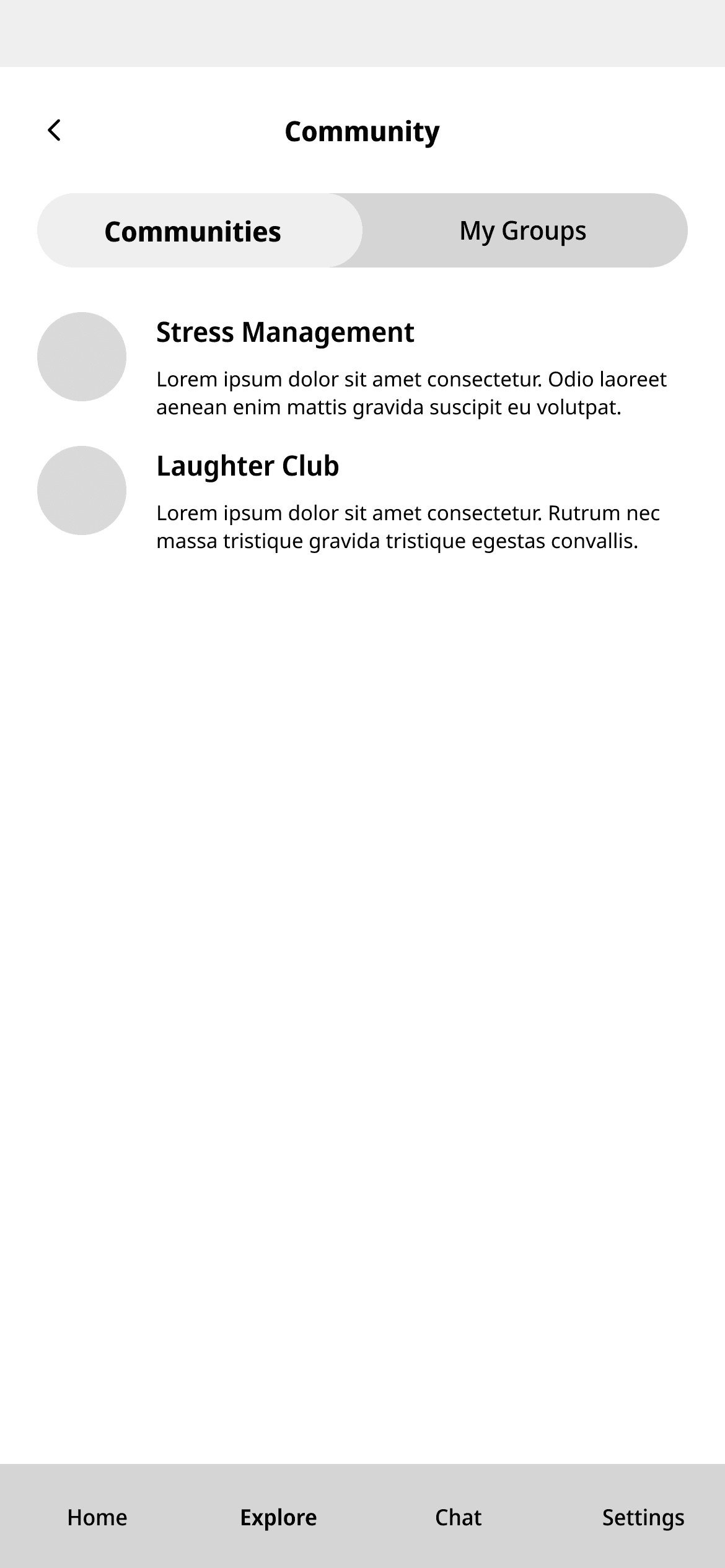
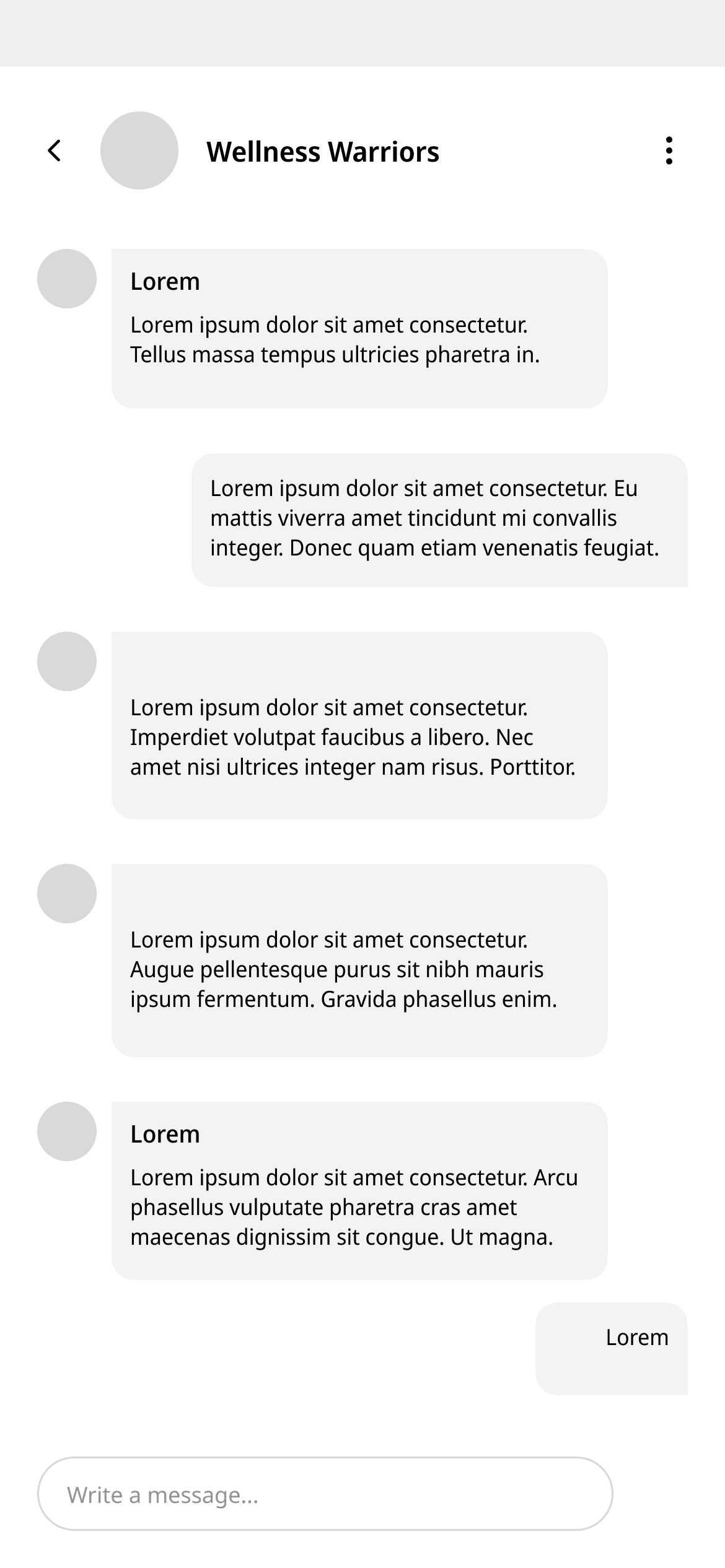
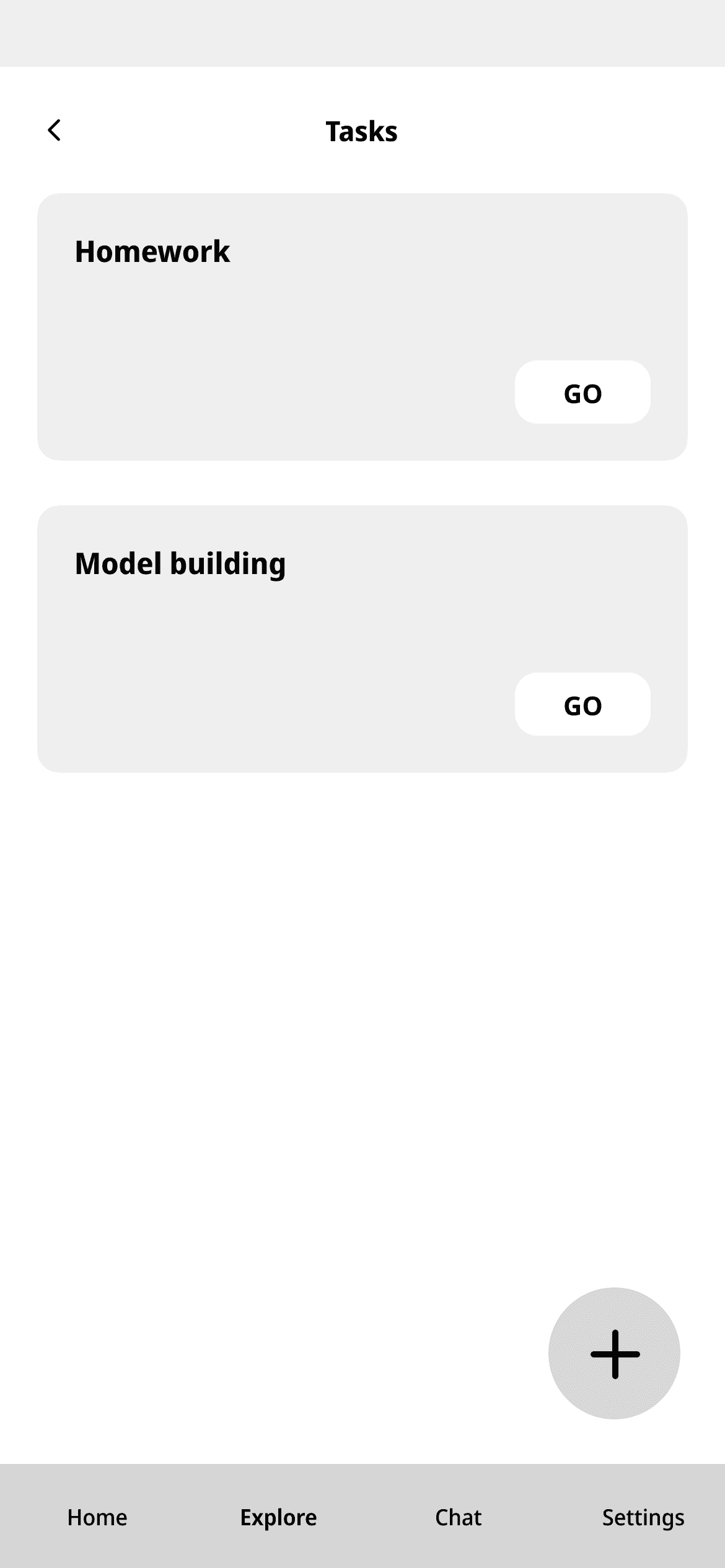
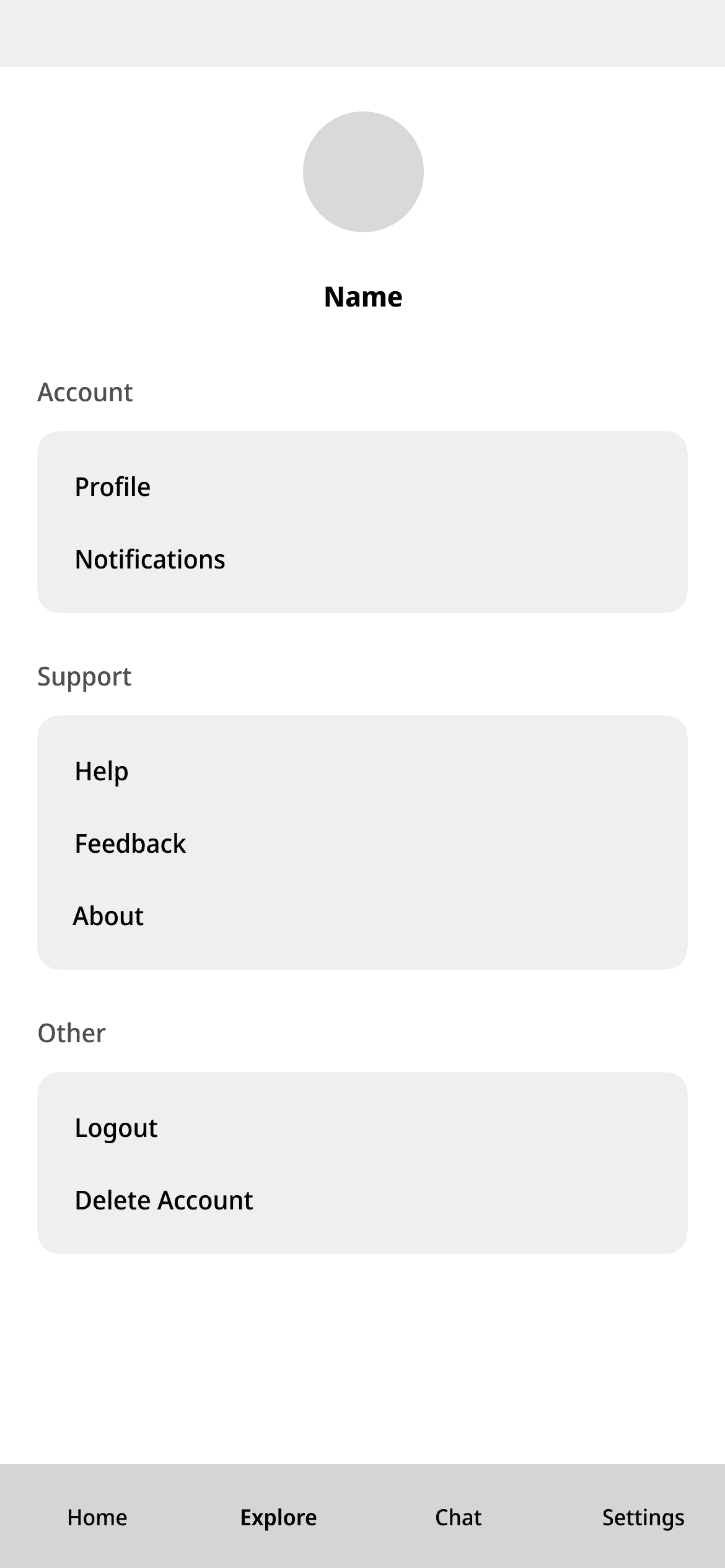
Design
Style Guide
Colors
People with ADHD are often over-stimulated by colors, patterns, and even temperature. Using neutral, soft, and calming hues of blue, green and brown to help them feel more calm and peaceful.

Typography
Font style alone does not determine how readable something is. It is in this instance that size is crucial, as if it is too small, the letters will muddle and blur together to form an unclear ink stain. If it is too big, you become overwhelmed and you lose the overall thread. It would need to be between 12 and 16 points to be readable while maintaining balance.
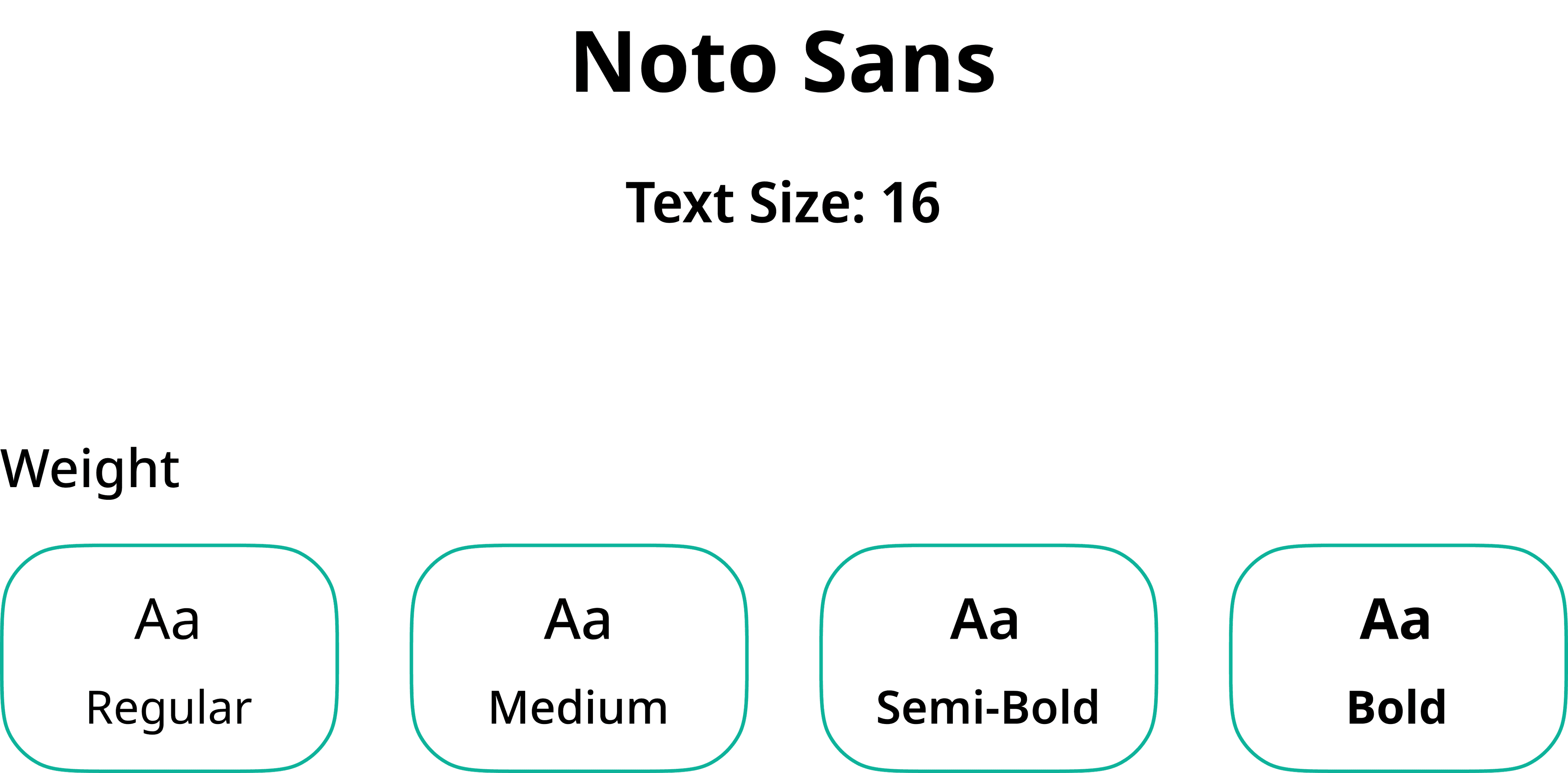
A B C D E F G H I J K L M O P Q R S T U V X Y Z
a b c d e f g h i j k l m n o p q r s t u v w x y z
0 1 2 3 4 5 6 7 8 9
Icons

Testing
Usability Testing
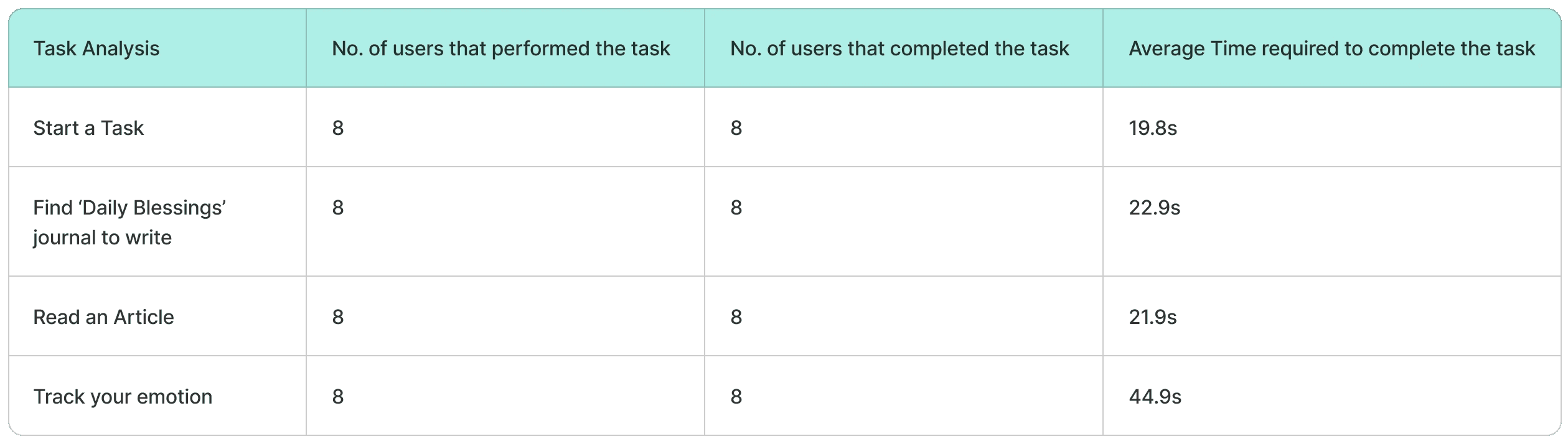
8 users were recruited for the usability testing for the following tasks. We performed User Task Analysis and System Usability Scale (SUS).
Task Analysis
We have performed a task analysis to validate and check the proposed solution. The formula used for checking the average time taken by the users for each task is as follows
Task Time =
Time(user1) + Time(user2) +...+ Time(userN)
Total number of users
System Usability Scale(SUS)
The System Usability Scale (SUS) is a widely used tool to evaluate the usability of a system through a quick 10-item questionnaire, providing a reliable measure of user satisfaction. A total of 6 participants were recruited to complete the SUS questionnaire after using the system for a predefined task. After completing the task on the platform, participants were asked to fill out the SUS questionnaire.
The system achieved an average SUS score of 83.44, with scores ranging from 70 to 90, indicating a generally positive usability experience. According to established SUS guidelines, a score of 83.44 is above the industry average, a score of 68, suggests that the system is perceived as usable by participants. The above-average SUS score highlights the system's user-friendly design, making it suitable for a diverse user base with varying levels of technical expertise.

Refinement
Implementation
The design changes went through multiple iterations based on user feedback. Beyond functionality, small tweaks were made to improve the visual appeal of the screens, to make the app more engaging and motivating for users.
The refined features were tested again with the users, and their feedback confirmed that the changes addressed the previous issues effectively.
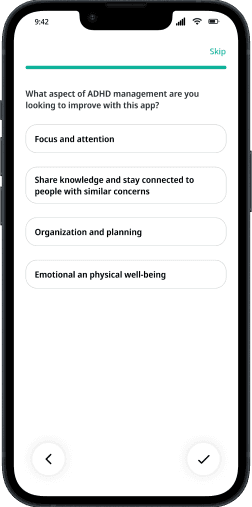
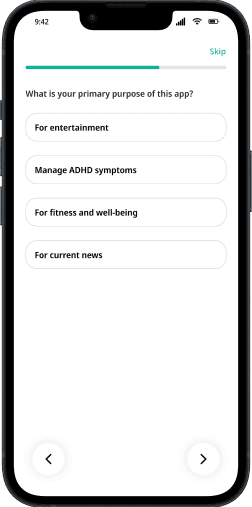
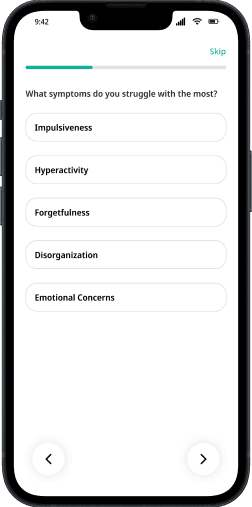
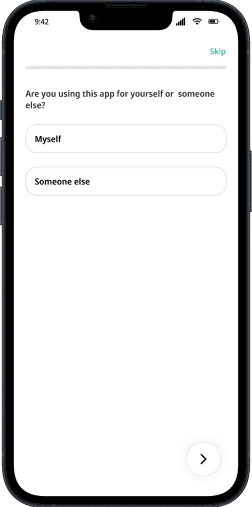
Refining the Onboarding Process
Action Taken
Specific ADHD-related questions were added during onboarding to ensure that the app gathers more relevant data. These questions focused on understanding users' symptoms, challenges, and behavior patterns.
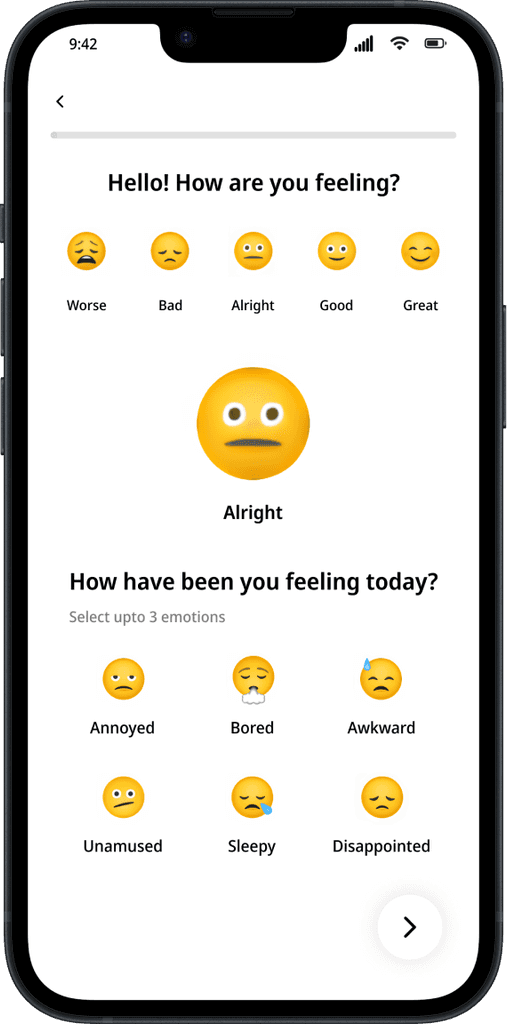
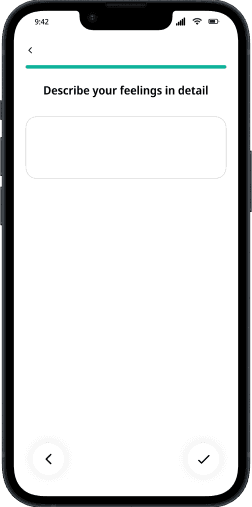
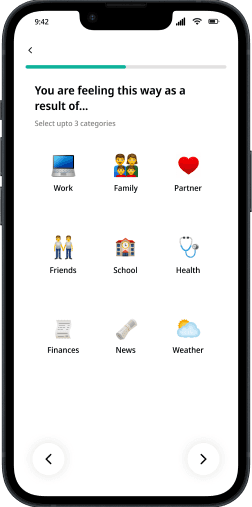
Enhanced Emotion Tracking Feature
Feedback from Users
Users expressed that while identifying emotions was helpful, the experience lacked depth, this made the tracking less insightful and less useful for mental health management.
Action Taken
Additional screens were added to let users
Select for feeling a certain way (e.g., work pressure, relationship issues, health concerns).
Explain their emotions in more detail using optional text or voice inputs.
Key Learnings

User-Centric Design is Crucial for Niche Audiences
Designing for users with ADHD required a deep understanding of their unique needs, challenges, and behaviors.
Standard UX practices were not always sufficient; the app had to cater to ADHD-specific pain points.
The importance of conducting detailed research to understand the target audience's needs and integrating that understanding into every design decision was highlighted.
The Role of Technology in Mental Health Management
The project reinforced the idea that digital tools can play a significant role in mental health management.
By enabling users to track emotions, reflect on mental states, and provide actionable insights, the app demonstrated how technology can empower individuals to take control of their mental health.

Balancing Simplicity with Depth
Users with ADHD often prefer simple and intuitive designs due to their challenges with focus and attention. Clear layouts, progress indicators, and micro-interactions helped users navigate the app with ease. This reinforced the understanding that accessibility in design isn’t just about physical disabilities but also cognitive and emotional needs.

Challenges of Designing for Cognitive Disorders
Users with ADHD may become easily distracted or overwhelmed. This taught the importance of limiting cognitive load in the app by:
Breaking down tasks into smaller steps.
Avoiding excessive text or clutter.
Ensuring features are easy to find and use without requiring too much mental effort.
Conclusion
We have examined the difficulties and underlying causes of Attention Deficit Hyperactivity Disorder (ADHD) in this case study because it is a complicated condition that needs a multimodal approach to treatment. The app seeks to improve time management, foster mindfulness and emotional regulation, provide a sense of community, and offer personalized support to the users. Ultimately, the application strives to contribute to the betterment of the quality of life for individuals with ADHD by addressing the root causes of the disorder and providing practical tools for self-management and support.
Catalyst
Catalyst
A Holistic Approach to Mitigating ADHD(Attention Deficit Hyperactivity Disorder)
Project Overview
Catalyst is a mobile application designed to streamline the college experience by consolidating essential services into a single platform. It addresses pain points such as inefficiencies in accessing course materials, managing schedules, submitting assignments, participating in events, and handling administrative tasks like document requests. The project’s goal was to create a user-friendly, efficient, and engaging tool for students, improving their academic and campus life.
Team
Individual
Role
Researcher, Designer
Duration
3 months, 2023
Navigate the Solution
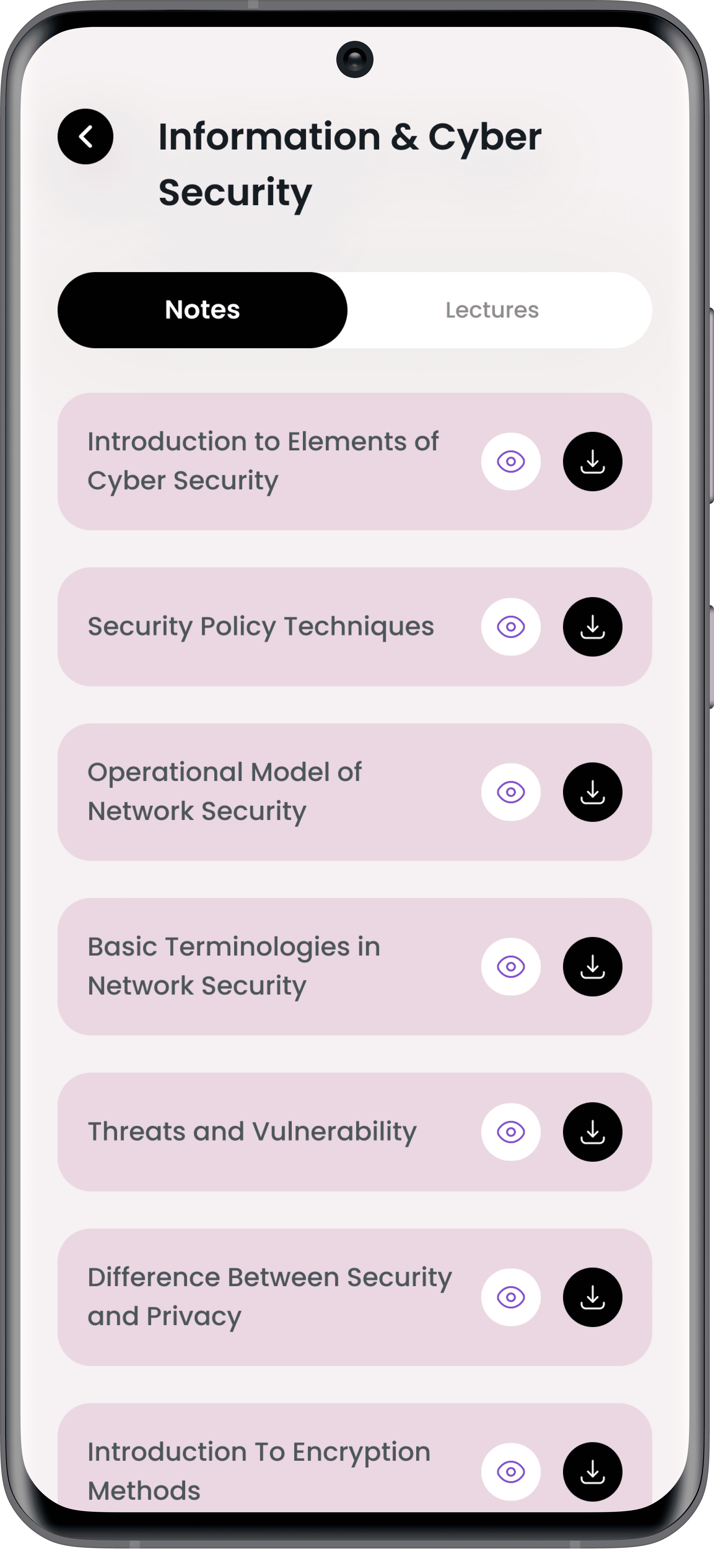
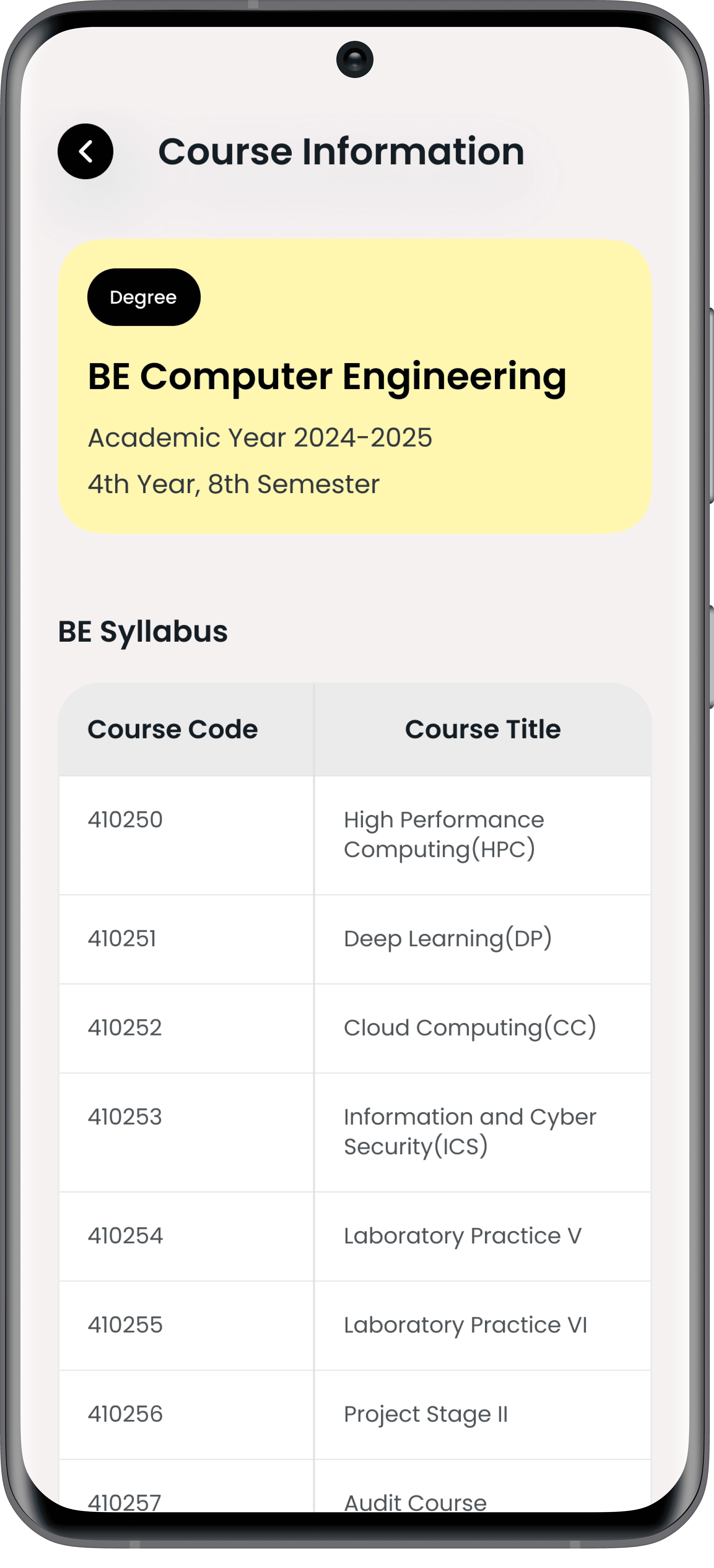
Knowledge at your fingertips!
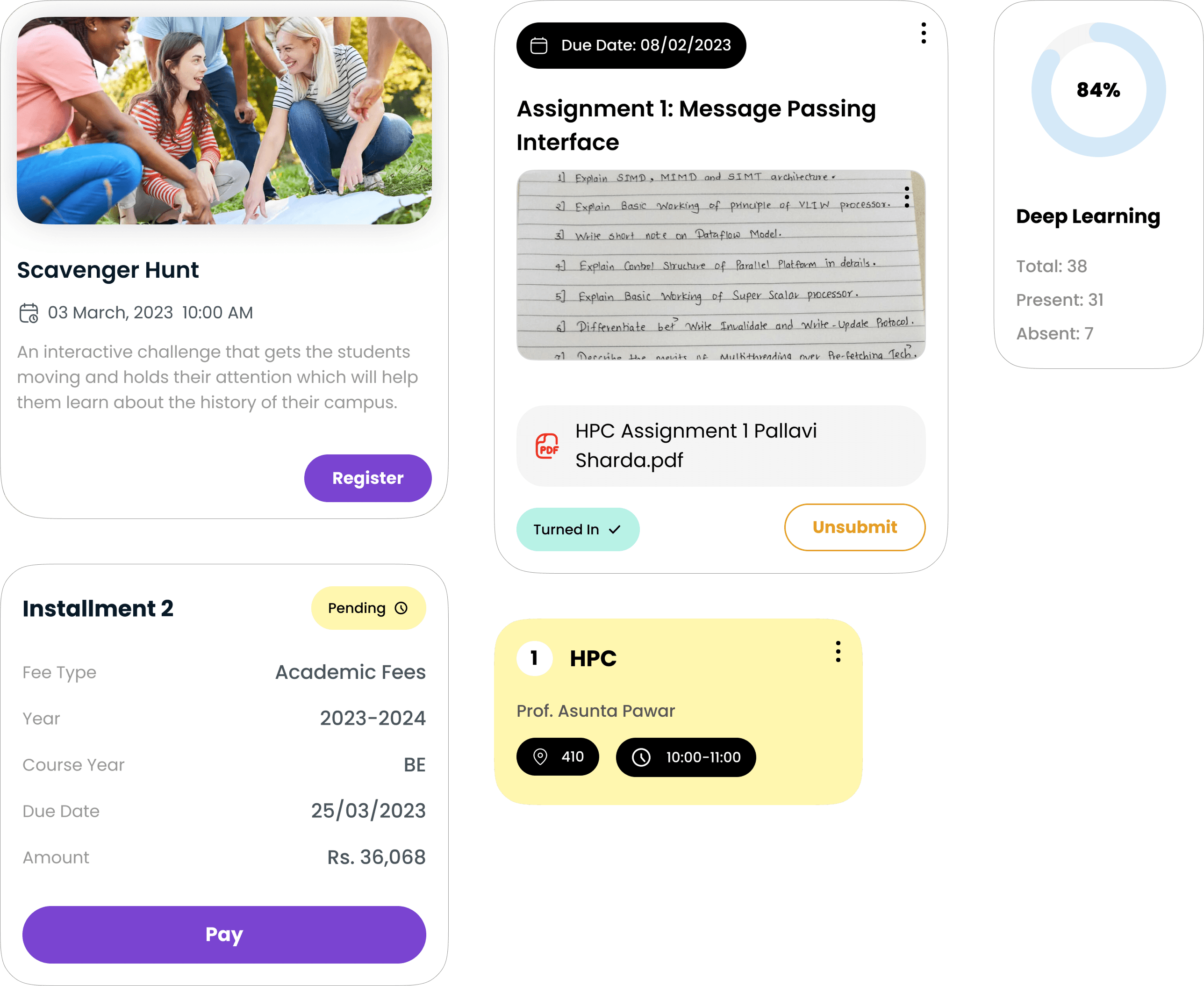
Access all your course materials and updates in one place. The course information module simplifies studying and staying updated.
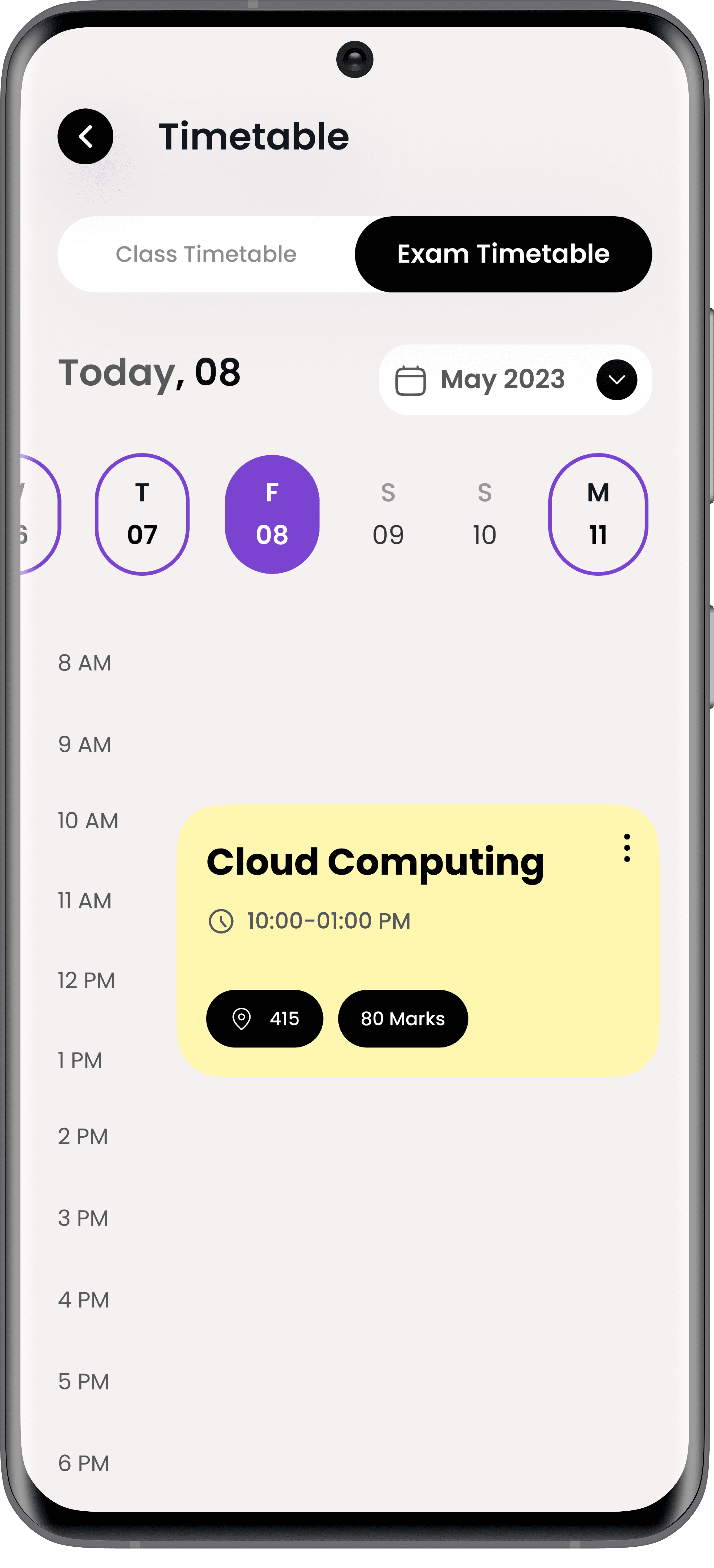
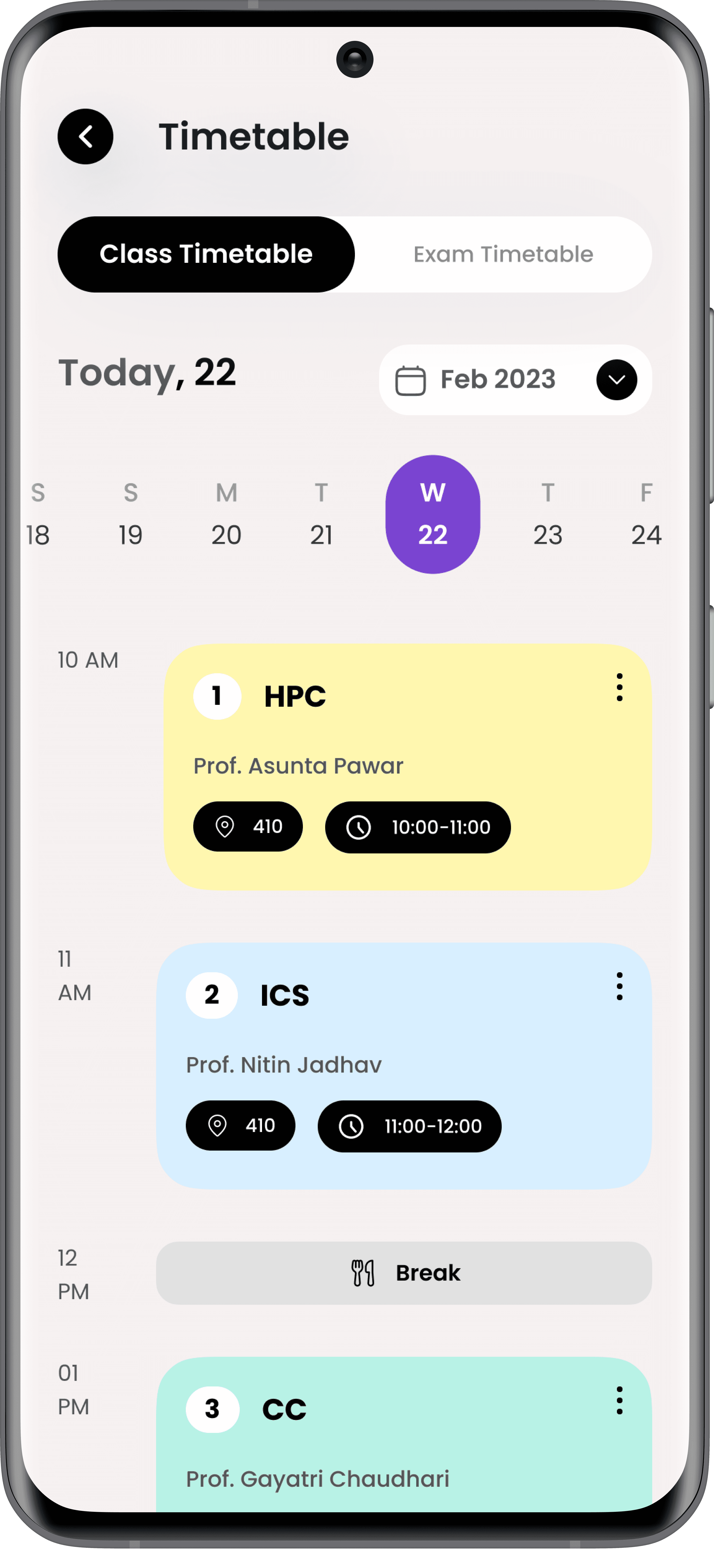
Your Day, Simplified!
An interactive and personalized timetable provides students with real-time updates on classes and exams. The timetable adapts dynamically, ensuring that no important detail is missed.
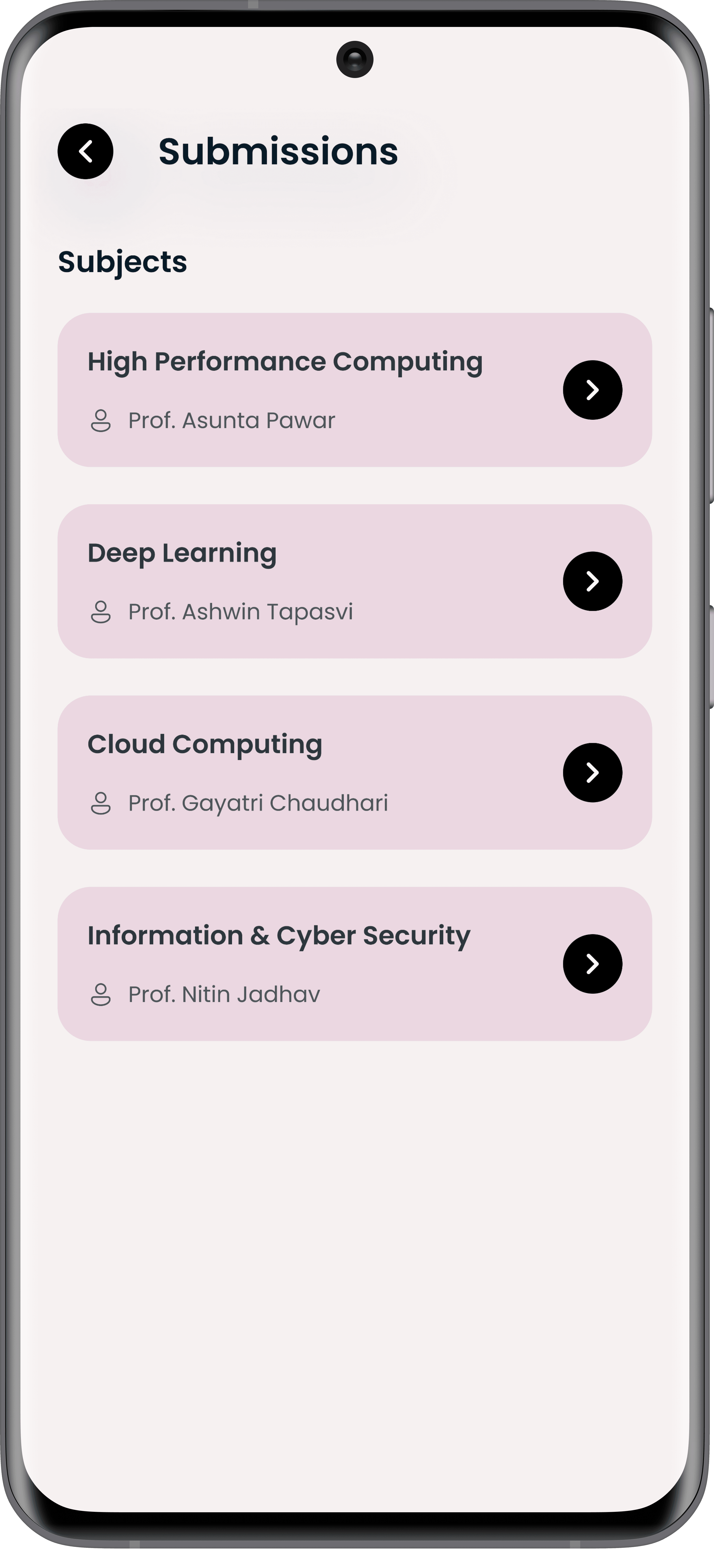
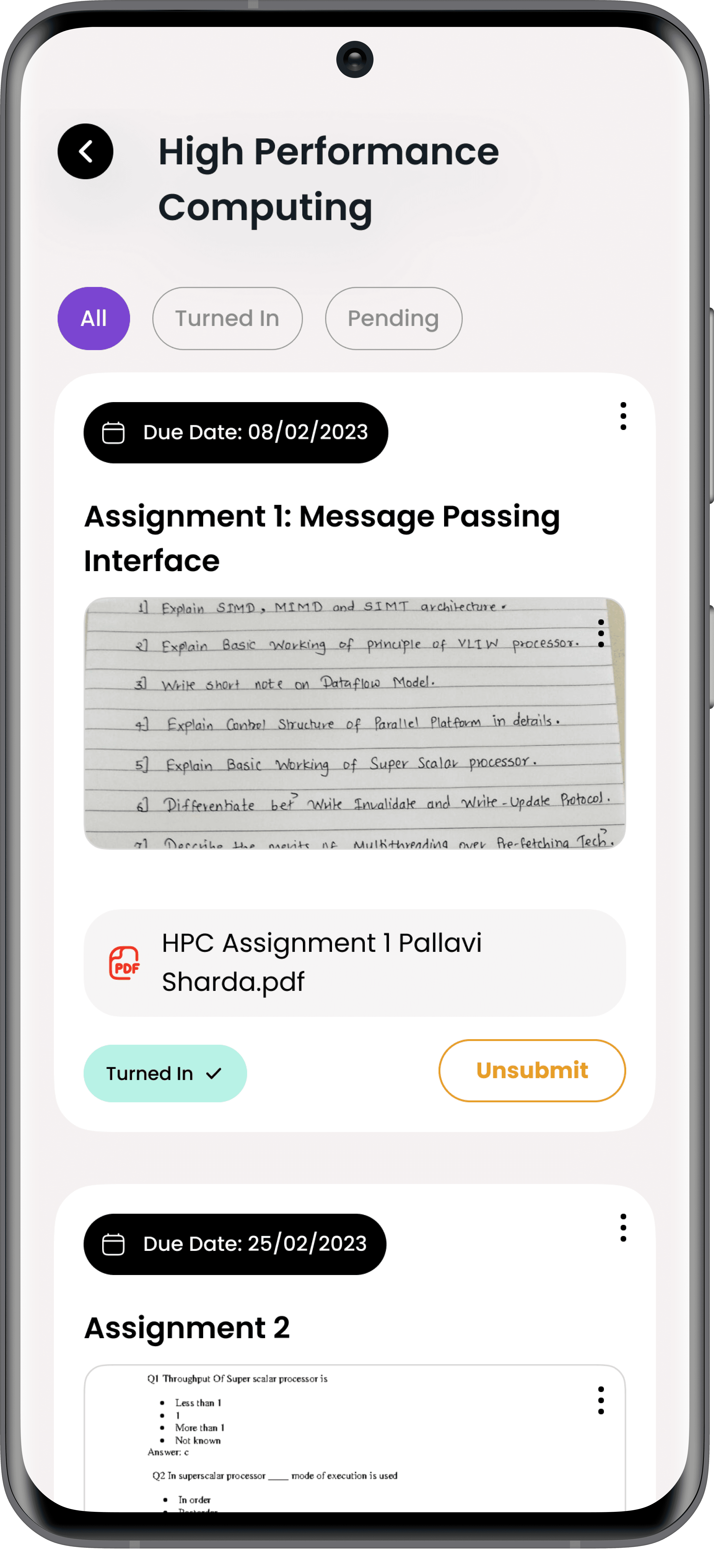
Bye-Bye Deadline Panic!
The submissions feature streamlines assignment and project submissions with built-in deadline tracking and notifications.
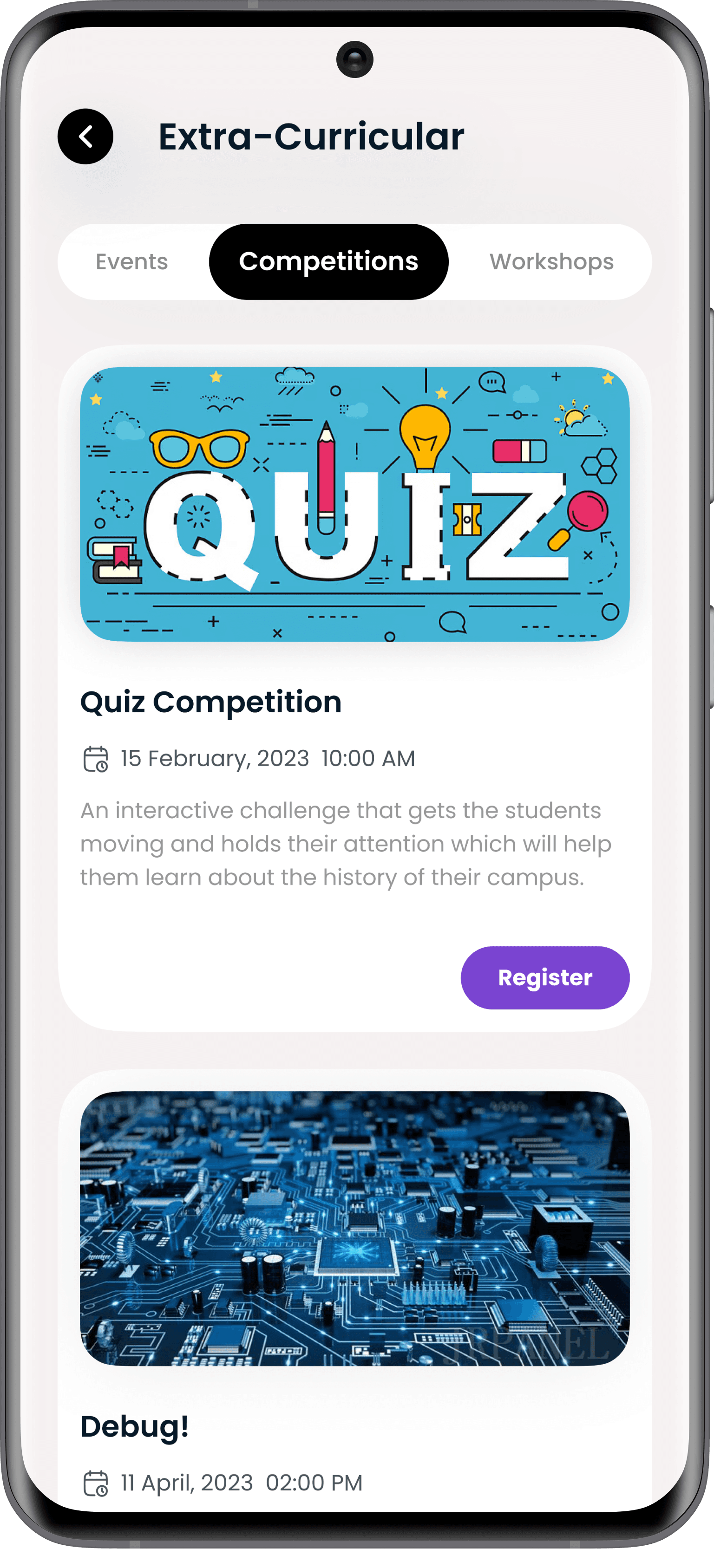
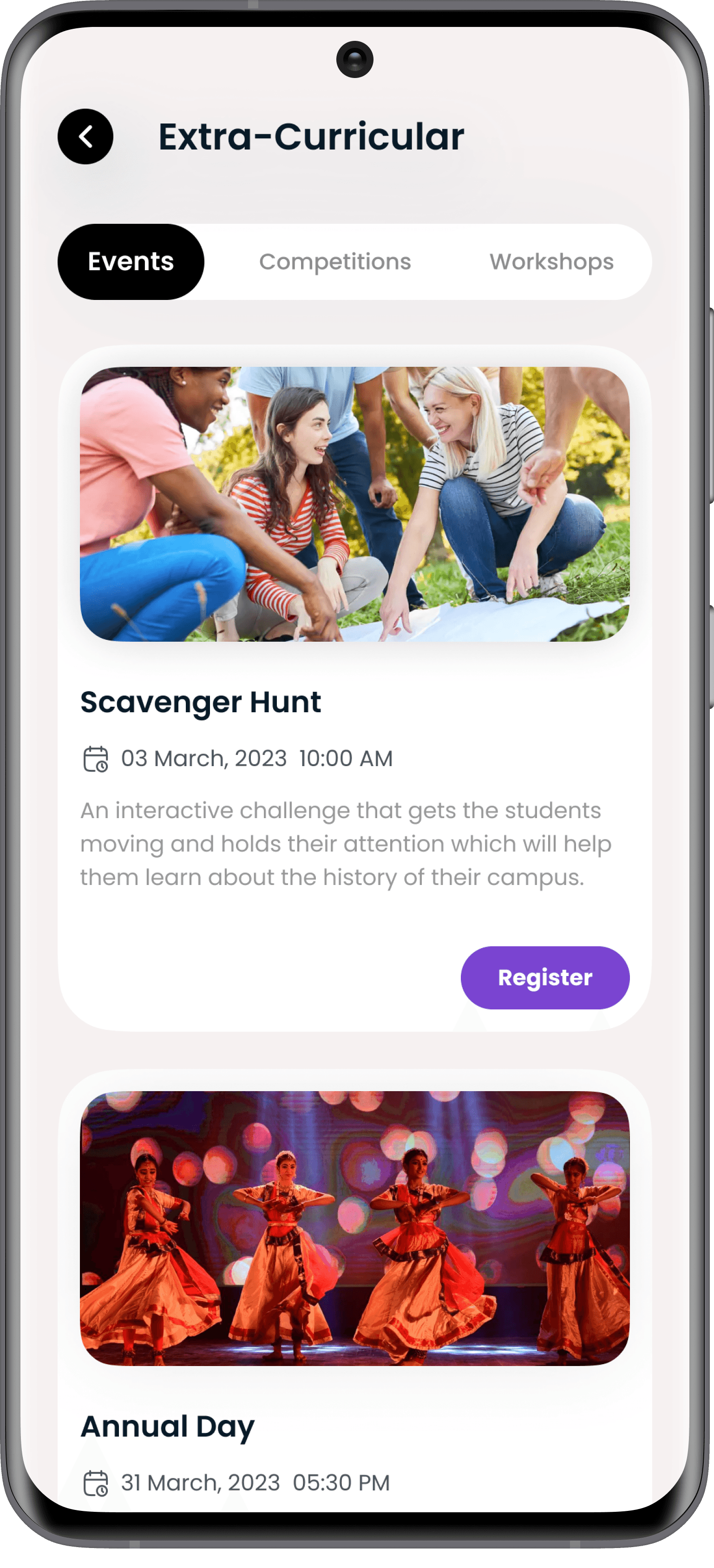
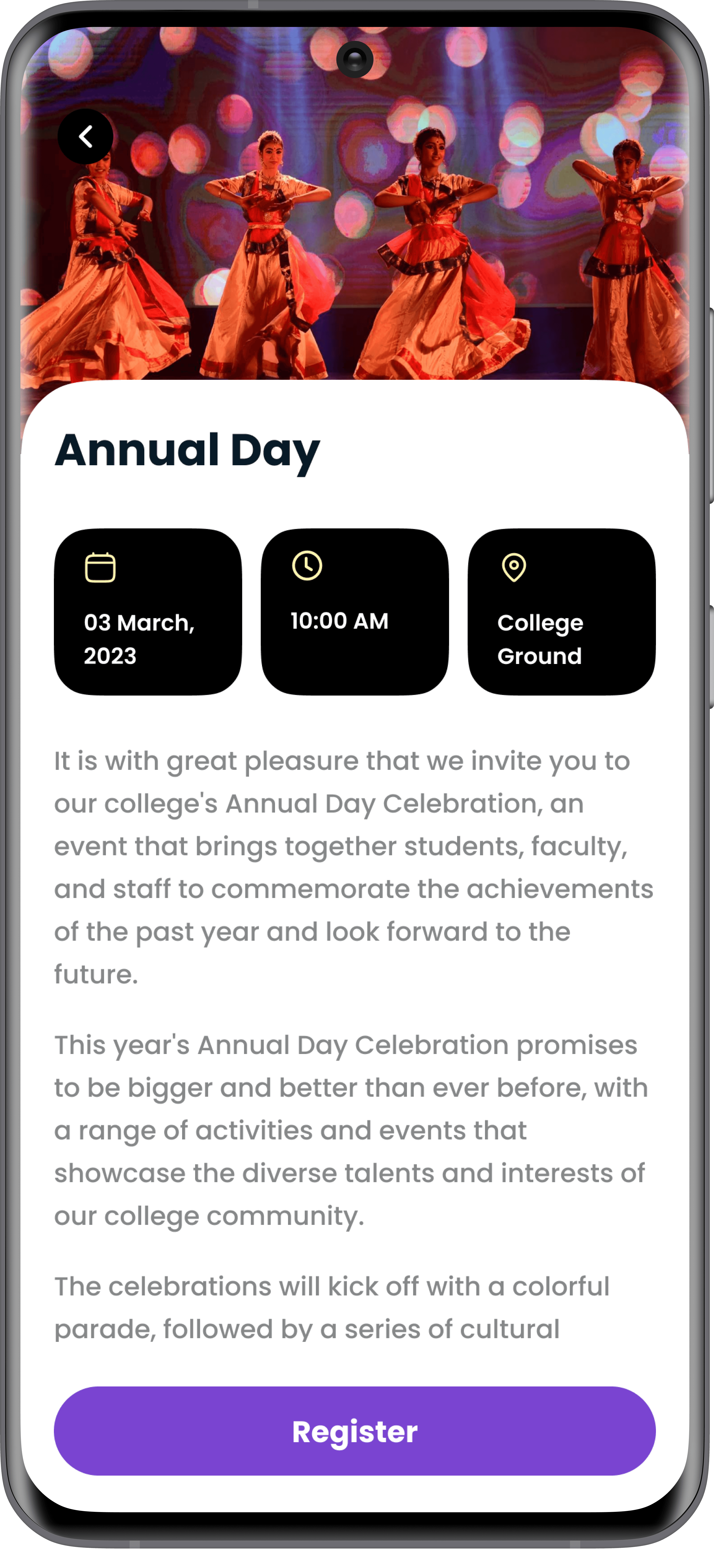
Never Miss Out!
Stay in the loop with all college events, competitions, and workshops. Students can view event details, register, and receive timely updates directly within the app.
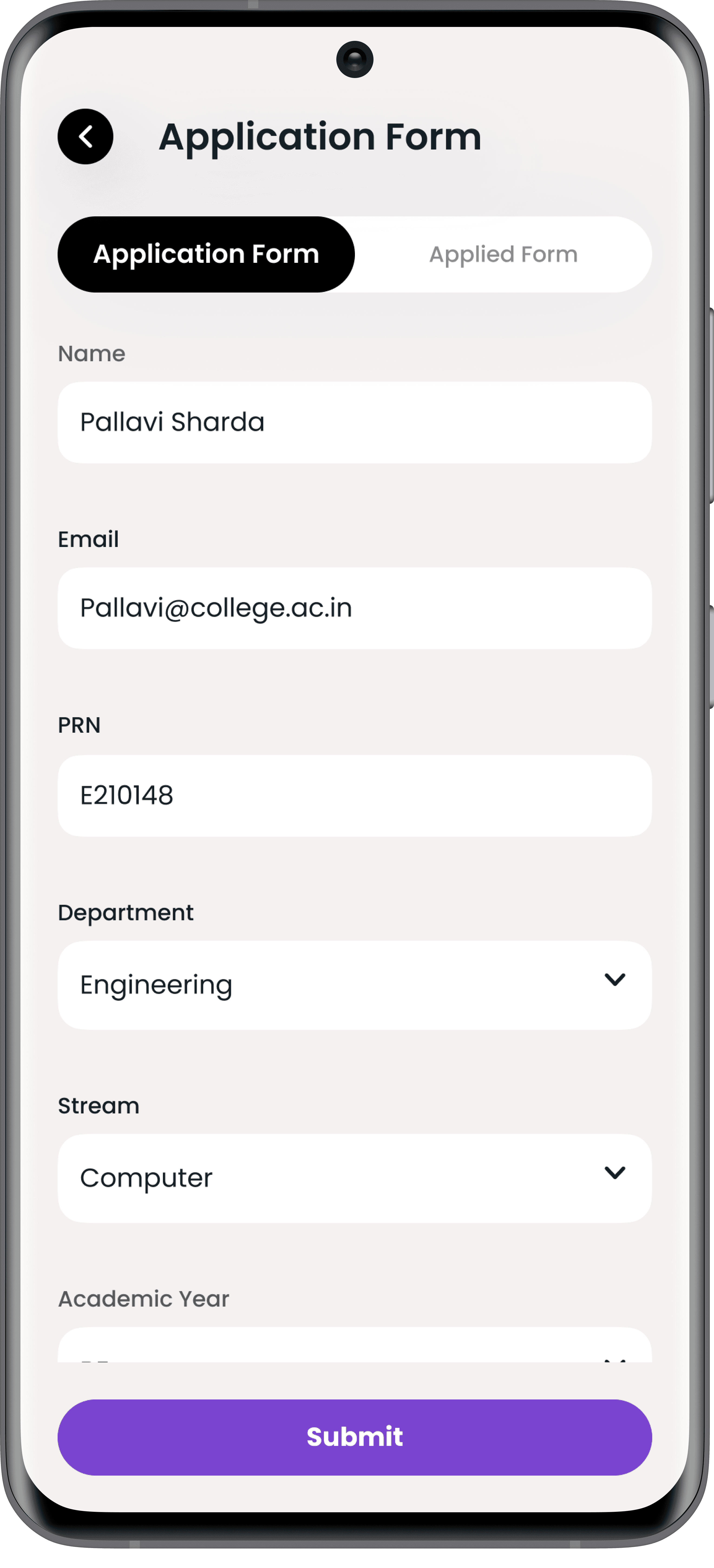
Paperwork Made Easy!
Forget the hassle of administrative tasks! This feature allows students to request transcripts, certificates, and other documents digitally, with real-time status tracking.

Your Voice Matters!
Catalyst integrates feedback mechanisms to enable students to provide constructive feedback on courses, professors, and campus services.
Problem Identification
Why Catalyst?
Modern college students face numerous challenges due to the reliance on multiple disjointed platforms, resulting in:
Missed Deadlines: Fragmented schedules and notifications lead to lapses in time management.
Limited Accessibility: Difficulty finding and accessing essential course materials and event details.
Administrative Inefficiency: Tedious processes for document requests and approvals.
Lack of Feedback Mechanisms: No centralized system for voicing concerns or suggestions about college services.
These pain points underscore the need for a unified platform that addresses the complexities of modern student life while promoting efficiency and engagement.
Primary Research
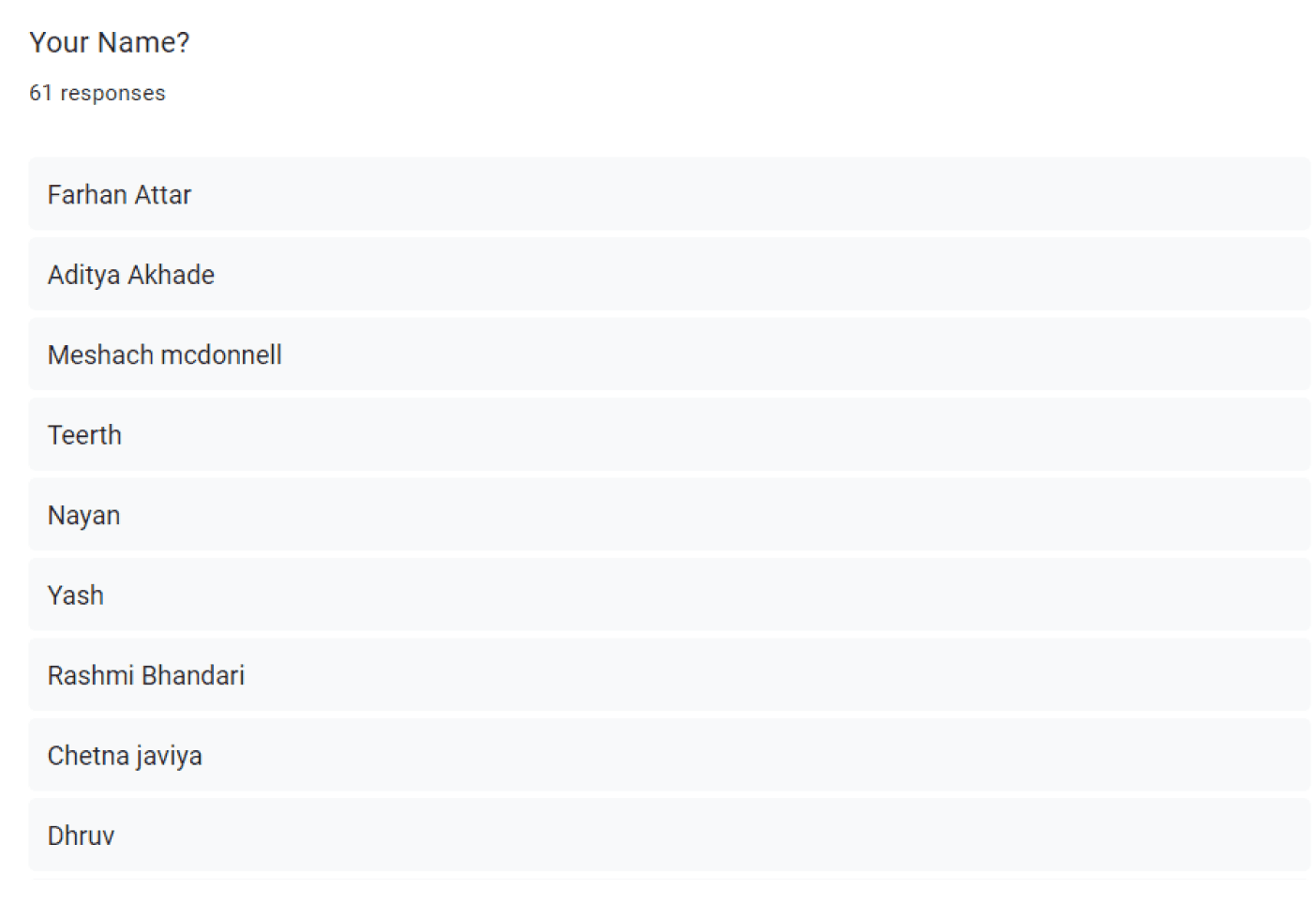
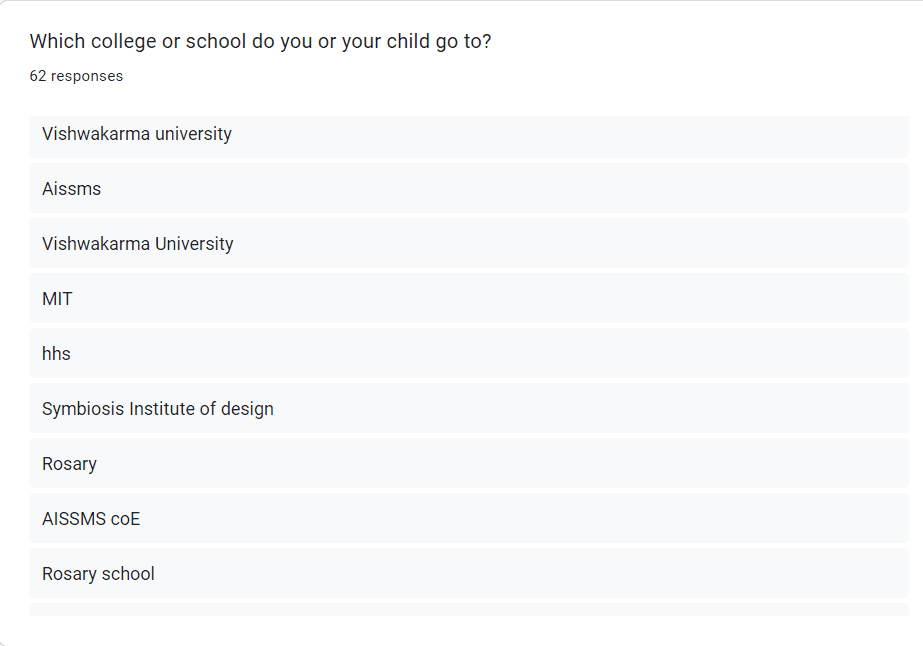
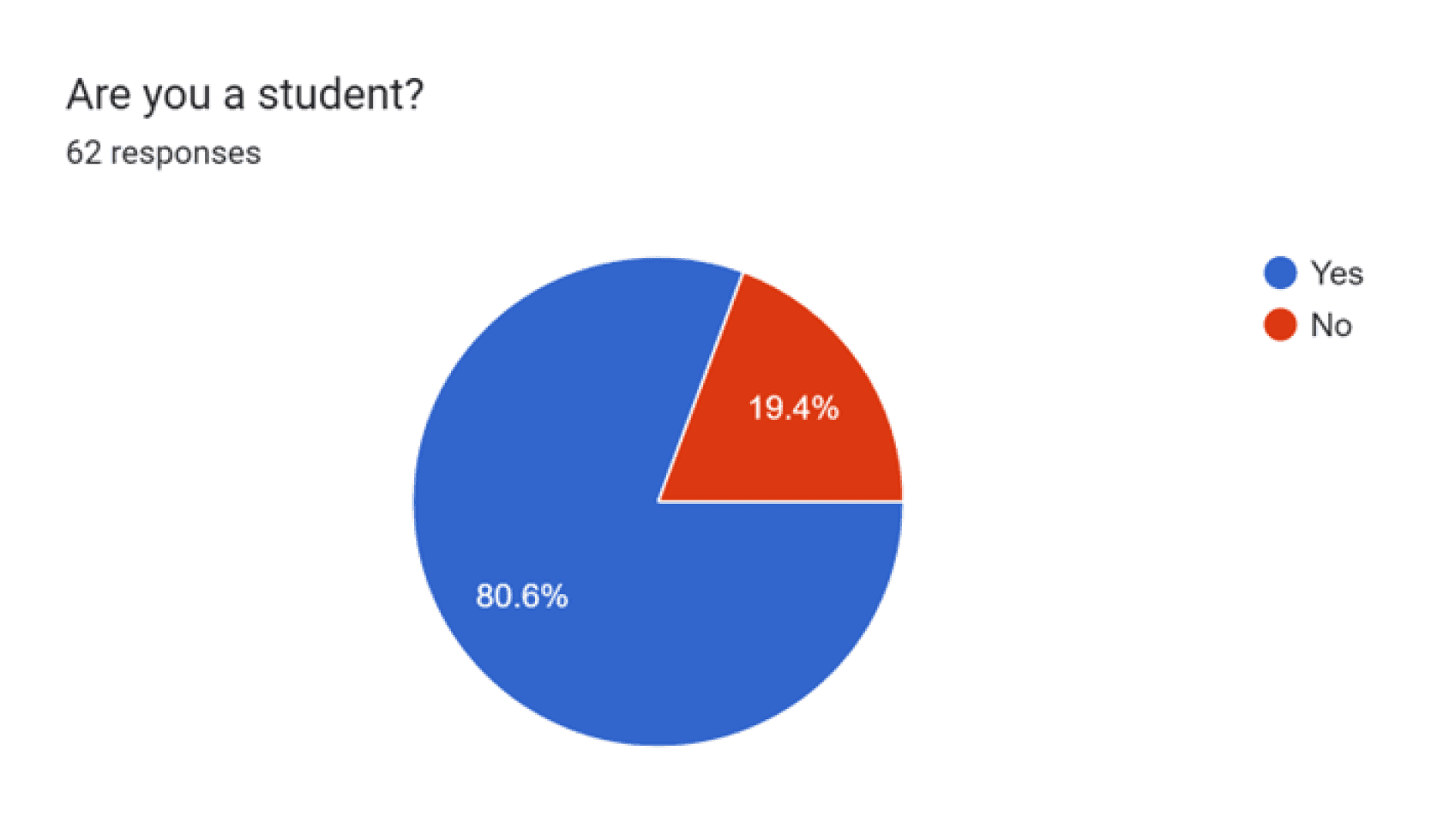
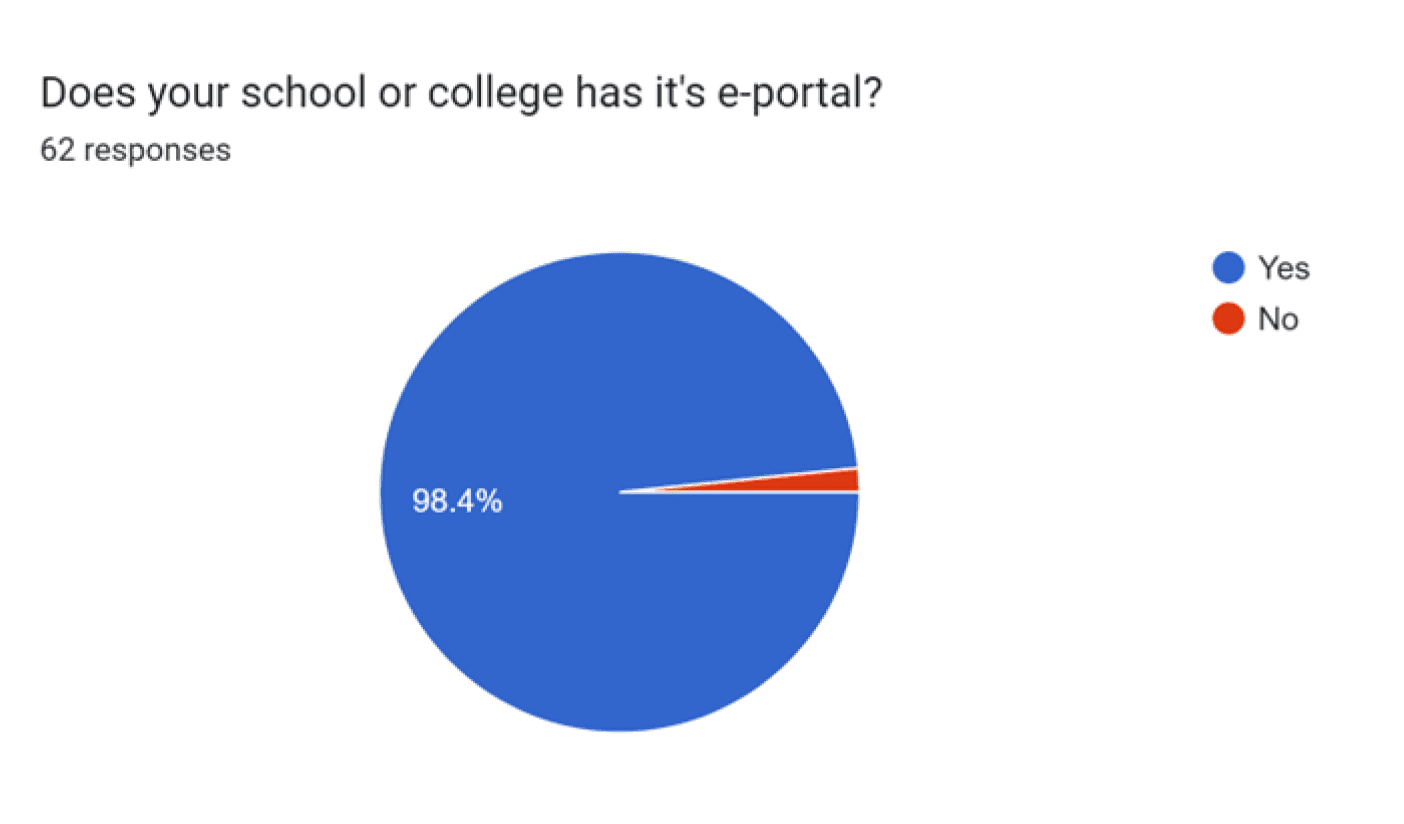
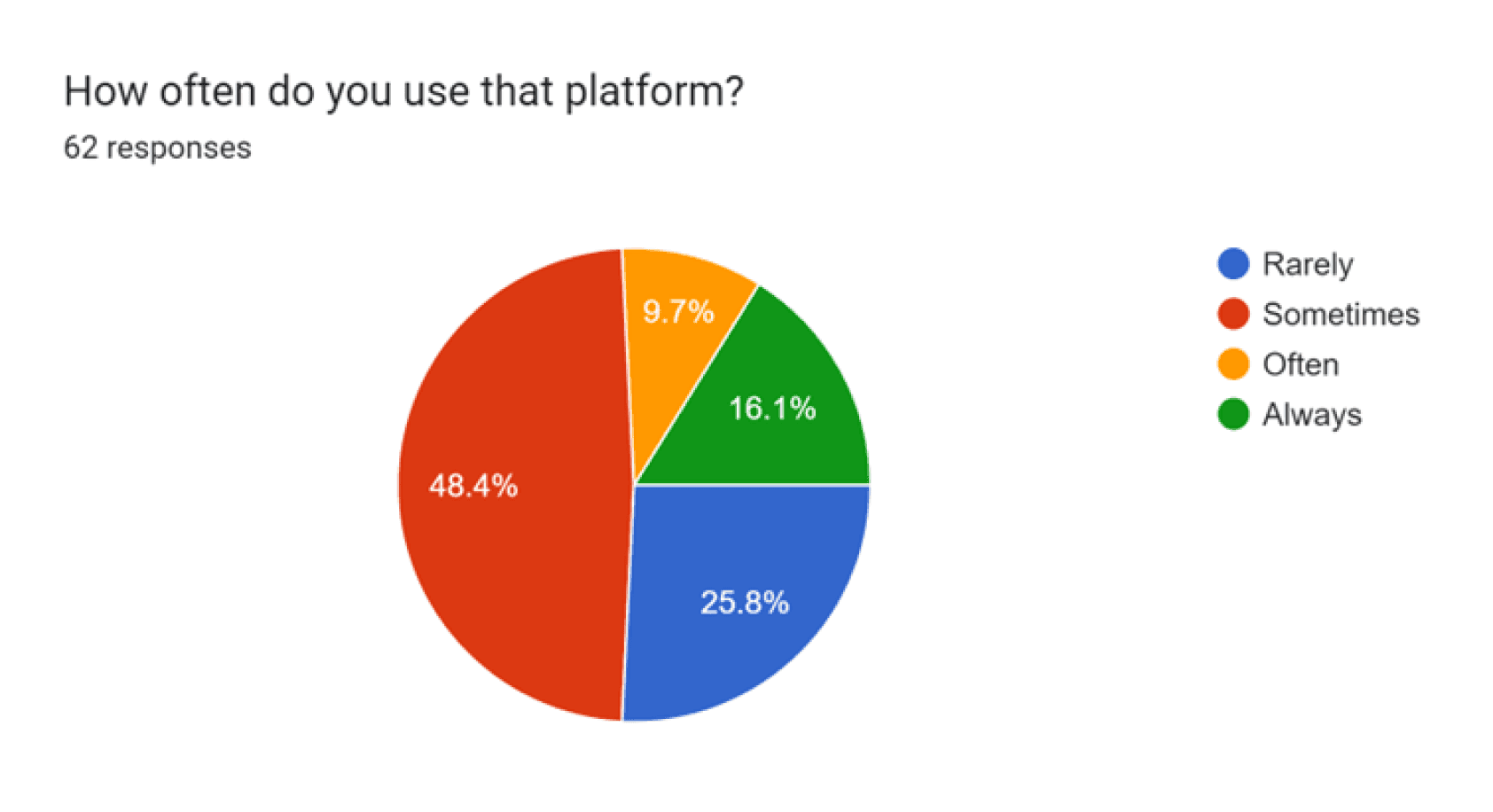
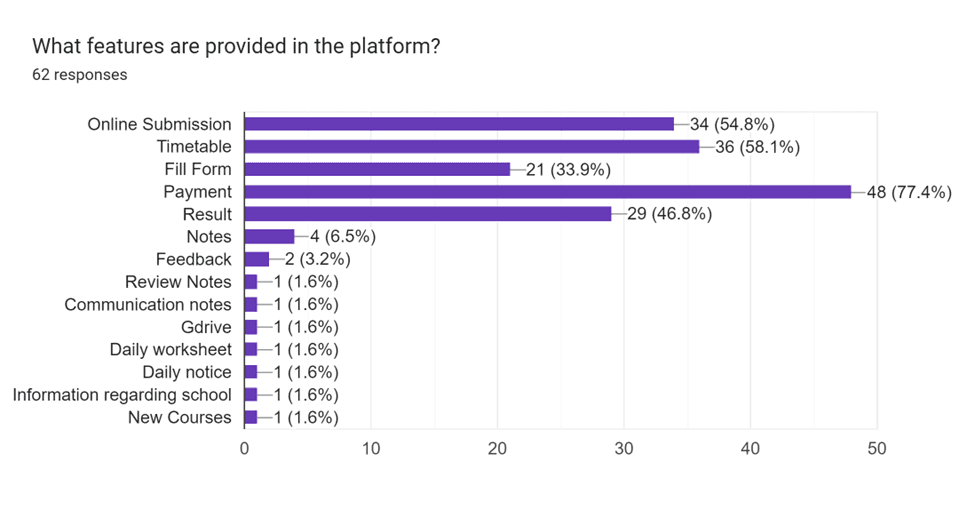
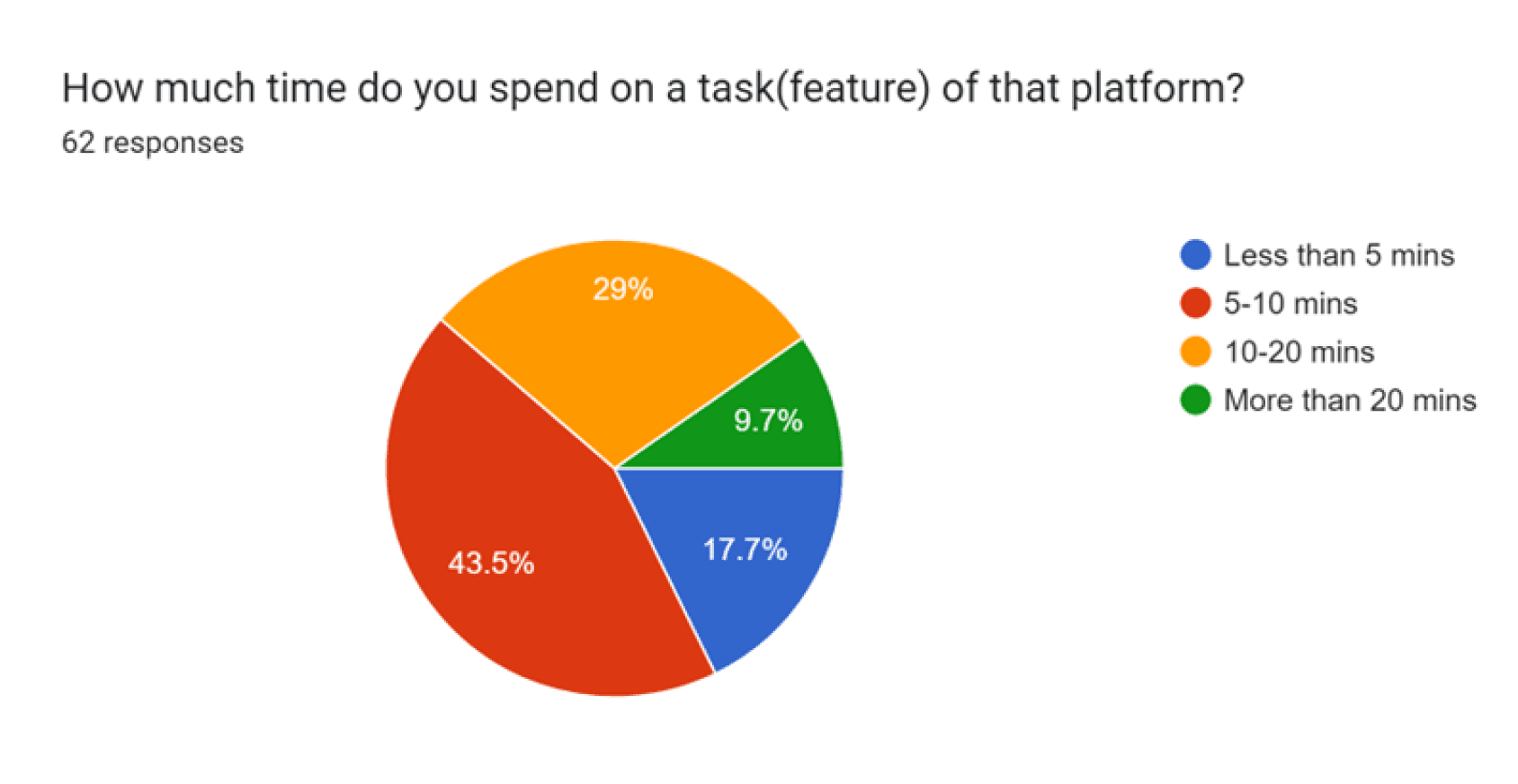
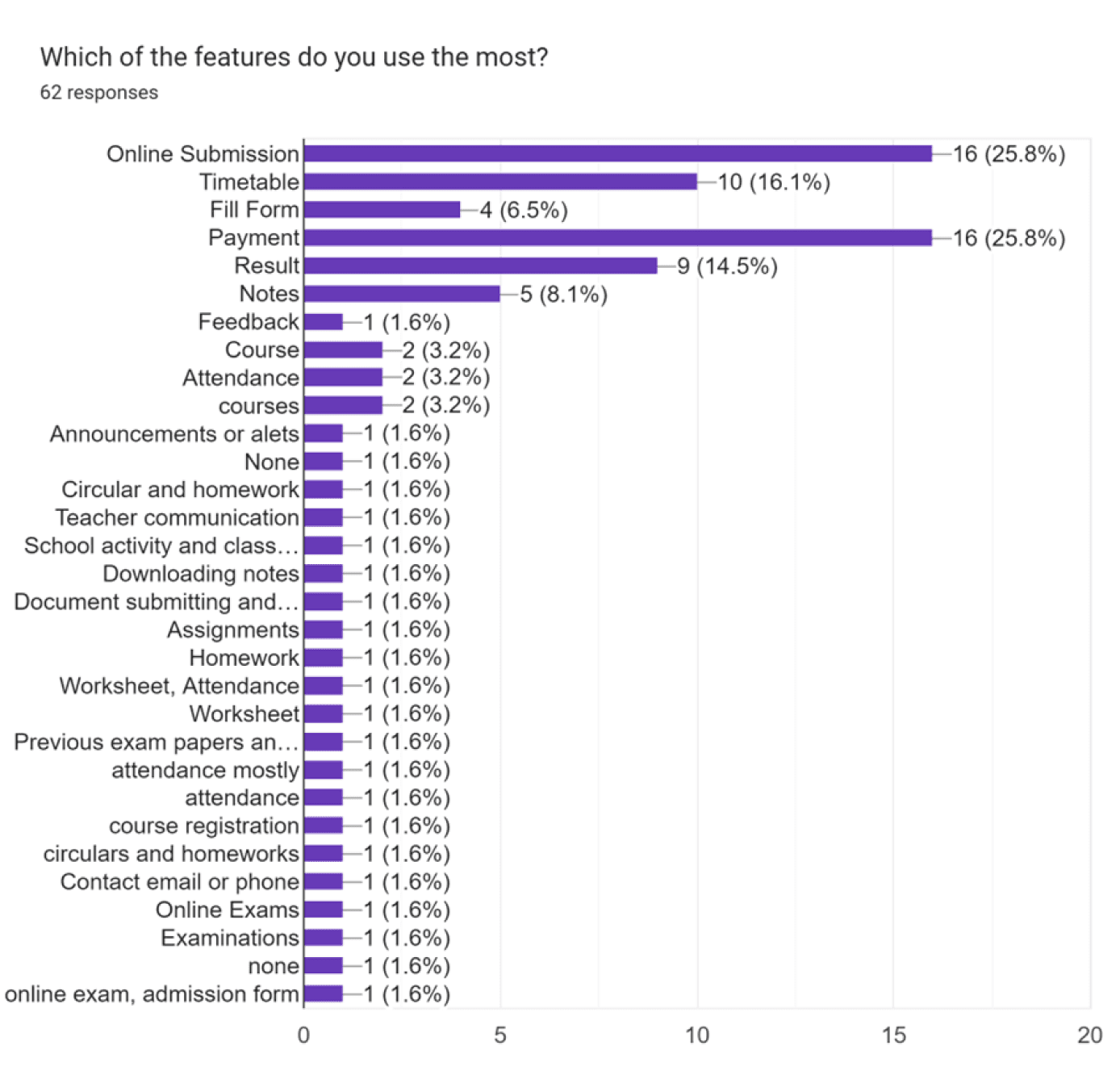
To ensure that Catalyst was designed to meet the real needs of students, we conducted extensive primary research. 30 students from diverse academic backgrounds shared their daily challenges and expectations.
Secondary Research
Secondary research included a thorough analysis of existing academic management tools, identifying gaps and opportunities for improvement:

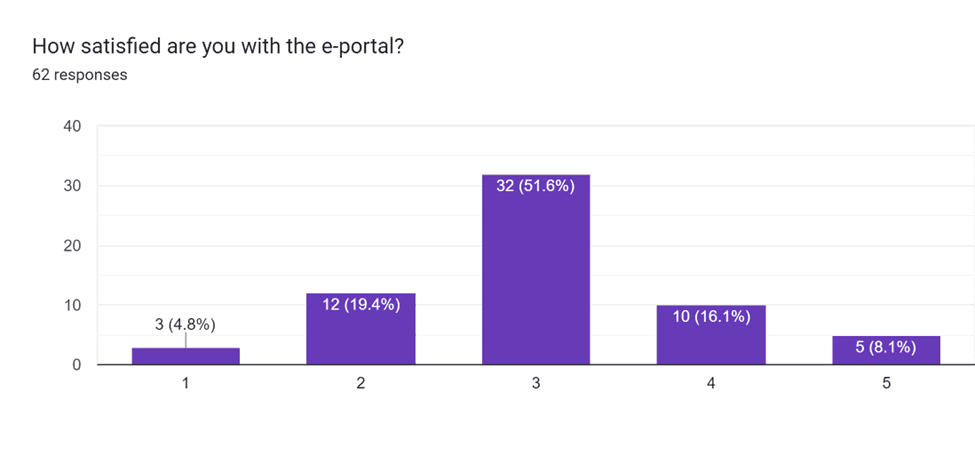
Key Insights
8.1%
only are fully satisfied.
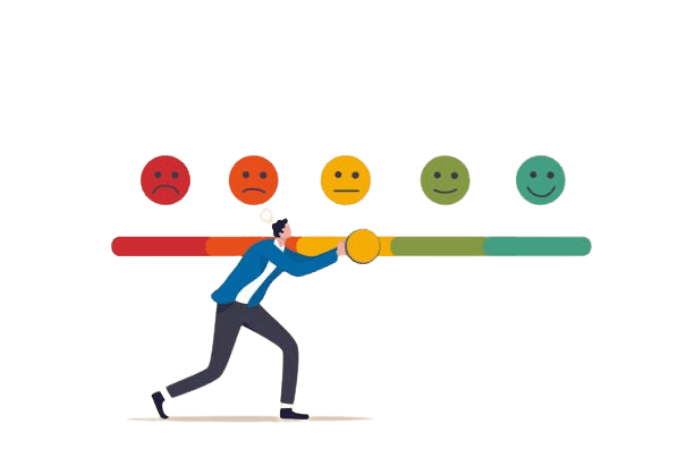
More than 50% want many changes to the portal
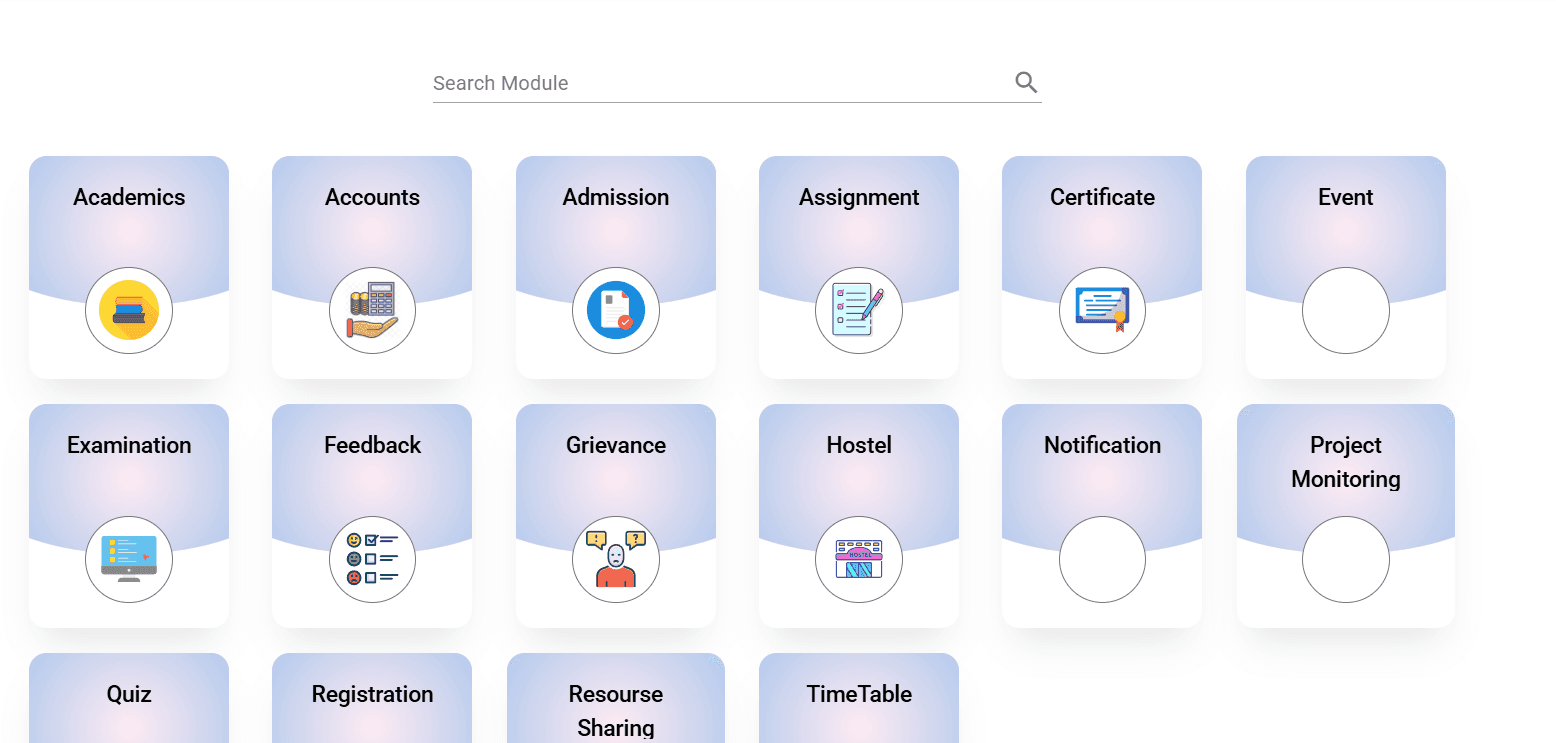
85%
Students expressed frustration with juggling multiple platforms

Indicated that a centralized timetable and submission system was a top priority

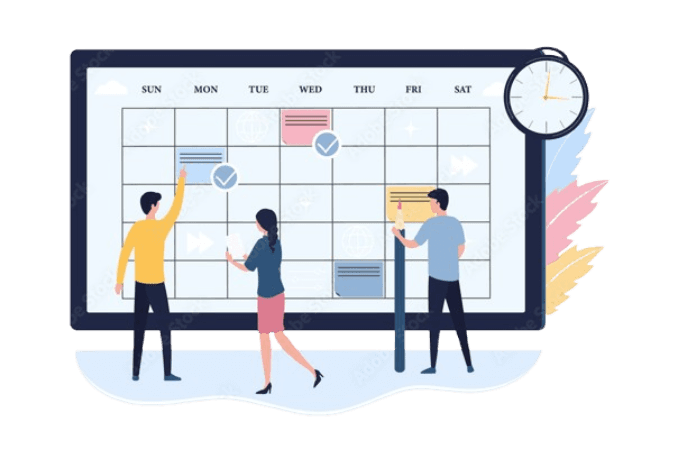
Event registrations were often missed due to poor communication and inconsistent updates.
Design Brief
Overview
Design a college portal for students that allows them to access all the necessary information related to their academics, extracurricular activities, and reach their requirements in a convenient and efficient manner.
Objective
To provide students relevant information and access to various resources like class schedules, course materials, announcements, etc.
A platform where students will be able to register to different events such as workshops, guest lectures, competitions, etc.
Notifications of upcoming events, submissions, holidays, exams, etc.
Target Audience
Students
Staff
Persona
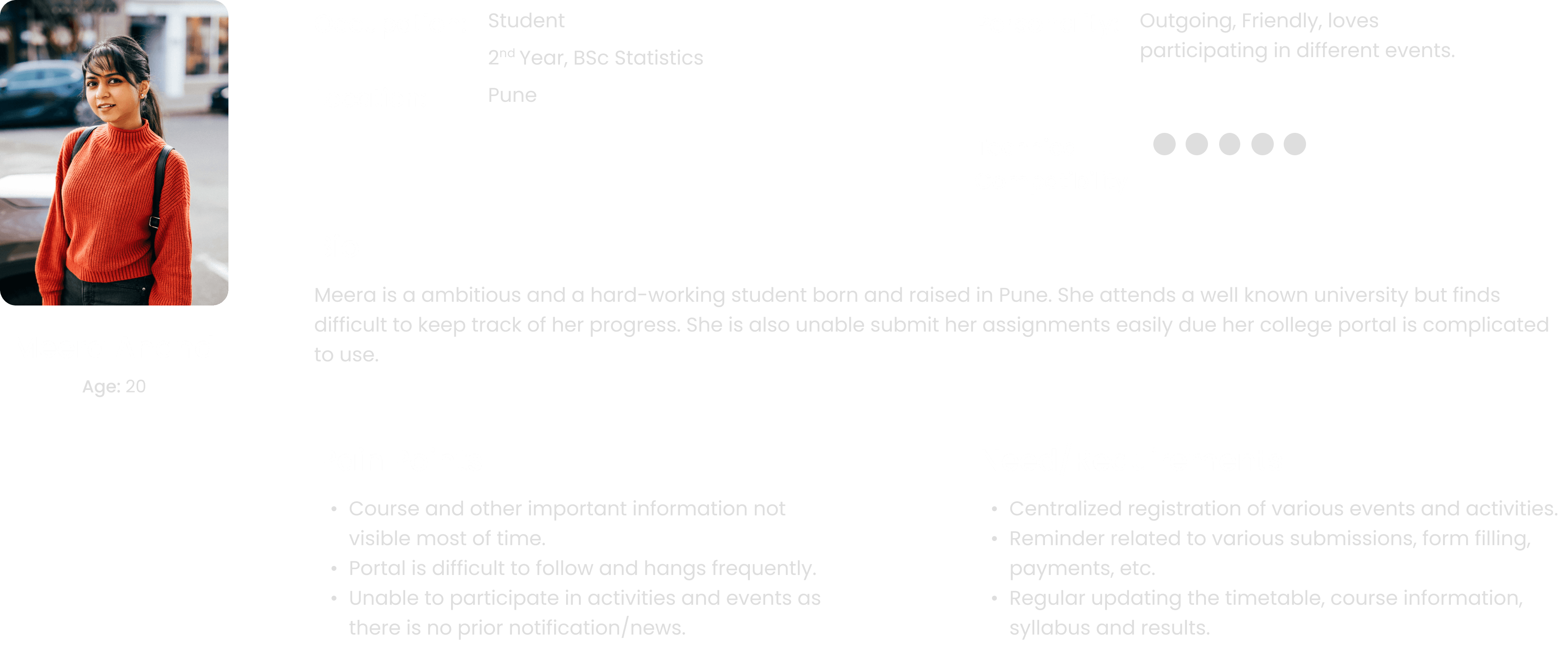
Customer Journey

Information Architecture
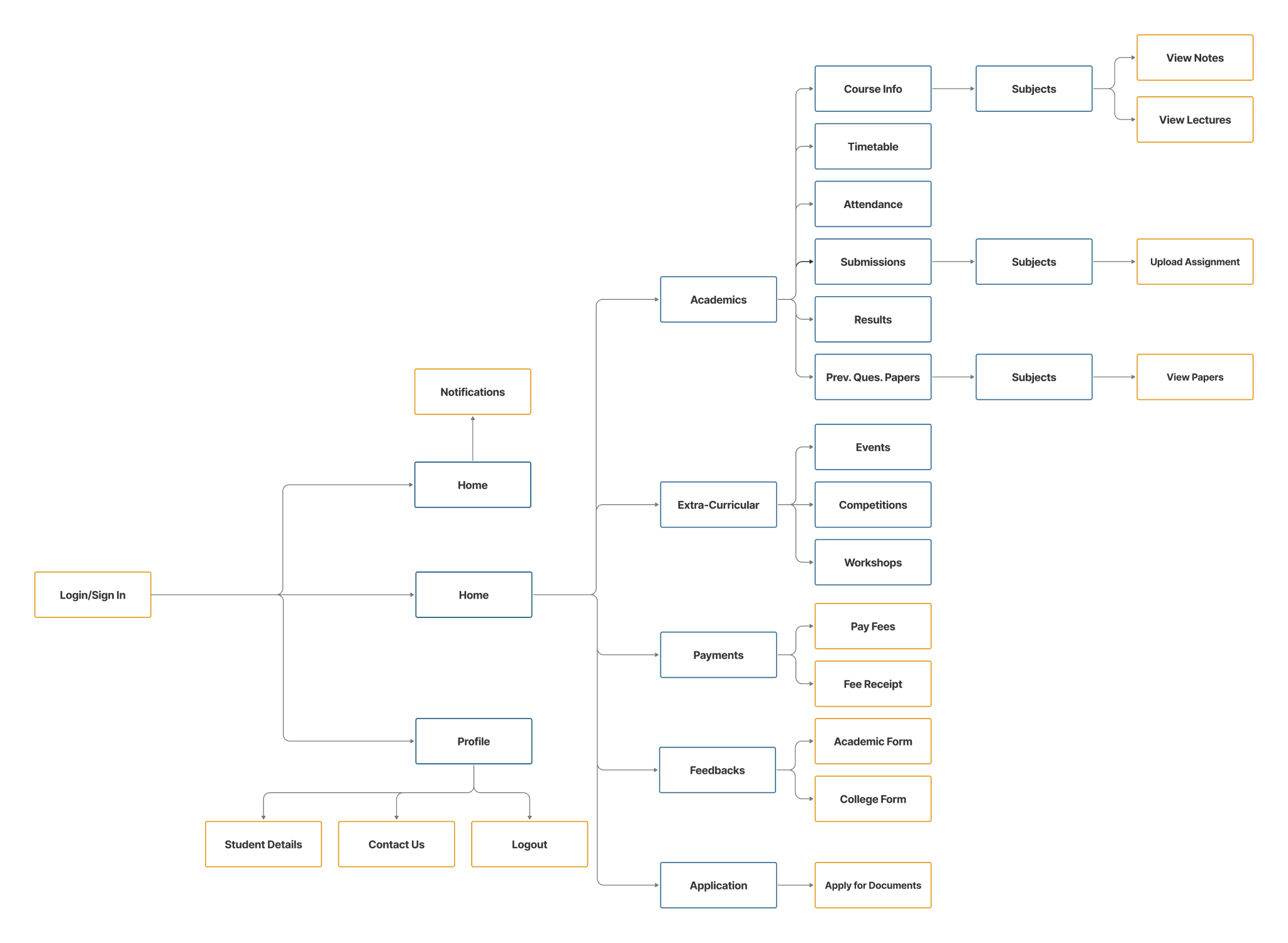
Low Fidelity
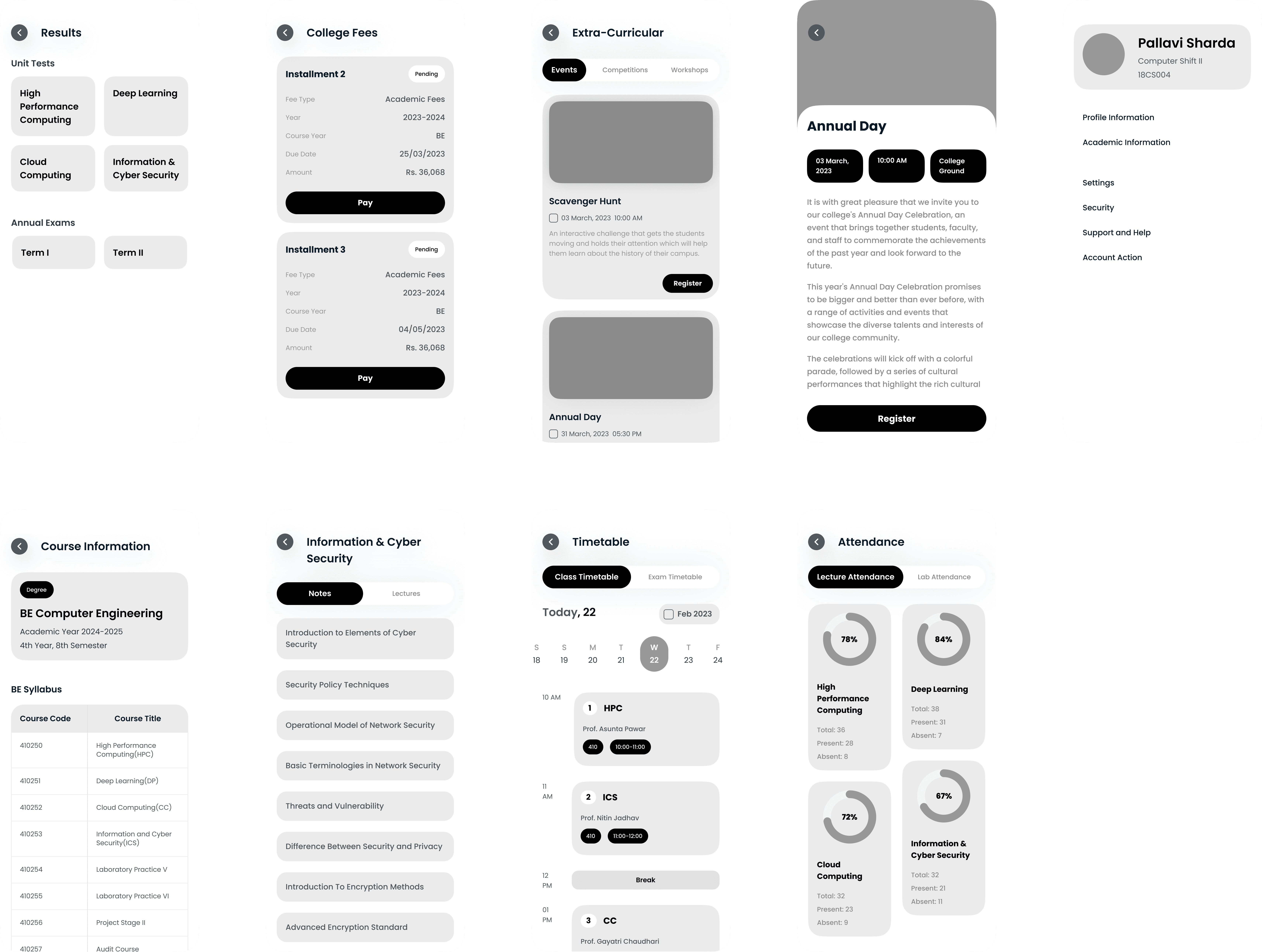
Style Guide
Colors
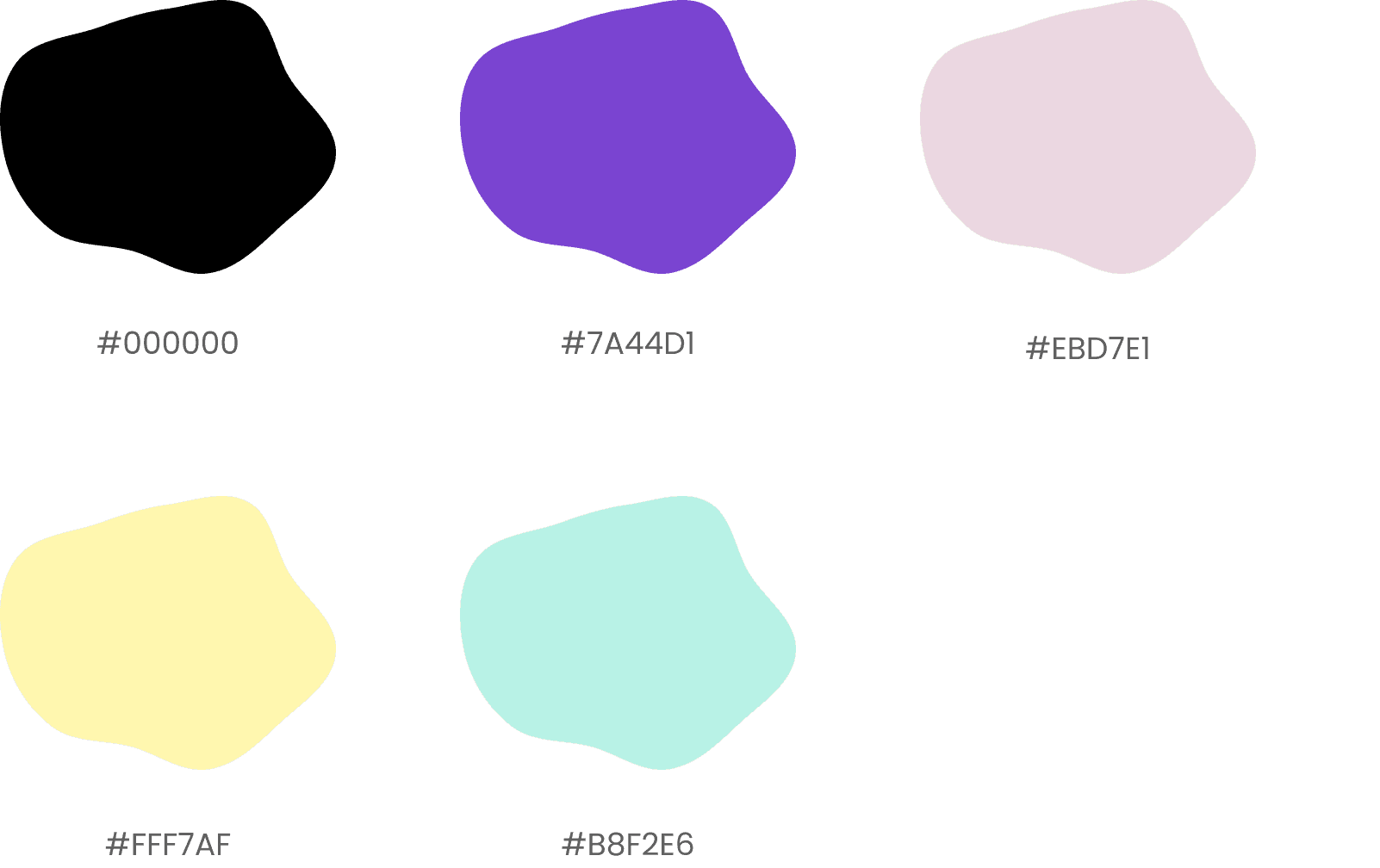
Typeface
Poppins

Components
Usability Testing
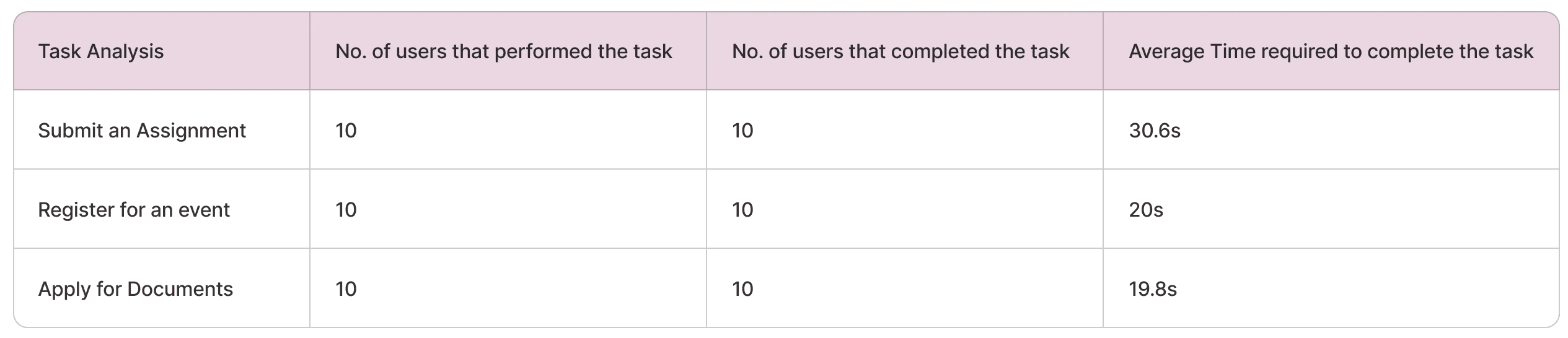
10 students from various departments participated in the usability tests.
Task Analysis
We have performed a task analysis to validate and check the proposed solution. The formula used for checking the average time taken by the users for each task is as follows
Task Time =
Time(user1) + Time(user2) +...+ Time(userN)
Total number of users
System Usability Scale(SUS)
The System Usability Scale (SUS) is a widely used tool to evaluate the usability of a system through a quick 10-item questionnaire, providing a reliable measure of user satisfaction. A total of 6 participants were recruited to complete the SUS questionnaire after using the system for a predefined task. After completing the task on the platform, participants were asked to fill out the SUS questionnaire.
The system achieved an average SUS score of 83.61, with scores ranging from 70 to 90, indicating a generally positive usability experience. According to established SUS guidelines, a score of 83.61 is above the industry average, a score of 68, suggests that the system is perceived as usable by participants. The above-average SUS score highlights the system's user-friendly design, making it suitable for a diverse user base with varying levels of technical expertise.

Final Takeaways
1
Catalyst delivered tangible improvements in productivity and engagement
2
Students experienced better time management and reduced task-switching.
3
A clear, intuitive interface proved essential in ensuring students embraced the platform.
4
Empathy-driven design was pivotal in addressing pain points and creating a seamless experience.
Conclusion
Catalyst successfully addresses the fragmented experience of college management tools by offering an integrated, user-centric solution tailored to student needs. Through a combination of thorough research, user-centered design, and rigorous testing, the platform simplifies academic and administrative tasks while fostering greater engagement in campus activities.